
What is required to create a Databricks Model Serving endpoint from an MLflow registered model?
Select an answer to reveal the explanation.
Short Explanation and Infographic
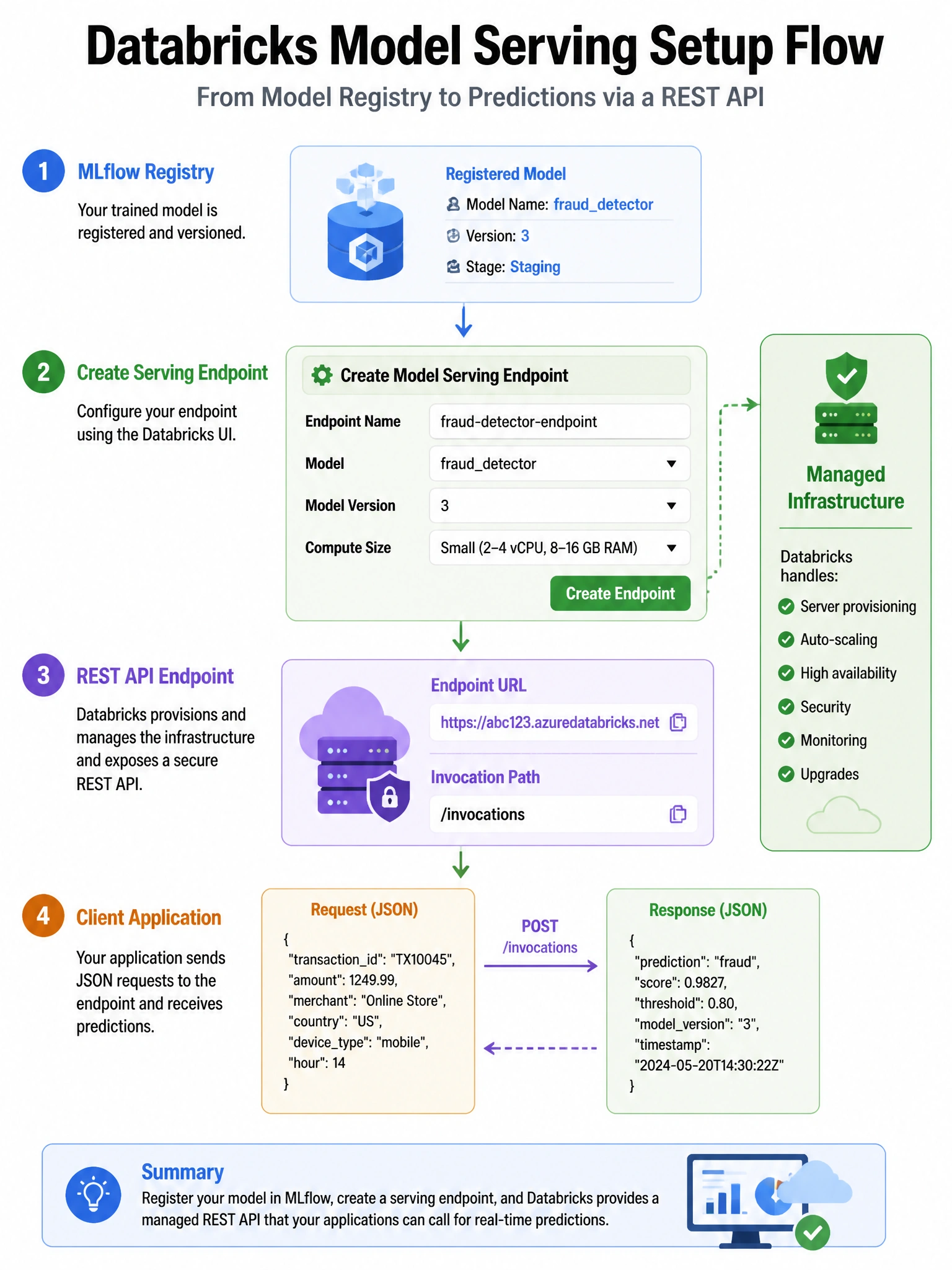
Model Serving endpoints point directly to a registered model version in MLflow or Unity Catalog — no format conversion, no Docker expertise needed. Databricks handles the infrastructure automatically.
Full explanation below image
Full Explanation
Databricks Model Serving (powered by MLflow) creates low-latency REST API endpoints from models registered in the MLflow Model Registry or Unity Catalog. Process: 1) Log and register the model — mlflow.sklearn.log_model(model, 'model') then register via UI or MlflowClient.create_registered_model(). 2) Create endpoint — in the Serving UI or via REST API, specify model name, version, and compute size. 3) Databricks automatically: provisions serving infrastructure, installs the model's conda environment / requirements, exposes a /invocations REST endpoint. The endpoint accepts JSON input matching the model signature. Supported model types: Python function (pyfunc), scikit-learn, XGBoost, LightGBM, TensorFlow, PyTorch, Hugging Face. ONNX conversion is not required. Docker is managed by Databricks — users don't build images. Framework is not restricted to TensorFlow.