
Which method is used to write a DataFrame as a new feature table in the Databricks Feature Store?
Select an answer to reveal the explanation.
Short Explanation and Infographic
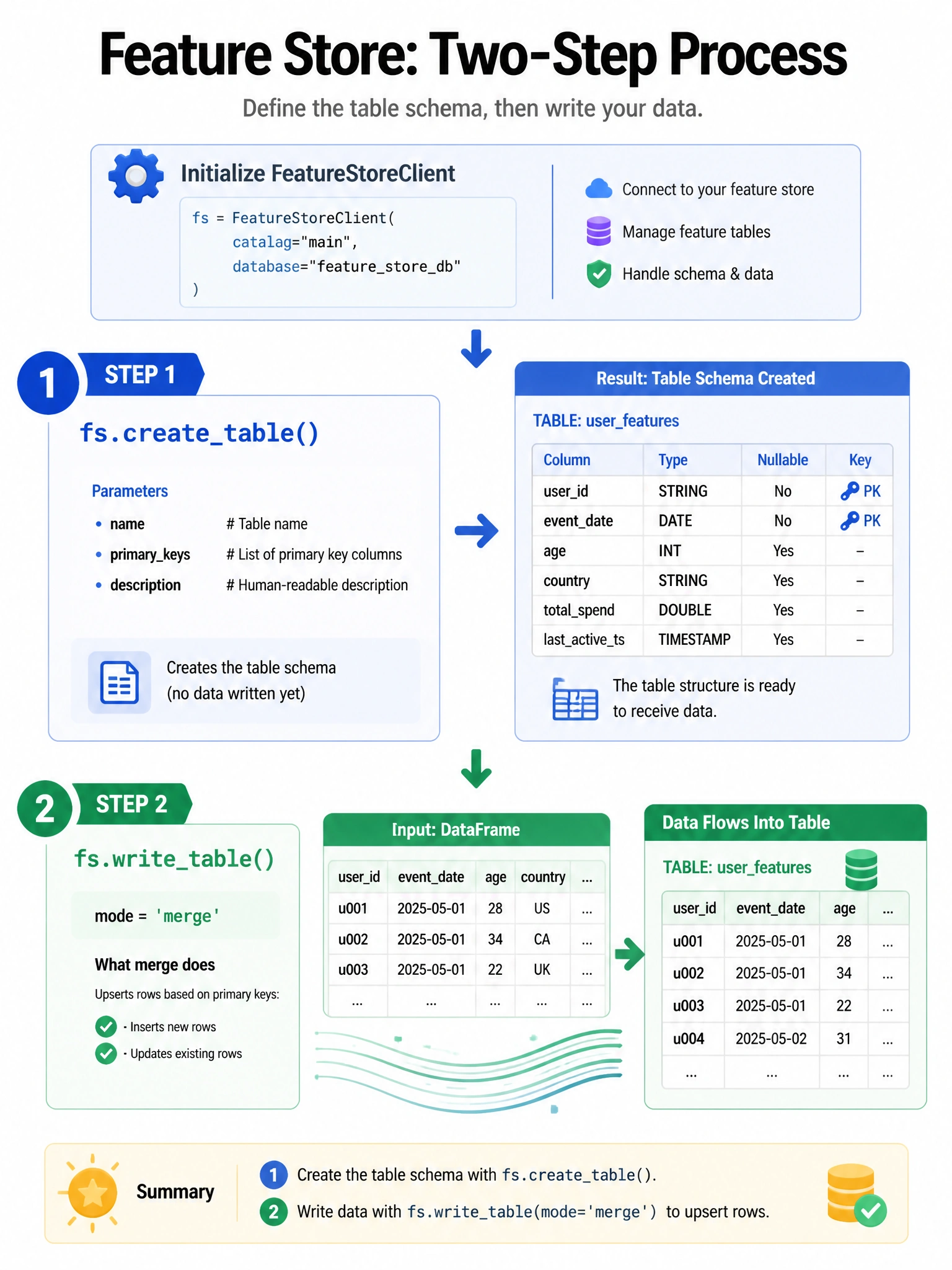
Creating a feature table is a two-step process — like reserving a parking spot (create_table) before you drive your car in (write_table).
Full explanation below image
Full Explanation
The Databricks Feature Store client (from databricks.feature_store import FeatureStoreClient; fs = FeatureStoreClient()) uses a two-step process: 1) fs.create_table(name='catalog.schema.feature_table', primary_keys=['user_id'], timestamp_keys=['event_date'], df=df, description='...') — creates the feature table schema and metadata. 2) fs.write_table(name='catalog.schema.feature_table', df=df, mode='merge') — writes or merges feature data. Alternatively, create_table with df parameter creates and writes in one call. For subsequent writes, only write_table() is needed. The other options use fabricated methods (save_table, deltaTable.write().format('feature_store'), spark.write.feature_store) that don't exist in the Feature Store API.