
Where does a technician typically locate the on/off control for client WMM on a municipal Windows laptop?
Select an answer to reveal the explanation.
Short Explanation
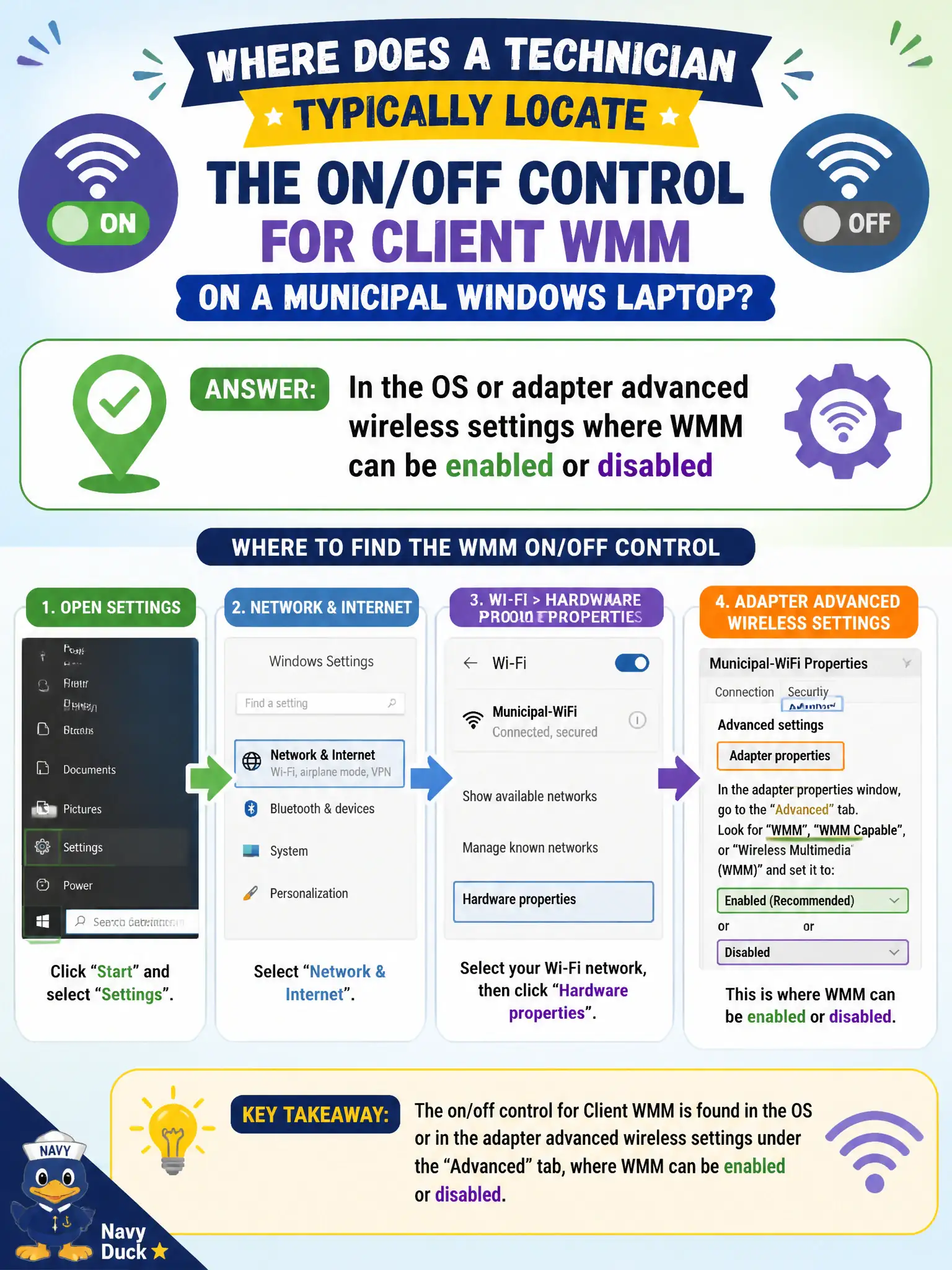
WMM lives in the adapter's advanced wireless settings—on or off right there. PoE menus and DNS TXT records aren't the client QoS switch. Don't dig through BIOS secure-boot for multimedia priority.
Full Explanation
Technicians typically locate the on/off control for client WMM in the operating system or wireless adapter advanced settings on municipal laptops. Vendor Wi-Fi properties pages commonly expose Wi-Fi Multimedia or WMM as an enable/disable option alongside other PHY and roaming features. Finding and setting that control is how field staff align a laptop with a QoS-expecting civic WLAN design before blaming the WAN circuit or the softphone codec at the call server.
WMM is not toggled by rewriting DHCP option 150 alone, nor by changing the building's DNS suffix search list on the TCP/IP stack. Disabling the laptop keyboard backlight does not alter wireless multimedia queues or access categories. AP transmit power sliders change RF coverage for the floor; they do not flip the client's WMM usage and queueing behavior inside the driver.
Exam caveat: know where client features live—advanced wireless properties—when questions ask how to enable or verify WMM on a station. Operational check: open the NIC advanced settings on a city laptop, locate WMM, set it to enabled, apply and reconnect if required, then confirm softphone test-call quality under load in the problem municipal coverage area.