
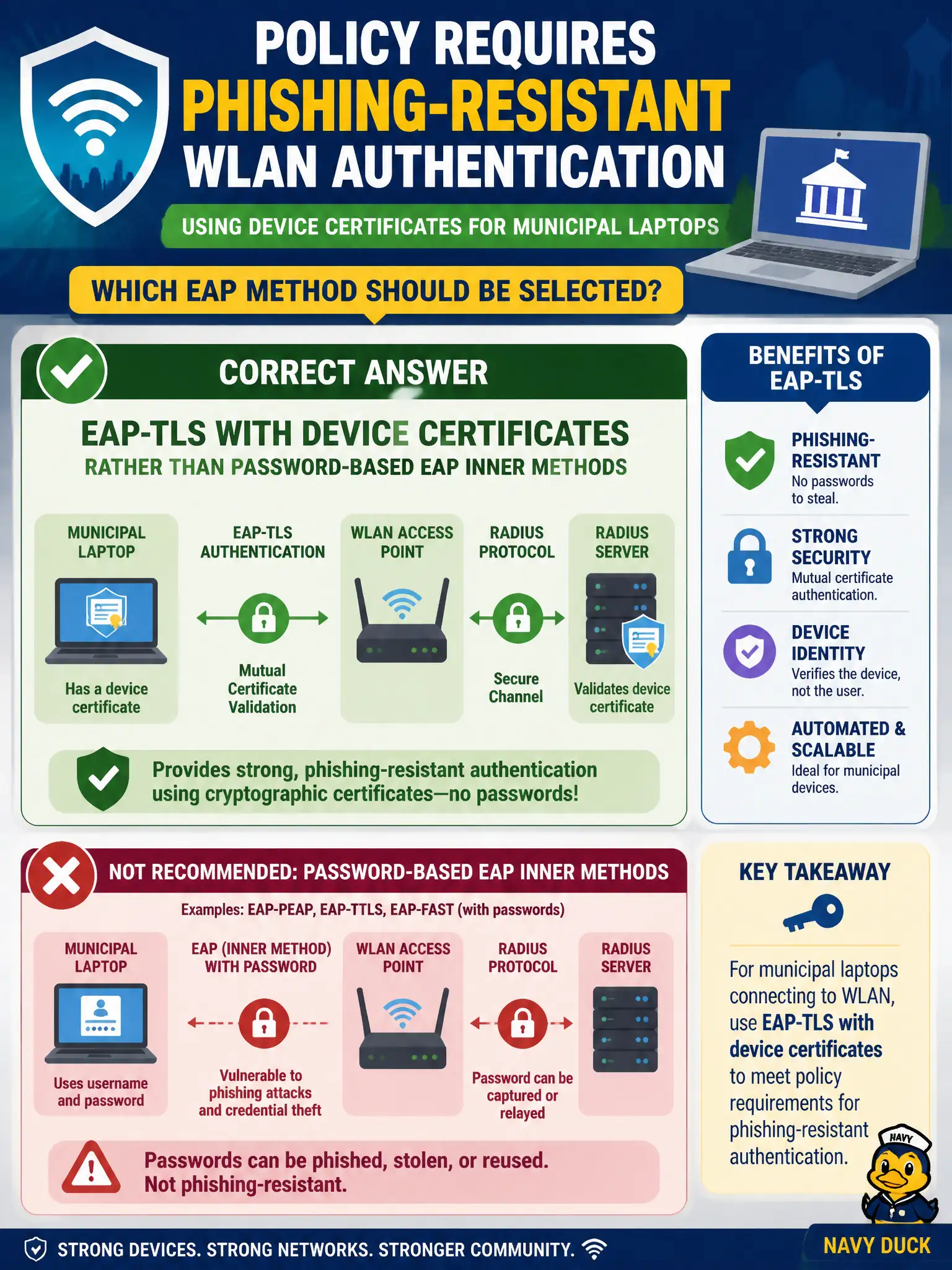
Policy requires phishing-resistant WLAN authentication using device certificates for municipal laptops. Which EAP method should be selected?
Select an answer to reveal the explanation.
Short Explanation
Phishing loves passwords typed into look-alike portals. Device-cert EAP-TLS skips that trap. PEAP passwords, MD5, and captive AD logins are still phish bait.
Full Explanation
Policy requiring phishing-resistant WLAN authentication using device certificates for municipal laptops should select EAP-TLS with device certificates rather than password-based EAP inner methods. PEAP-MSCHAPv2 still centers on user passwords that portals and phishing pages can collect. EAP-MD5 is a lightweight legacy challenge-response without certificates and is unfit. Captive-portal passwords mirrored from Active Directory actively create phishing surfaces. Exam caveat: phishing-resistant WLAN auth in this context means certificate-based EAP-TLS—not tunneled passwords or portals that solicit the same directory secrets. Operational check: deploy device certificates via MDM, mandate EAP-TLS on the staff SSID, disable password EAP methods for that SSID, and verify authentication fails without a valid device cert. Track phishing-simulation metrics before and after the municipal cutover to show risk reduction. In municipal WLAN operations, record the rationale in the change ticket so future on-call staff know which control was chosen and which failure modes the rejected options would create for city services. Re-validate after the next maintenance window that the same control still holds under the infrastructure versions and client fleets used by the civic environment.