
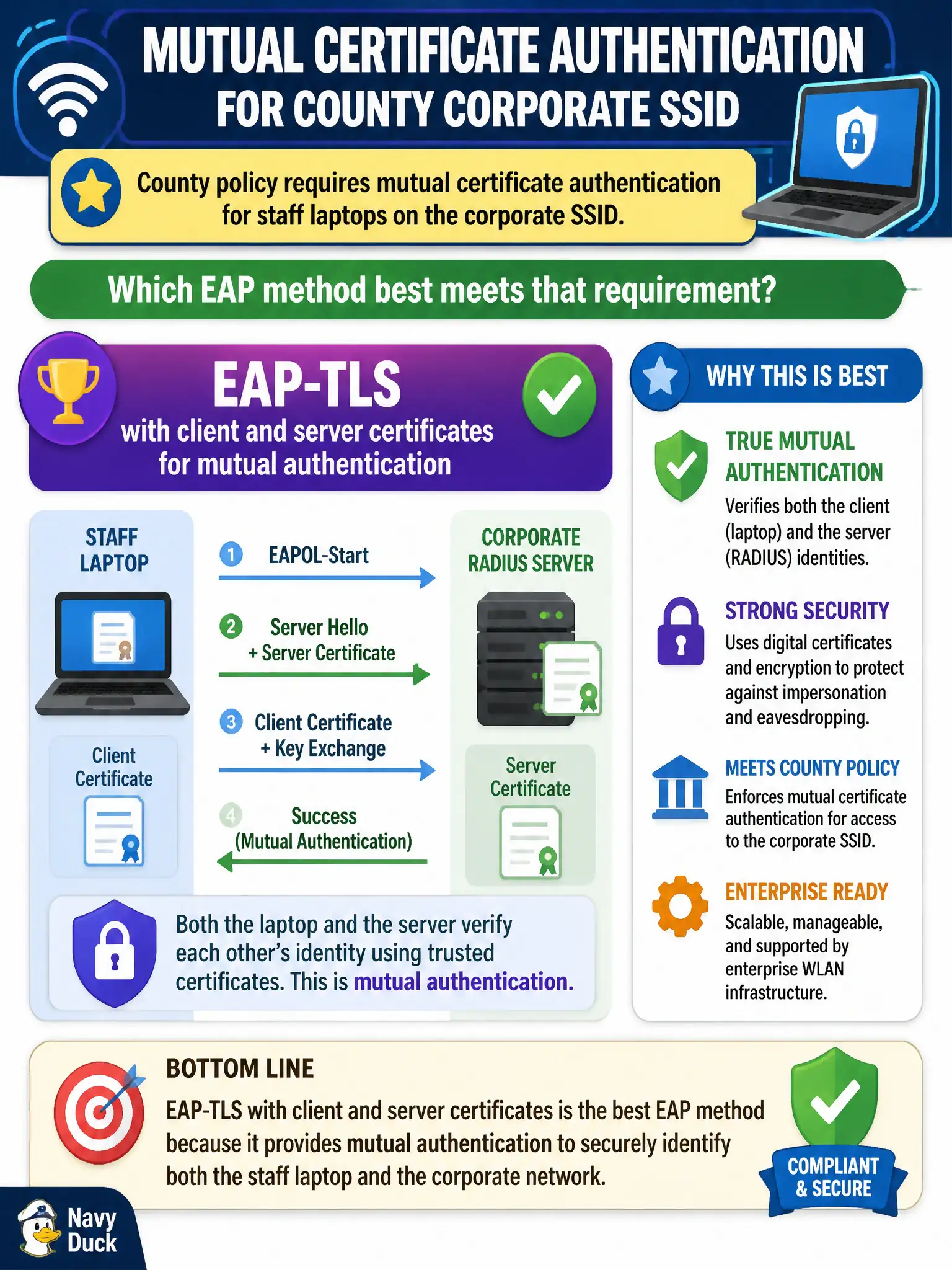
County policy requires mutual certificate authentication for staff laptops on the corporate SSID. Which EAP method best meets that requirement?
Select an answer to reveal the explanation.
Short Explanation
Mutual cert auth is a handshake where both sides show a trusted ID card. EAP-TLS is built for that. Password PEAP, ancient MD5, or a shared SAE passphrase don’t give you laptop certificates both ways.
Full Explanation
County policy requiring mutual certificate authentication for staff laptops on the corporate SSID is best met with EAP-TLS, which uses client and server certificates for mutual authentication. PEAP with MSCHAPv2 passwords only and no client certificates does not meet mutual certificate requirements. EAP-MD5 with weak challenge responses is obsolete for this use. WPA3-Personal SAE using a shared booth passphrase is Personal-mode shared-secret authentication, not mutual certificate EAP. Exam caveat: mutual certificate authentication points specifically to EAP-TLS (or similarly certificate-centric methods), not to tunneled password EAP or Personal SAE. Operational check: enroll laptop client certificates from the county CA, configure EAP-TLS on the staff SSID, validate server certificate checking on clients, and confirm authentication fails cleanly without a client cert. Record certificate lifetimes and renewal automation in the municipal PKI-WLAN runbook. In municipal WLAN operations, record the rationale in the change ticket so future on-call staff know which control was chosen and which failure modes the rejected options would create for city services. Re-validate after the next maintenance window that the same control still holds under the infrastructure versions and client fleets used by the civic environment.