
A hospital platform engineer reviews a Falcon Cloud Security runtime alert for a clinical web pod that executed a newly created binary not present in the original image. Why did this execution trigger container drift?
Select an answer to reveal the explanation.
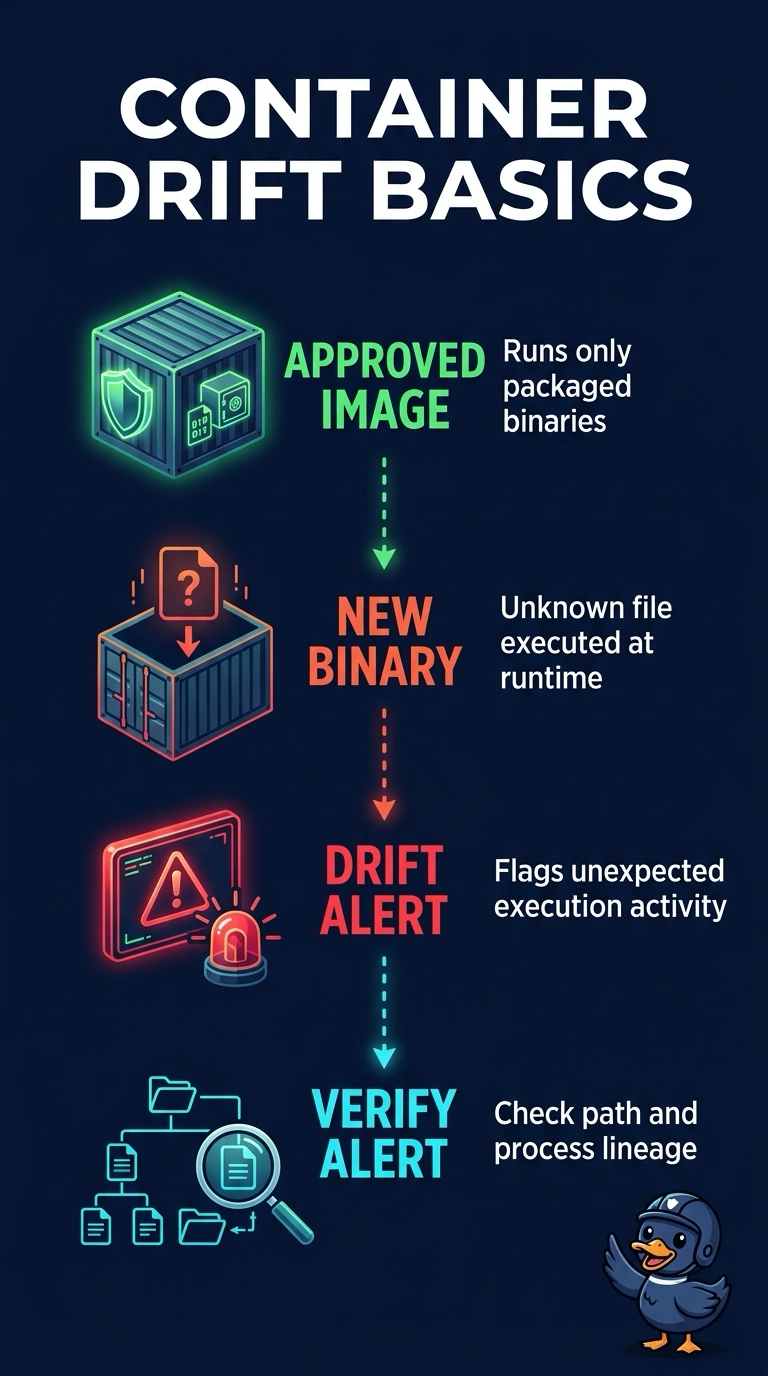
Short Explanation
Think of the image as your approved checklist you can trust. You spot drift when you see the pod run a brand-new binary that was never on that list.
Full Explanation
Container drift detection flags execution of newly created binaries that were not part of the approved original image, which is why executing a newly created binary not present in the original image indicates drift. Falcon Cloud Security compares runtime execution against the image baseline to identify unexpected tools, scripts, or binaries that could signal compromise or unauthorized change. Writing diagnostic logs to any mounted volume automatically disabling runtime monitoring misunderstands sensor visibility, because logging activity does not turn off behavioral monitoring for the pod. Container drift detection evaluating only the initial startup window misunderstands continuous monitoring, which watches execution throughout the container lifecycle rather than a brief startup period. Mounted scratch volumes being scanned exclusively during pre-runtime assessment misunderstands assessment scope, because image assessment evaluates static image layers before deployment and does not describe runtime drift logic. As a caveat, legitimate troubleshooting that installs or runs new tools can still trigger drift. For an operational check, inspect the alert's file path, hash, and parent process lineage in Falcon Cloud Security to confirm the binary is new relative to the image.
Prefer to study offline? Printable PDF study book + test engine ($7.50, unofficial). These questions stay free here.