
A manufacturing platform engineer deploys the Falcon sensor DaemonSet across a Kubernetes cluster, but the sensor pods fail to start on every node with an image pull error. Which issue should the engineer verify first?
Select an answer to reveal the explanation.
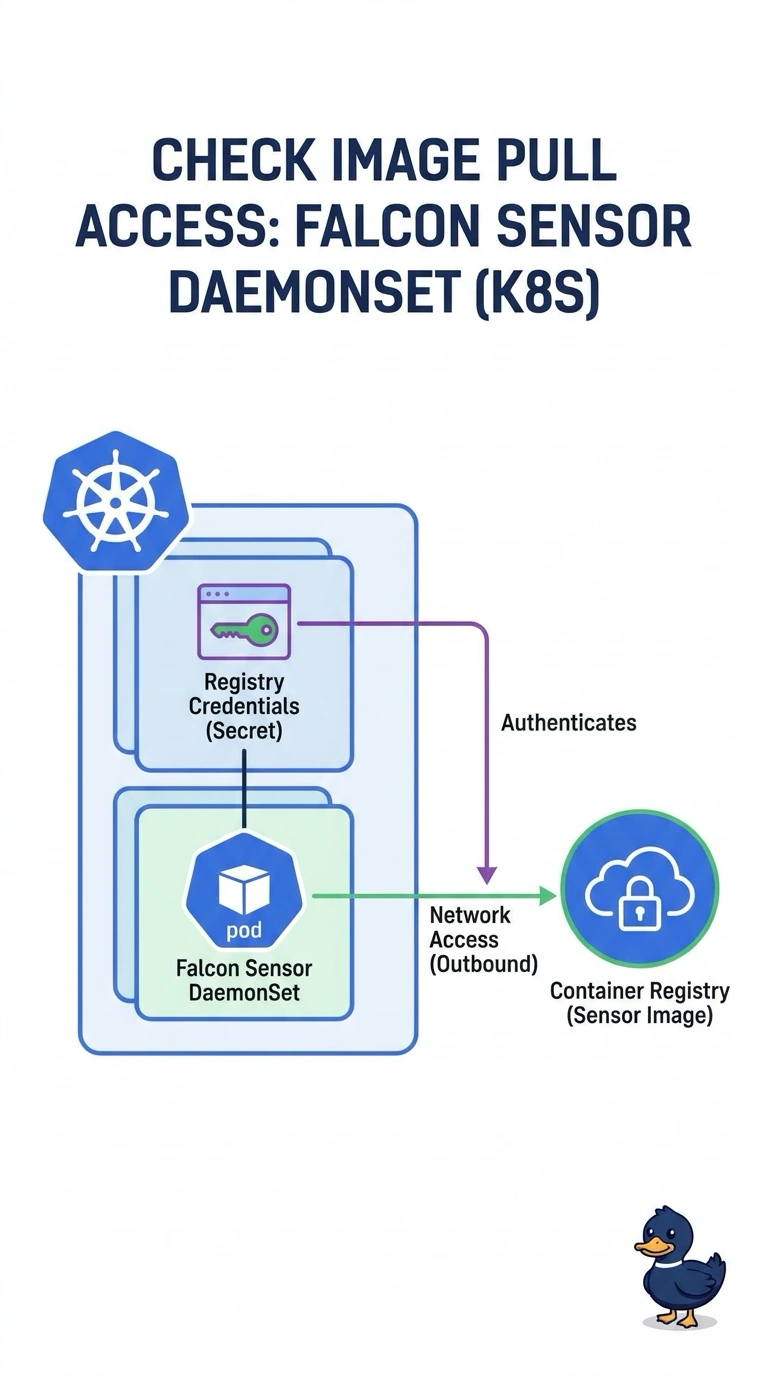
Short Explanation
If a delivery truck cannot reach the warehouse gate or lacks the gate code, no packages arrive at the loading dock. When your sensor pods stall on an image pull error, check registry access and credentials before chasing posture reports.
Full Explanation
Registry credentials and network access to pull the sensor container image directly explain why DaemonSet pods fail to start with an image pull error across all nodes. Worker nodes must authenticate to the container registry and reach its endpoint over the network before Kubernetes can download and launch the sensor container. Whether cloud posture benchmark reports are scheduled for weekly delivery is unrelated: scheduled reporting is an administrative output feature, not a cause of Kubernetes pod startup failure. Whether IaC templates in the CI pipeline contain unencrypted storage buckets is also unrelated, because pre-deployment template findings do not prevent nodes from pulling container images. Whether admission control policies are blocking new cloud account registrations does not explain this symptom: Kubernetes admission control evaluates cluster objects rather than cloud account onboarding, and an image pull error occurs after a pod has already been scheduled. As an exam caveat, match Kubernetes deployment symptoms to the exact failure stage: image pull errors point to registry authentication, image path, or egress connectivity. For a practical check, inspect the failing pod events and verify that the image pull secret and outbound registry connectivity are valid on the worker nodes.
Prefer to study offline? Printable PDF study book + test engine ($7.50, unofficial). These questions stay free here.