
A hospital SOC configures Fusion SOAR to send incident notifications for critical cloud posture findings, but responders lose time because each alert only states that a rule failed without identifying the affected account or resource. How should the team improve the workflow?
Select an answer to reveal the explanation.
Short Explanation
Getting a fire alarm that says 'something is burning' without an address forces your crew to search every building in town. You should enrich the Fusion SOAR notification with account and resource context, rather than deleting resources or slowing down alerts.
Full Explanation
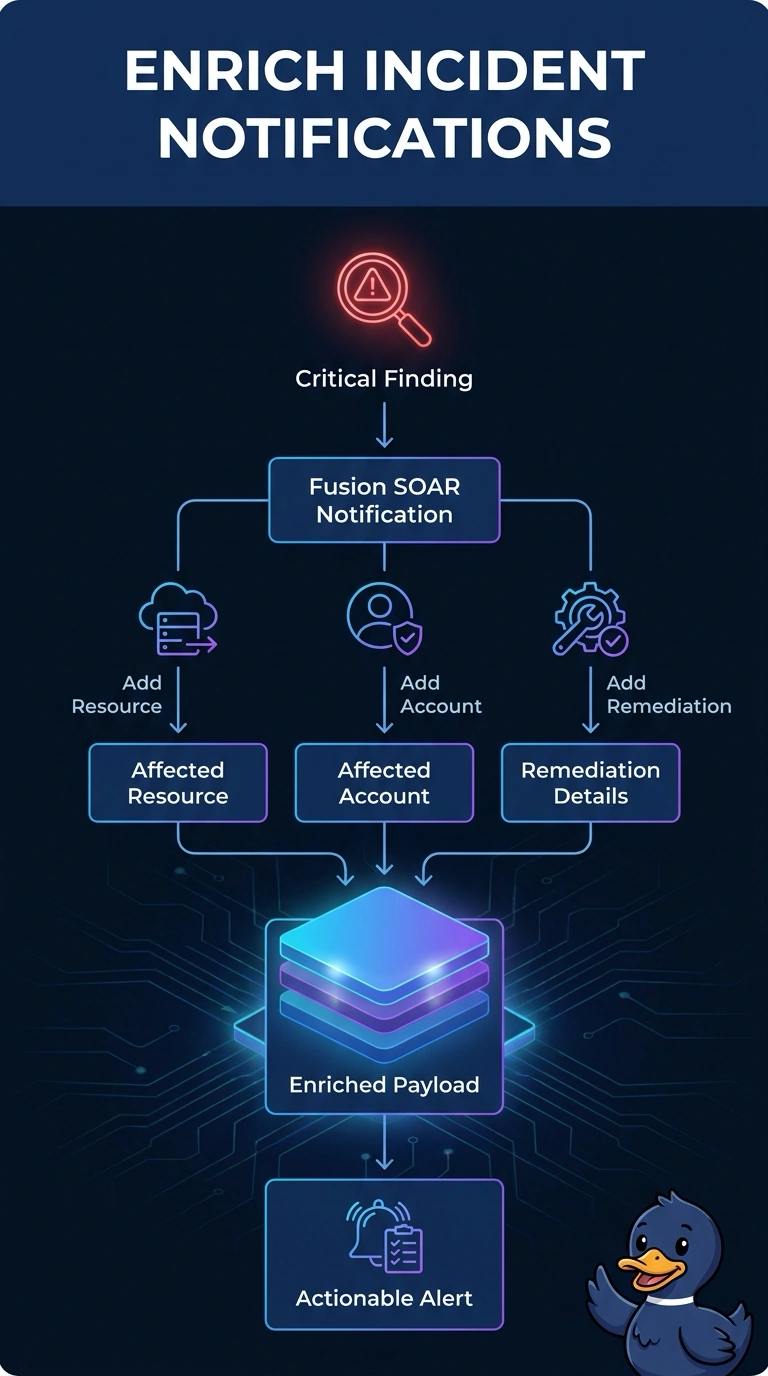
Choosing to Enrich the Fusion SOAR notification payload with resource, account, and remediation details gives SOC responders immediate context to locate the affected asset, identify its owner, and apply the right fix without manual console lookups. Fusion SOAR workflows allow teams to pass finding metadata into notification templates so alerts are actionable on arrival. Choosing to Configure Fusion SOAR to automatically delete every flagged cloud resource before notifying responders is dangerous because unapproved deletion can cause severe clinical outages. Deciding to Replace real-time Fusion SOAR notifications with a monthly CSV compliance summary report fails because scheduled reports serve periodic leadership and audit reviews rather than urgent incident response. Selecting Disable posture scanning on production accounts so fewer alerts reach the SOC notification channel removes critical visibility instead of improving alert quality. As a caveat, avoid including sensitive secrets or raw regulated data inside chat notification payloads. Operationally, trigger a test notification in a non-production workflow and confirm the message displays the target account, resource identifier, and remediation steps.
Prefer to study offline? Printable PDF study book + test engine ($7.50, unofficial). These questions stay free here.