
Remote office staff say video meetings are slow because every internet flow hairpins through headquarters. Security has approved local breakout for internet video, while corporate applications must stay in the tunnel. Which change fits?
Select an answer to reveal the explanation.
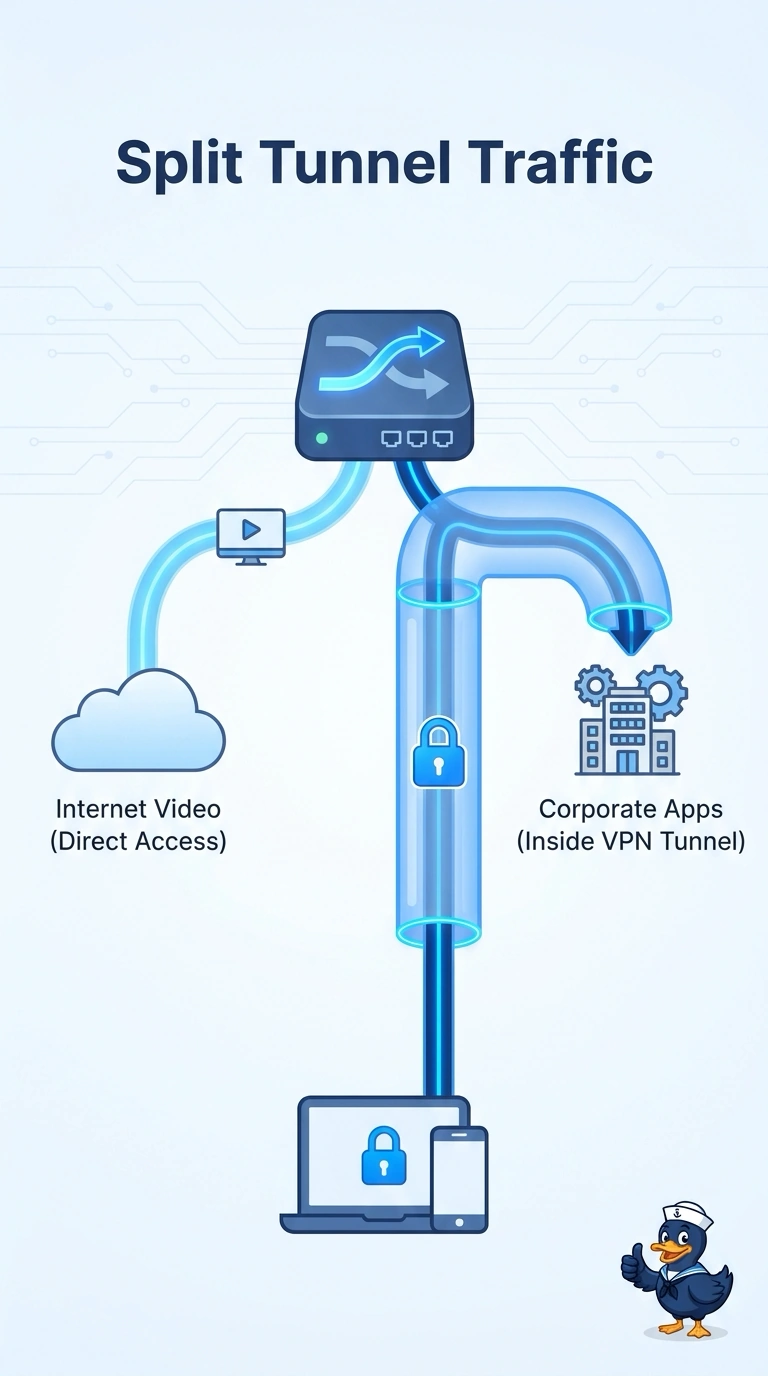
Short Explanation
You can let internet video take the local route while keeping corporate applications inside the tunnel; that is a split tunnel. A full tunnel keeps video hairpinned through headquarters, a site-to-site VPN between two laptops is not client breakout, and disabling quality of service does not change the traffic path.
Full Explanation
A split tunnel sends some remote-client traffic through the corporate VPN and lets other traffic go directly to the internet. Here, security has approved local breakout for internet video but still requires corporate applications to stay in the tunnel. Video therefore uses the employee’s local internet path, while corporate applications continue through headquarters for inspection. This removes the long, hairpinned route that is making meetings slow without bypassing the required corporate path. A full tunnel sends all client traffic, including internet video, through headquarters, so it preserves the very routing problem staff report. A site-to-site VPN connects networks, typically through firewalls or routers; two laptops are not sites, and a tunnel between them does not provide client breakout for the remote workforce. Disabling quality of service changes traffic scheduling, not routing, so video still hairpins through headquarters and congestion could become worse. Exam caveat: the split must be specific to the approved traffic; sending all traffic outside the tunnel would also send corporate applications around the inspection security requires. Practical check: from a remote laptop, verify that a video meeting uses the local internet address while a corporate application still reaches headquarters through the tunnel.