
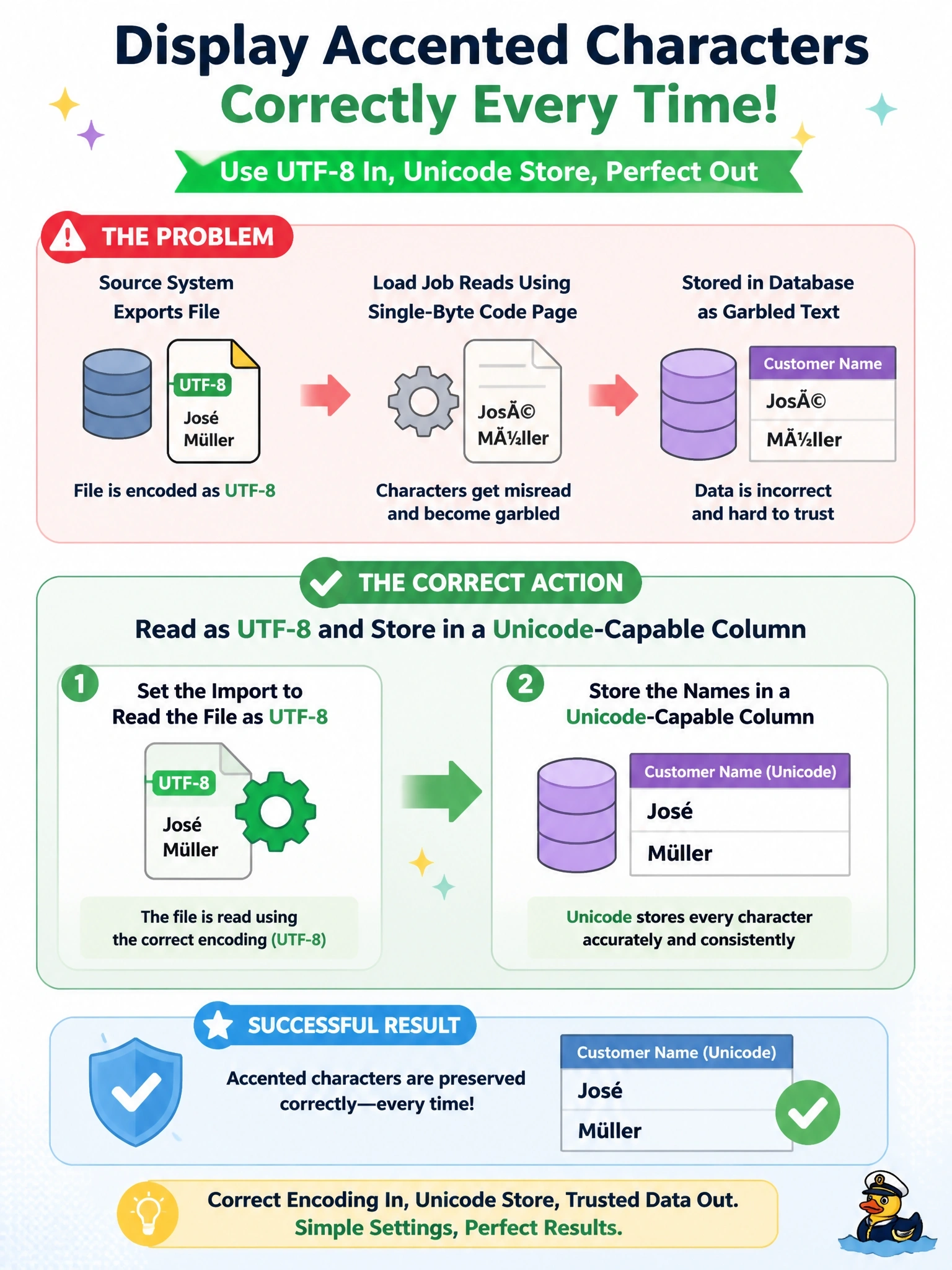
After a nightly import, customer names such as José and Müller appear in the database as José and Müller. The source system exports the file as UTF-8, and the load job reads files using the server's default single-byte code page. Which action resolves the problem?
Select an answer to reveal the explanation.
Short Explanation
Those weird à characters are the classic sign of somebody reading a UTF-8 file with the wrong glasses on. You tell the importer the file really is UTF-8, and you make sure the column can store Unicode. Stripping accents "fixes" the display by quietly mangling your customers' names.
Full Explanation
Character encoding defines how characters map to bytes. UTF-8 represents accented letters such as é and ü with two bytes, whereas single-byte code pages such as Latin-1 or Windows-1252 assume one byte per character. When a UTF-8 file is read as a single-byte code page, each two-byte sequence is interpreted as two separate characters, producing the familiar pattern of à followed by another symbol, often called mojibake. The fix is to declare the source encoding correctly in the import so the bytes are decoded as UTF-8, and to ensure the target column and database use a Unicode-capable type or collation so the characters are stored faithfully. Stripping non-ASCII characters destroys valid data, changes customers' names and creates matching problems later. Changing the delimiter has no effect on how bytes are decoded into characters; the accented letters would still be misread. Increasing column length addresses truncation, but these values are not truncated; they contain extra wrong characters because of the decoding mismatch. Exam caveat: encoding problems can also appear as rejected rows or invalid byte sequence errors, not only as garbled text, and a byte order mark at the start of a file can cause a similar first-row issue. Operational check: reload a sample containing accented names, query them back, and confirm their character lengths and byte values match the source.