
An application connects to a database through a network load balancer. After periods of inactivity longer than about ten minutes, the first query on a pooled connection fails with a connection-reset error, and a retry succeeds. Direct connections that bypass the load balancer never show the problem. What is the most likely cause?
Select an answer to reveal the explanation.
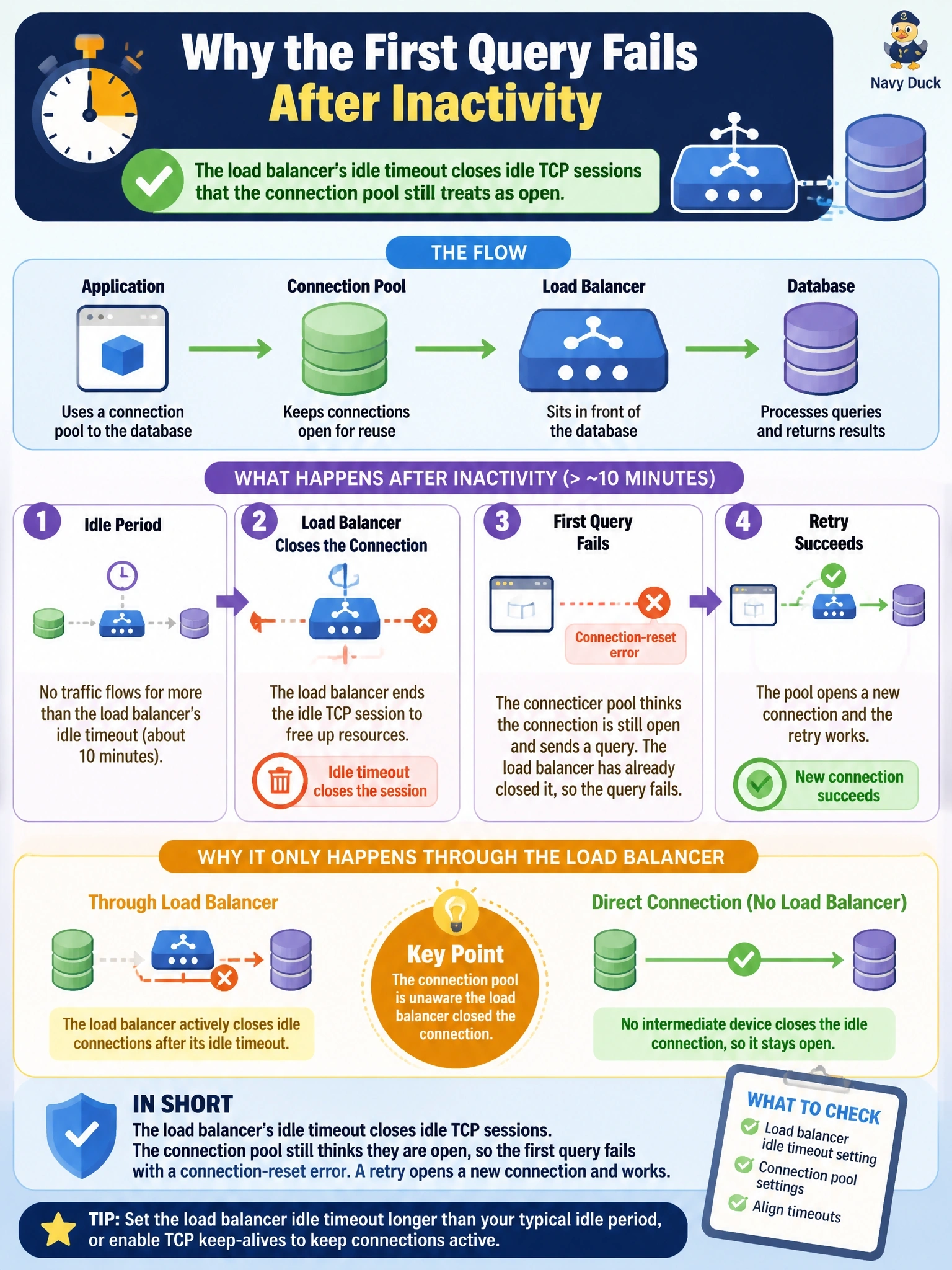
Short Explanation
Imagine a phone line that the switchboard quietly hangs up after ten silent minutes, but you're still holding the receiver thinking you're connected. The next thing you say goes nowhere, so you redial and it works. That's an idle timeout on the box in the middle, and the clue is that it never happens when you skip the load balancer.
Full Explanation
Load balancers, firewalls and NAT devices track TCP sessions and discard those that have been idle longer than a configured timeout, often without notifying either endpoint. A connection pool keeps database connections open for reuse, so after a quiet period the pool hands the application a connection whose path has already been torn down; the first packet sent is answered with a reset, and a retry on a fresh connection succeeds. The fact that direct connections never fail isolates the intermediate device. Exceeding the database's maximum connection limit would produce explicit refusal errors on new connection attempts, and idle time reduces rather than increases connection demand. DNS record expiry affects only new name lookups; an established TCP session is bound to an IP address and port pair and is not invalidated when a DNS cache entry ages out. Stale statistics can produce a poor execution plan and a slow query, but they do not cause transport-level connection resets. Exam caveat: intermittent failures that track idle time almost always point to timeouts on intermediate devices, whereas failures that track load point to capacity limits. Operational check: compare the load balancer idle timeout with the pool's idle and maximum lifetime settings, configure the pool to validate or retire connections before the device timeout, or enable TCP keepalives, and confirm the resets stop.