
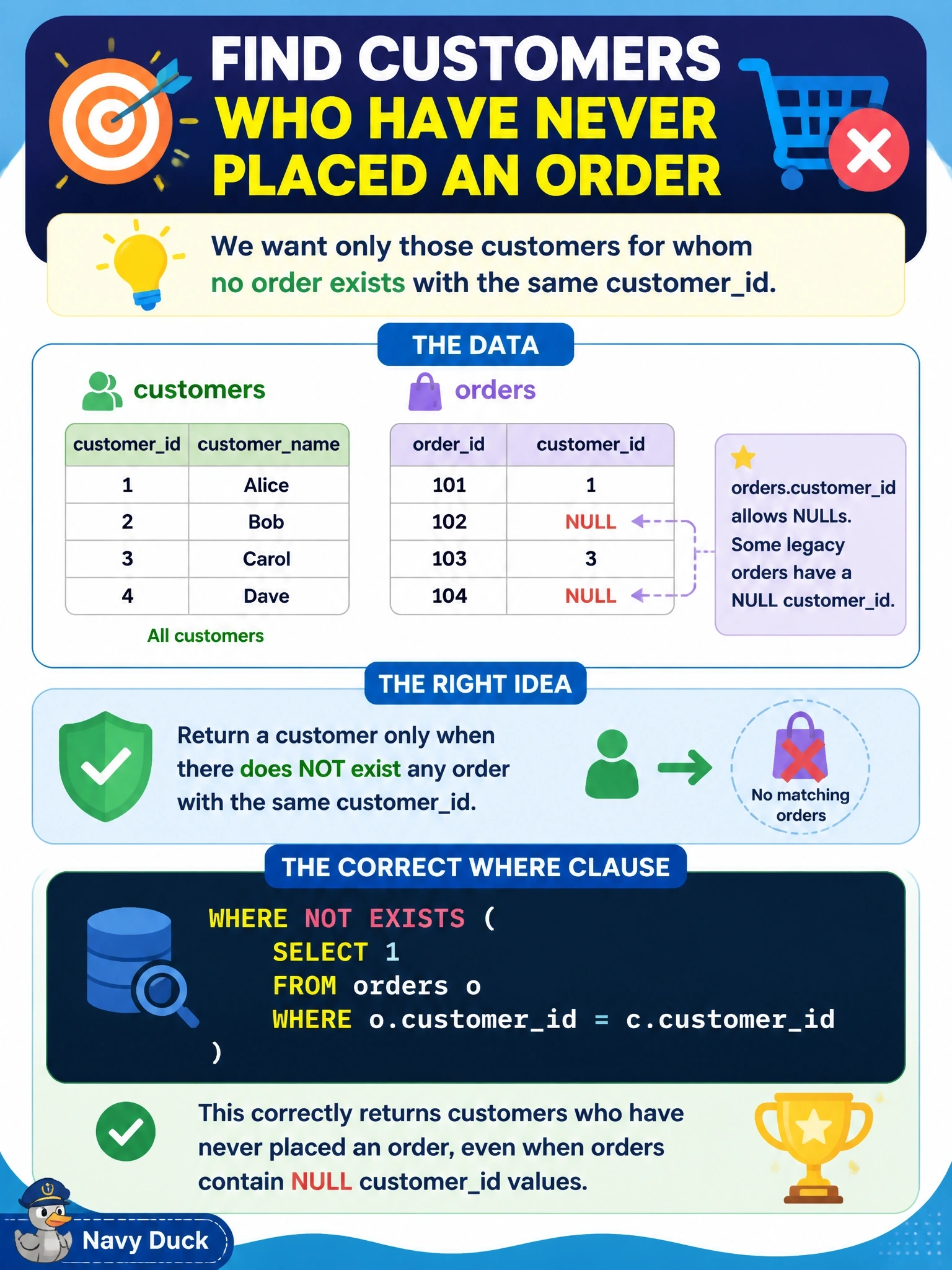
A query must return customers who have never placed an order. The orders.customer_id column allows NULLs, and some legacy order rows have a NULL customer_id. Which WHERE clause on the customers table returns the correct customers?
Select an answer to reveal the explanation.
Short Explanation
NOT IN looks like the obvious choice, but one NULL in that subquery and your result quietly comes back empty. NOT EXISTS just asks "is there a matching order for this customer?" and NULLs can't trip it up. That NULL trap is a favorite on exams, so watch for it.
Full Explanation
NOT EXISTS evaluates a correlated subquery for each customer and returns true only when no order row has a matching customer_id. Because the test is simply whether any row satisfies the equality, a NULL customer_id in some order rows never matches a real customer and has no effect on the answer, so customers without orders are returned reliably. NOT IN behaves differently: the condition c.customer_id NOT IN (list) is equivalent to a chain of not-equal comparisons joined by AND, and comparing any value with NULL yields UNKNOWN rather than true. A single NULL in the subquery's result therefore makes the whole predicate UNKNOWN for every customer, and the query returns no rows at all. Using IN instead of NOT IN reverses the logic and returns customers who do have orders. A NOT EXISTS subquery that tests o.customer_id IS NULL is uncorrelated with the outer customer; it asks whether any orphaned order exists anywhere, so it returns either every customer or none, regardless of each customer's order history. Exam caveat: NOT IN is safe only when the subquery column is guaranteed non-null, for example by filtering WHERE o.customer_id IS NOT NULL. Operational check: insert a test customer with no orders while a NULL customer_id order exists, run both versions, and confirm only NOT EXISTS returns that customer.