
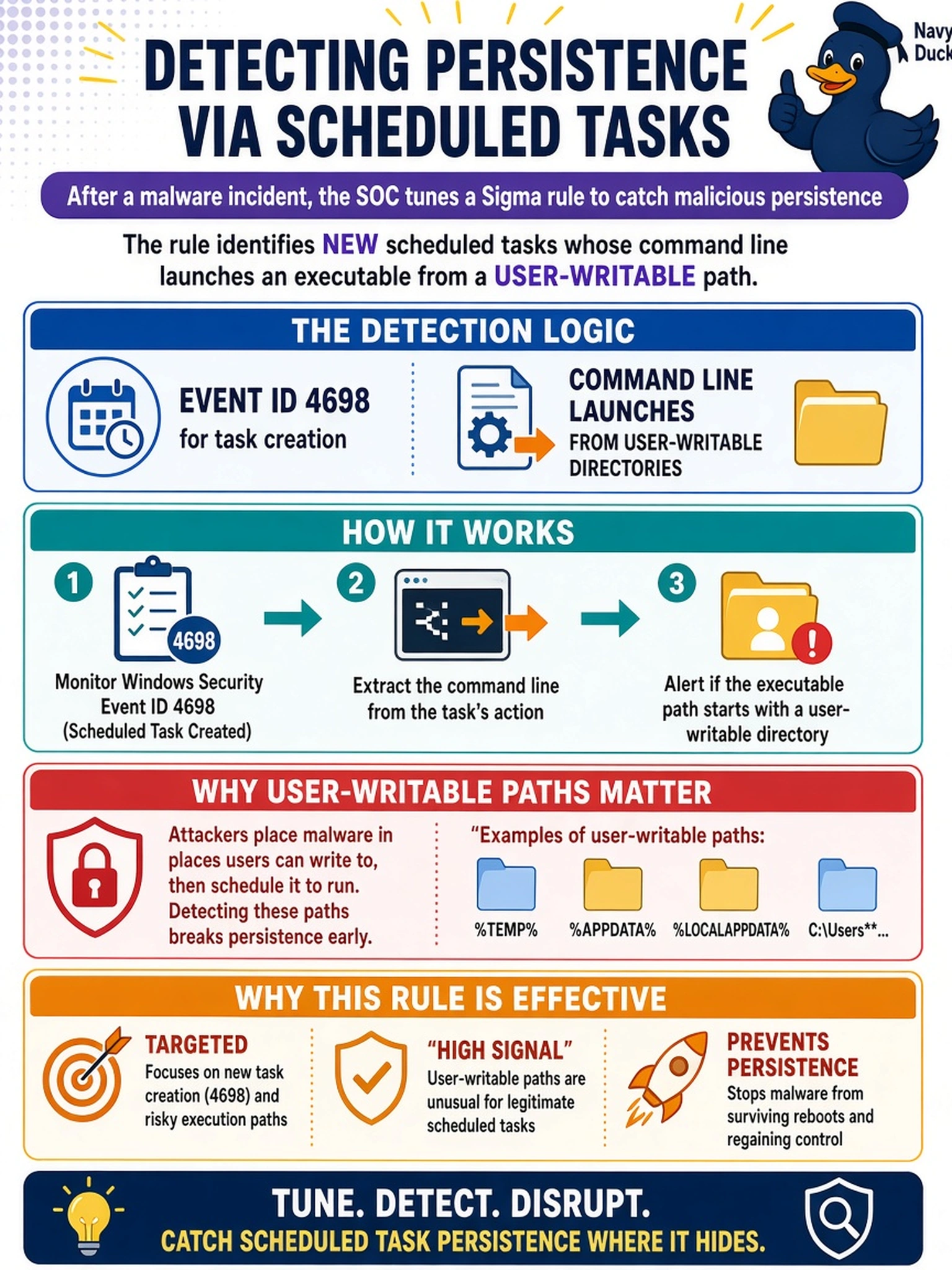
After a malware incident, the SOC wants to tune a Sigma rule to detect persistence created by scheduled tasks. The rule should identify new scheduled tasks whose command line launches an executable from a user-writable path. Which detection logic best implements this?
Select an answer to reveal the explanation.
Short Explanation
Think of scheduled-task persistence like someone hiding a note in your calendar: you care about the new entry, not the login that reminded them. Event ID 4698 is the calendar entry, while account or service events are different pages. You tune the rule to flag task creation pointing to user-writable paths.
Full Explanation
Event ID 4698 records that a scheduled task was created, making it the most direct telemetry for scheduled-task persistence. In a Sigma rule, you pair that event with fields such as the task name, action, or command line and filter for executables outside default system directories or in user-writable locations. That maps detection logic to the persistence technique rather than merely observing a user or a process. Event ID 4720 is wrong because it reports local account creation; even with Administrators group changes, it does not create a scheduled task. Event ID 4697 is wrong because it reports service installation, which is a separate persistence path and would not catch a task created through the Task Scheduler API. Event ID 4670 is wrong because it reports permission or ACL changes; auditing the Task Scheduler folder may show tampering, but it does not show that a new task was created. Exam caveat: match the event to the technique, not to the command-line tool that may or may not be used. Operational check: confirm audit policy logs scheduled-task object access, create a test task pointing to a temporary folder, and verify the rule fires on the task creation fields.