
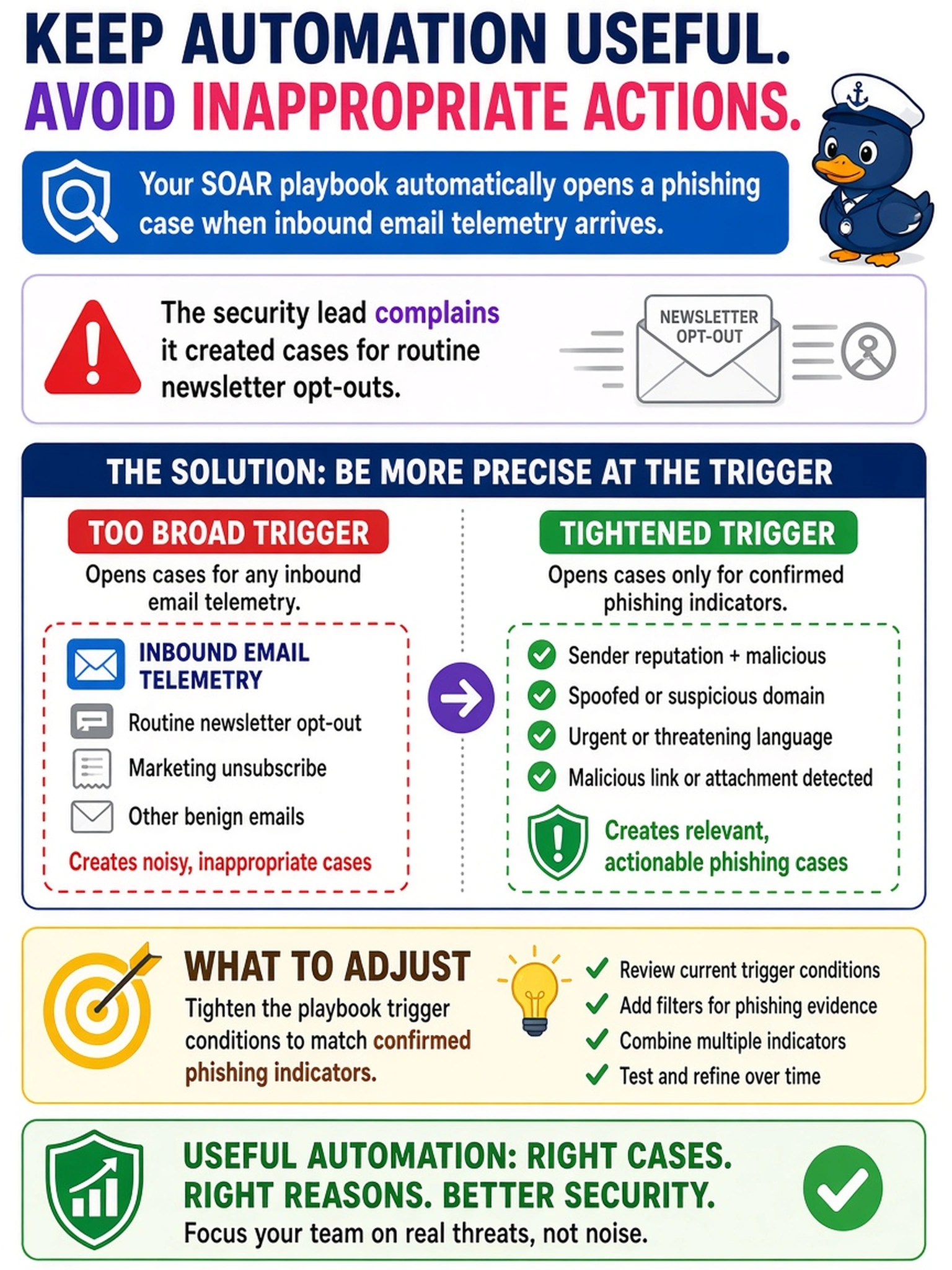
Your SOAR playbook automatically opens a phishing case when inbound email telemetry arrives. The security lead complains it created cases for routine newsletter opt-outs and asks how to keep automation useful without inappropriate actions. What should you adjust?
Select an answer to reveal the explanation.
Short Explanation
Think of a SOAR playbook trigger like a motion sensor: if it fires on every passing car, you'll be flipping switches all night. Tighten the conditions so it only starts on confirmed phishing indicators. The trap is trying to make automation safer by adding approvals everywhere instead of making the starting condition smarter.
Full Explanation
In a SOAR workflow, trigger conditions are the gate that decides whether an alert or telemetry event is eligible to enter a playbook. They should encode the specific evidence, source, severity, and scope that make automation appropriate, such as a phishing indicator on an external inbound message with a suspicious attachment or URL. Proper triggers reduce noise, preserve analyst time, and prevent automated containment from acting on benign activity. Broadening the trigger to all external email defeats the purpose by increasing false positives and automating irrelevant cases. Requiring human approval before evidence collection can be appropriate for high-impact actions, but it slows every case and does not fix a poorly scoped trigger. Removing conditional branching makes the playbook less adaptive, causing the same response for unrelated alerts and raising operational risk. Exam caveat: distinguish trigger scoping from approval gates; the exam asks for the control that stops automation from starting inappropriately. Operational check: review playbook logs to identify false-positive cases and adjust trigger filters to require the minimum indicators that justify the workflow.