
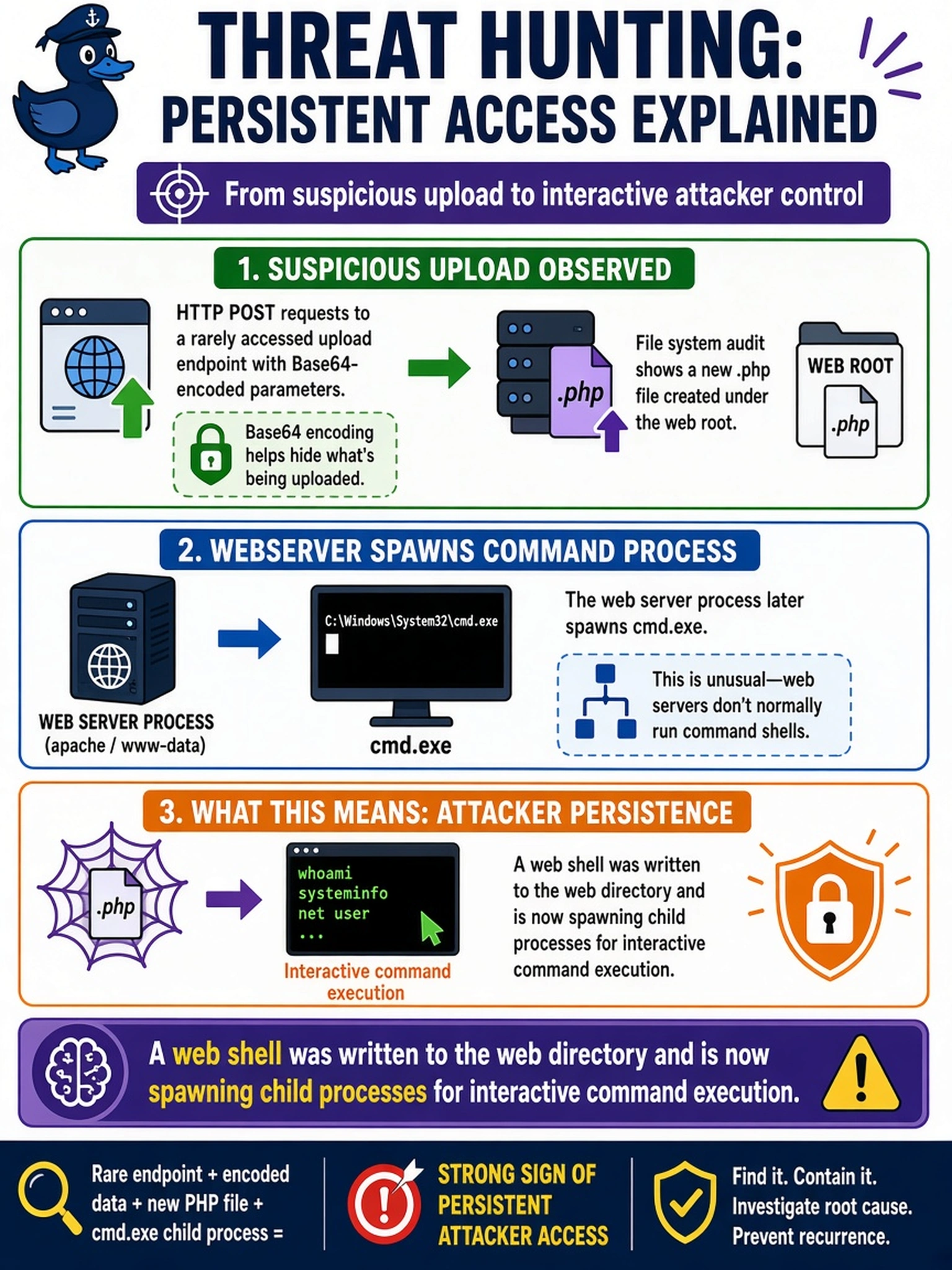
During threat hunting, an analyst sees HTTP POST requests to a rarely accessed upload endpoint with Base64-encoded parameters. File system audit shows a new .php file created under the web root, and the web server process later spawns cmd.exe. Which indicator most strongly points to persistent attacker access?
Select an answer to reveal the explanation.
Short Explanation
Think of a web shell like a tiny remote control left inside your web server. If you see a new file in a web directory and the server suddenly starts spawning command shells, that's not normal housekeeping; it's persistent attacker access. You don't need every alert to match—connect the web artifact to the process tree.
Full Explanation
A web shell is a server-side script placed where the web application can execute it, so it turns normal HTTP handling into an attacker-controlled command channel. The combination of file creation in a web-accessible directory, suspicious request parameters, and child processes spawned by the web server process is the classic chain: persistence, command execution, and lateral movement preparation. Analysts should pivot from the file to process lineage, parent process, hash, and outbound network activity to confirm it is not a legitimate application component. A scheduled maintenance script would not normally originate from HTTP upload handling or require encoded request parameters, so it is not the best indicator. A CMS plugin may create files and generate admin requests, but it should execute through the expected application process model rather than spawning arbitrary shells. A reverse proxy forwarding user traffic explains request volume or source IP changes, not new executable artifacts under the web root. Exam caveat: choose the artifact that demonstrates attacker-controlled execution, not merely unusual traffic or administrative activity. Operational check: isolate the host, preserve the uploaded file and web logs, and compare the web server process tree against a known-good baseline before remediation.