
A firewall log shows suspicious outbound traffic from a single public IP, but the SOC knows many internal hosts use NAT. What should the analyst do first to identify the true endpoint?
Select an answer to reveal the explanation.
Short Explanation
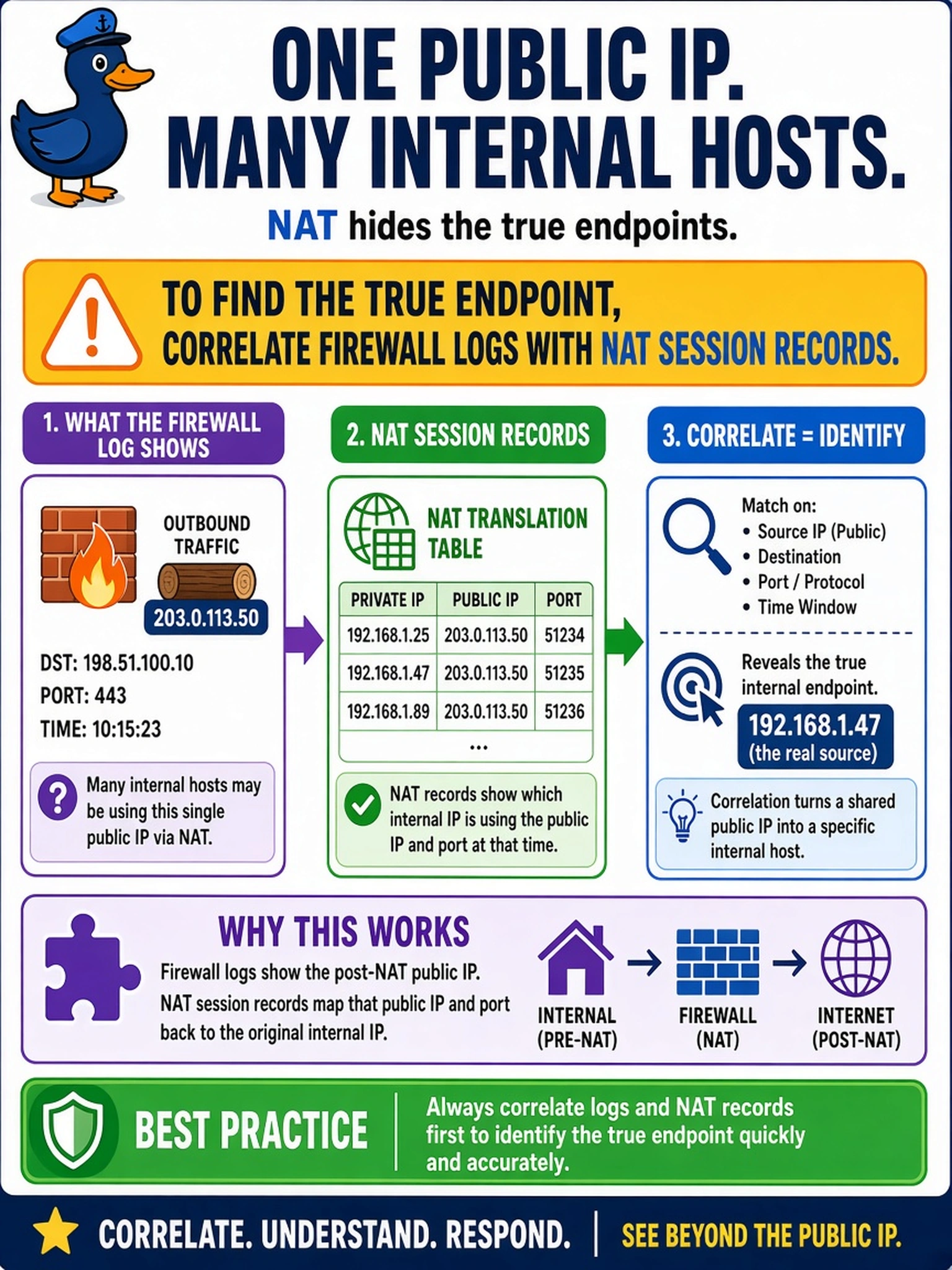
Think of NAT like a building's front door: lots of people come through it, but the door alone doesn't tell you who left. Correlate firewall logs with NAT session records, or DHCP/asset data, to map the public IP back to the private host. The trap is treating the public IP as the endpoint when it's only the translation point.
Full Explanation
Network address translation maps private internal addresses to shared or public addresses for outbound traffic, so a firewall log may record only the translated public source IP. When multiple hosts share that address, the analyst must correlate the firewall event with NAT session logs, DHCP leases, or asset inventory records to recover the original private address and identify the endpoint. This preserves attribution without assuming the public IP is the host. Relying on the public IP alone is wrong because NAT makes that address an egress point, not a unique endpoint, and geolocation or WHOIS data does not reveal the internal machine. Querying EDR by public IP is also flawed because EDR agents are installed on internal endpoints and report private or hostname-based telemetry, not the translated external address used by the firewall. Asking the network team to disable NAT is inappropriate during an investigation because it disrupts normal operations, may break connectivity, and does not provide historical evidence for the incident. Exam caveat: CS0-004 expects analysts to understand how architecture features such as NAT, proxies, and load balancers affect log interpretation and attribution. Operational check: Join the firewall timestamp, translated public IP, and port to NAT session logs, then match the resulting private IP to DHCP or asset records to confirm the host.