
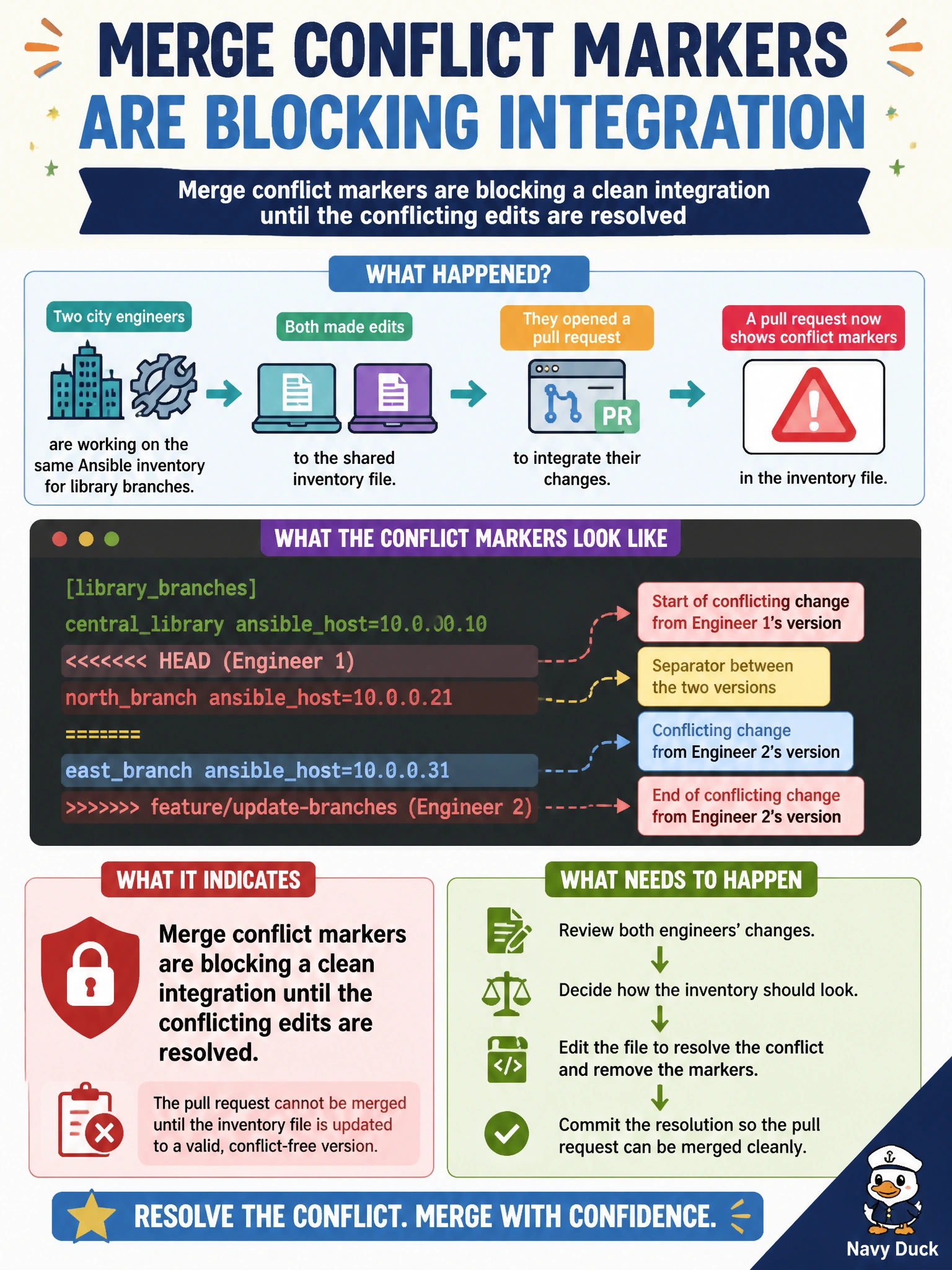
Two city engineers edited the shared Ansible inventory for library branches and a pull request now shows conflict markers. What does that indicate for the integration?
Select an answer to reveal the explanation.
Short Explanation
You can think of conflict markers as two sticky notes stuck on the same shelf label: shelving cannot finish until the conflicting edits are resolved. Your shared inventory needs a clean file before integration; Ansible will not safely skip the markers.
Full Explanation
Conflict markers in the shared Ansible inventory mean Git could not automatically combine the engineers’ overlapping edits, so a clean integration is blocked until the conflicting changes are resolved into one coherent file. The markers <<<<<<<, =======, and >>>>>>> must be removed; otherwise, literal conflict text could be treated as inventory content, such as hostnames or group names. Ansible does not reliably skip conflict markers, so the inventory cannot be applied as usual while they remain. A MAJOR semantic-versioning bump concerns compatibility of released artifacts, not whether unfinished edits can be merged. Detached HEAD means checking out a commit that is not a branch tip; it is not the only explanation when people edit the same file, since concurrent changes can conflict during integration without a detached HEAD. Exam caveat: resolving a conflict does not mean automatically choosing one engineer’s edits; preserve the correct inventory entries. Practical check: inspect the conflicting file, resolve the host and group entries, verify each library branch appears in the correct groups, remove all markers, and run inventory or syntax checks. Then complete the merge and confirm CI parses the inventory before applying a library playbook.