
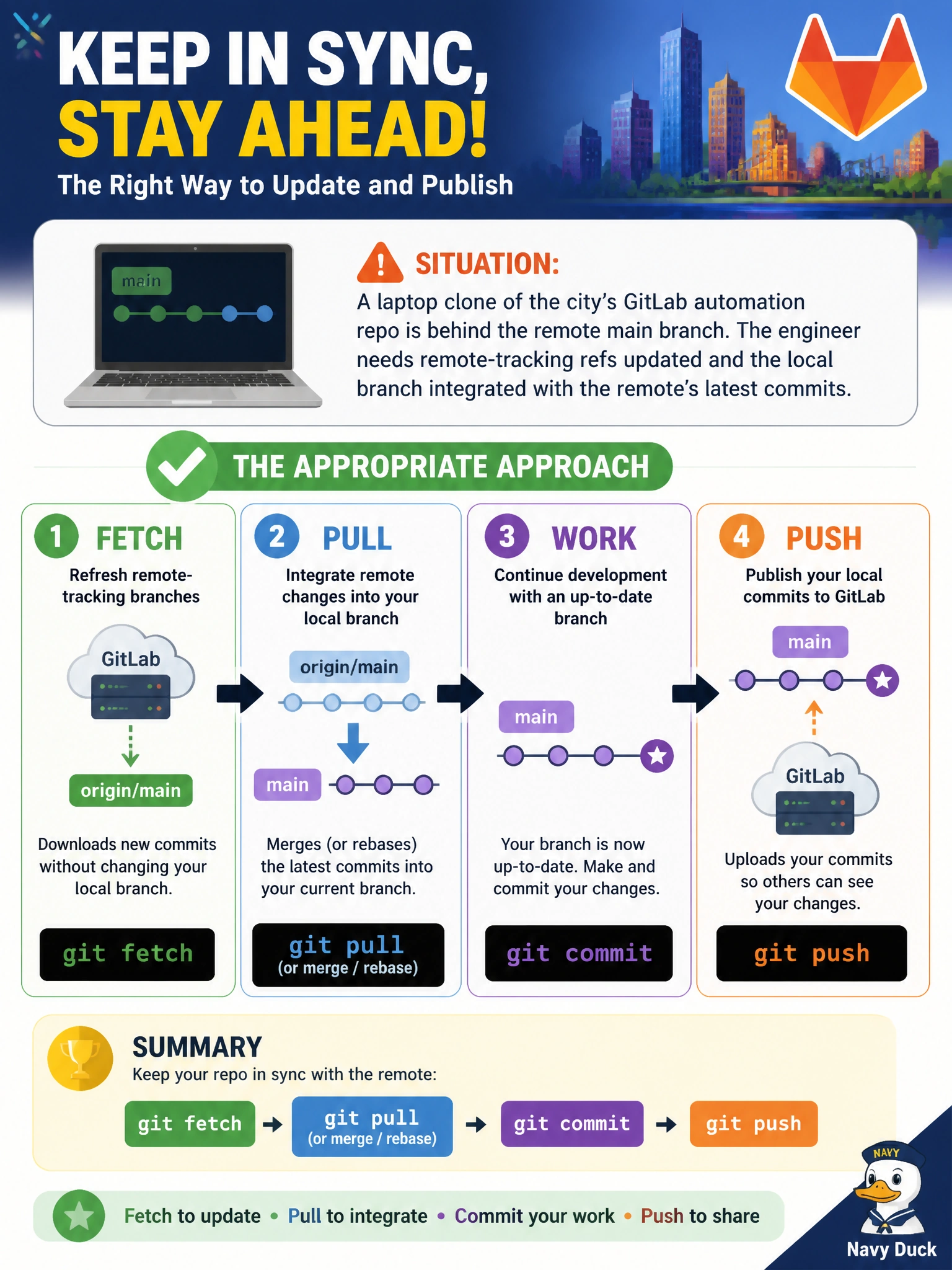
A laptop clone of the city’s GitLab automation repo is behind the remote main branch. The engineer needs remote-tracking refs updated and the local branch integrated with the remote’s latest commits. Which approach is appropriate?
Select an answer to reveal the explanation.
Short Explanation
Fetch is like checking the city’s bulletin board for new notices; pull folds those notices into your notebook; push sends your pages back. Skipping that remote sync leaves the laptop living in yesterday’s municipal repo.
Full Explanation
A laptop clone that sits behind the city’s GitLab main branch needs both refreshed remote-tracking information and integration of those commits into the local branch. git fetch updates remote-tracking refs without altering the working branch; git pull (or an explicit merge/rebase after fetch) integrates the remote’s latest commits; git push publishes local commits when the engineer is ready. That triad is the standard municipal remote-sync workflow for automation repos.
Amending unrelated commits does not rewrite or advance remote history on GitLab and does nothing to catch up a behind clone. Copying another engineer’s .git directory over SMB is unsafe, non-auditable, and can corrupt refs or leak credentials. Disabling the remote and treating the laptop as sole source of truth abandons collaboration and creates divergent, unreviewable automation.
Exam caveat: fetch alone does not merge; pull combines fetch with integrate, but teams may prefer fetch plus explicit rebase for cleaner history—both are valid once remote-tracking refs are current. Operational check: git fetch origin, compare git status and git log HEAD..origin/main, then pull or merge/rebase, and only push when local commits should be shared.