
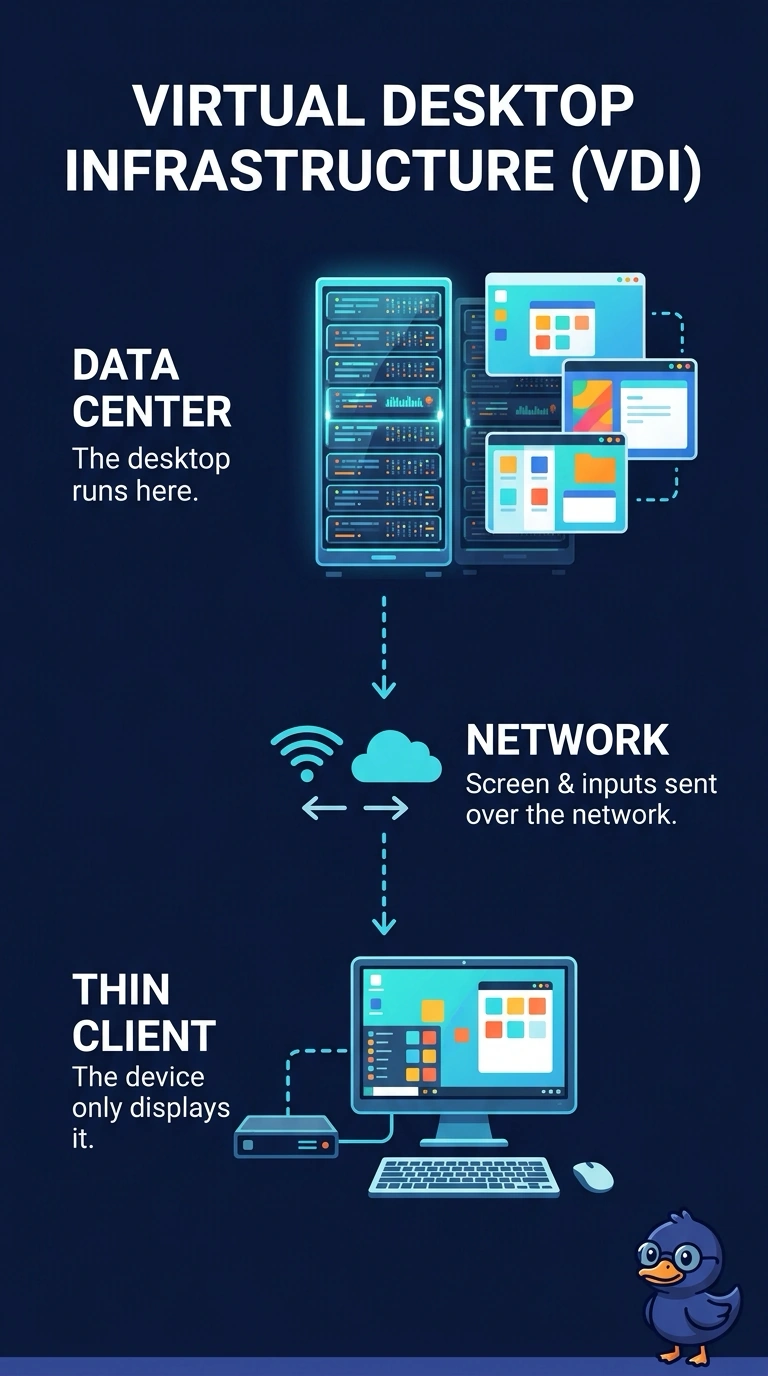
Accountants use thin clients. Their desktops actually run on servers in the data center, and the clients only display them. Which design is that?
Select an answer to reveal the explanation.
Short Explanation
The desk has a window, and the room behind the window is in the data center. You are looking at virtual desktop infrastructure. Putting a hypervisor on the thin client, calling every screen a web app, or treating the thin client as a shared industry cloud misses where the desktop actually runs.
Full Explanation
Virtual desktop infrastructure hosts the user's desktop on a server and sends the screen, keyboard, and mouse to a client. Thin clients that only display a desktop running in the data center match that design. A type 2 hypervisor on the thin client would run the desktop locally on that client. This design does the opposite: the desktop stays in the data center. Software as a service is one finished application the vendor operates. A full desktop session hosted by the company is not automatically a web application. A community cloud is a cloud shared by a group of organizations. Thin clients do not define that model. Exam caveat: the desktop still needs enough server CPU, memory, and storage, and the network has to carry the display traffic without turning the session to mush. Operational check: sign in at a thin client, confirm the session survives if you move to a second client, and confirm the desktop process is on the data-center host. Unplug the thin client from the network and confirm the desktop session drops, which shows it was not local.