
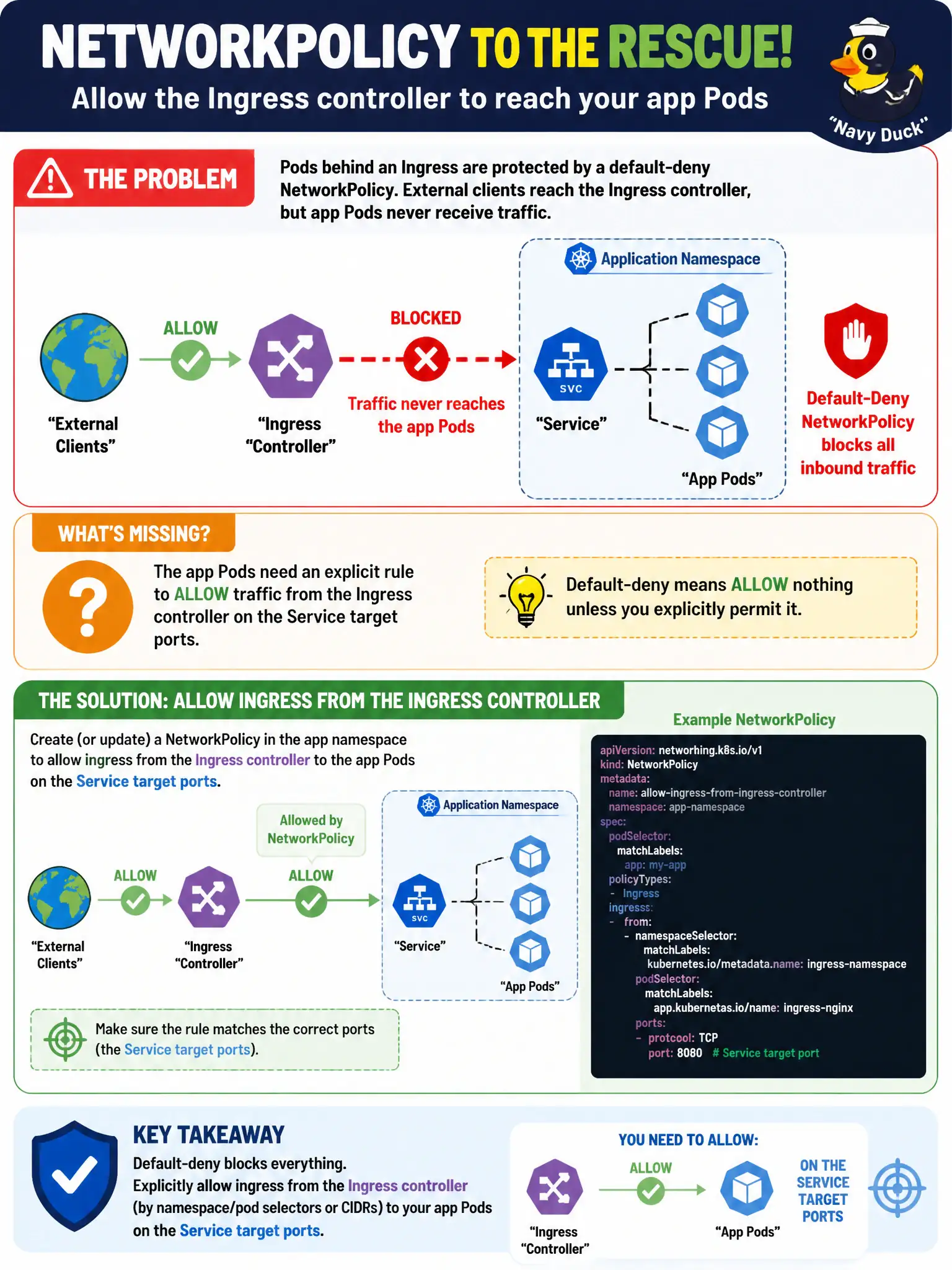
Pods behind an Ingress are protected by a default-deny NetworkPolicy. External clients reach the Ingress controller, but app Pods never receive traffic. What additional NetworkPolicy consideration is required?
Select an answer to reveal the explanation.
Short Explanation
Ingress opens the city gate, but NetworkPolicy still guards each building. If default-deny is on, explicitly allow the controller’s Pods to talk to your app ports—or the gate leads nowhere.
Full Explanation
Pods behind an Ingress that are also protected by a default-deny NetworkPolicy will not receive traffic from the Ingress controller unless NetworkPolicy allows that path. External clients may successfully reach the Ingress controller, yet app Pods never see packets until you allow ingress from the Ingress controller—using appropriate namespaceSelector/podSelector or CIDRs—to the app Pods on the Service target ports. Under default-deny, the controller is just another peer on the Pod network that must be on the guest list for civic sites to work.
Deleting all Services so NetworkPolicies automatically allow Ingress controller traffic is incorrect and breaks Service-based routing. Setting the Ingress ingressClassName to default-deny does not bypass NetworkPolicies. Opening hostPort on app Pods equal to the Ingress controller admin port only is not the proper allow and weakens Pod networking design.
Exam caveat: combining Ingress with default-deny NetworkPolicy without controller allows is a classic production outage pattern for municipal websites. Operational check: confirm the default-deny selects the app Pods; add an allow from the Ingress controller’s namespace/pod selectors to the app port; retest external HTTP(S); kubectl describe networkpolicy alongside the Ingress. Add this allow to the city’s Ingress onboarding template so new applications do not forget the NetworkPolicy companion rule.