
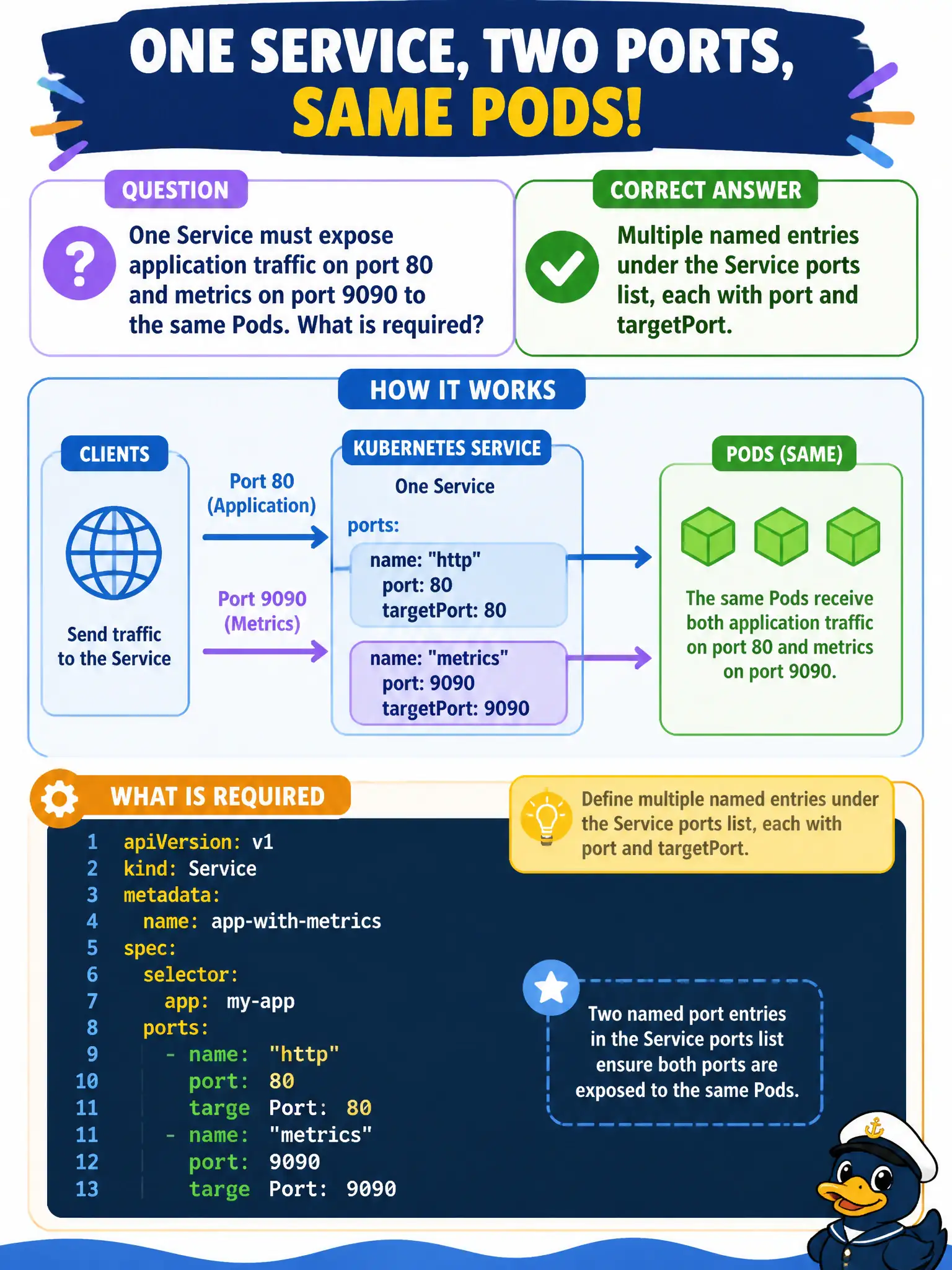
One Service must expose application traffic on port 80 and metrics on port 9090 to the same Pods. What is required?
Select an answer to reveal the explanation.
Short Explanation
One Service can wear two name tags—http and metrics—each with its own port and targetPort. Same Pod selectors, two doors. You don’t need a second Deployment just to publish metrics.
Full Explanation
One Service can expose application traffic on port 80 and metrics on port 9090 to the same Pods by declaring multiple named entries under the Service ports list, each with its own port and targetPort. You do not need two Deployments for two ports. Named entries (for example http and metrics) keep the municipal Service readable and prevent port-index ambiguity for clients and Ingress/NetworkPolicy authors.
It is false that a Service may define only one ports entry and therefore needs two Deployments. A headless Service plus a separate ClusterIP Service that share one Endpoints name is unnecessary complexity for simply publishing two ports to the same selector. An Ingress object is not required for a Service to carry more than one port; multi-port Services are routine for HTTP plus metrics scrapes.
Exam caveat: when multiple ports exist, name each ports entry; clients and Ingress backends should reference the intended Service port. Operational check: define http:80→8080 and metrics:9090→9090, curl the app via Service port 80, scrape metrics via Service port 9090 from the monitoring namespace (NetworkPolicy permitting), and document both ports in the city service catalog so observability and app routing stay aligned.