
A new Deployment for a court-calendar UI stays in ImagePullBackOff. Which cause is most consistent with that status?
Select an answer to reveal the explanation.
Short Explanation
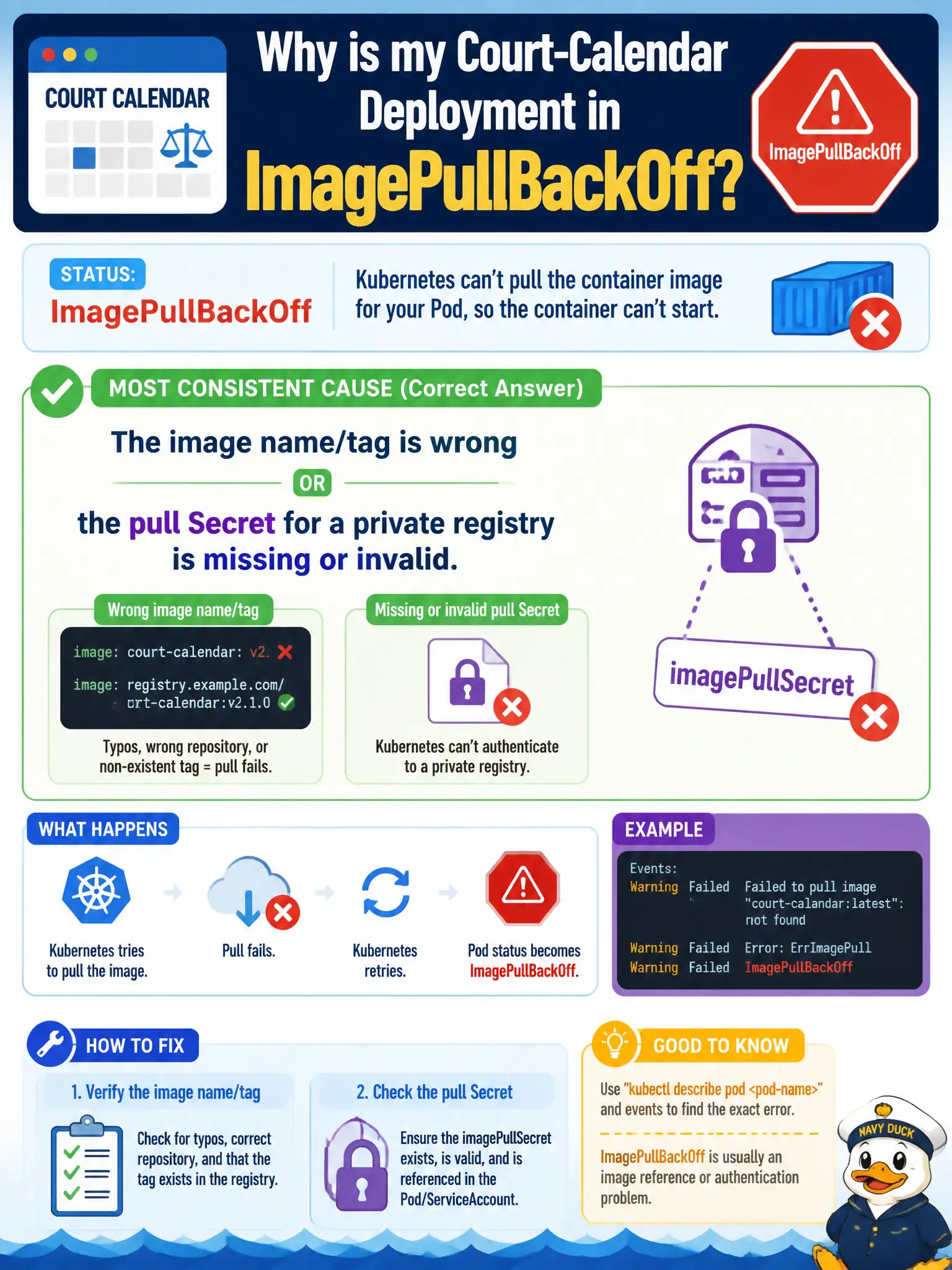
ImagePullBackOff means the node never got the picture off the shelf—typo’d name/tag or no key to the private gallery. Fix the reference or the imagePullSecrets. Probes and emptyDir drama happen after a successful pull.
Full Explanation
ImagePullBackOff on a new court-calendar UI Deployment means the kubelet could not successfully pull the container image, so the container never starts. The causes most consistent with that status are a wrong image name or tag, a registry that is unreachable, or a missing/invalid imagePullSecret for a private registry. Fixing the image reference or pull credentials—and confirming the image exists—clears the backoff so scheduling can proceed to a Running container. Civic UI rollouts often hit this after typoed tags or forgotten registry Secrets in the target namespace.
Blaming a readiness probe HTTP 500 fails because probes run only after the image is pulled and the container starts; they cannot be the cause of ImagePullBackOff. Claiming emptyDir filled the node disk after a successful pull fails the timeline: a successful pull would not leave the Pod in ImagePullBackOff, and disk-full symptoms differ (eviction, disk pressure Events). Blaming HPA maxReplicas fails because autoscaler replica bounds do not produce image-pull backoff statuses on Pods that cannot fetch images.
Exam caveat: ErrImagePull is the immediate failure; ImagePullBackOff is the delayed retry state—both point at pull problems. Operational check: kubectl describe pod for Failed events mentioning pull/auth, verify image: spelling, kubectl get secret for pull secrets, ensure imagePullSecrets on the Pod/ServiceAccount, then re-pull after correction.