
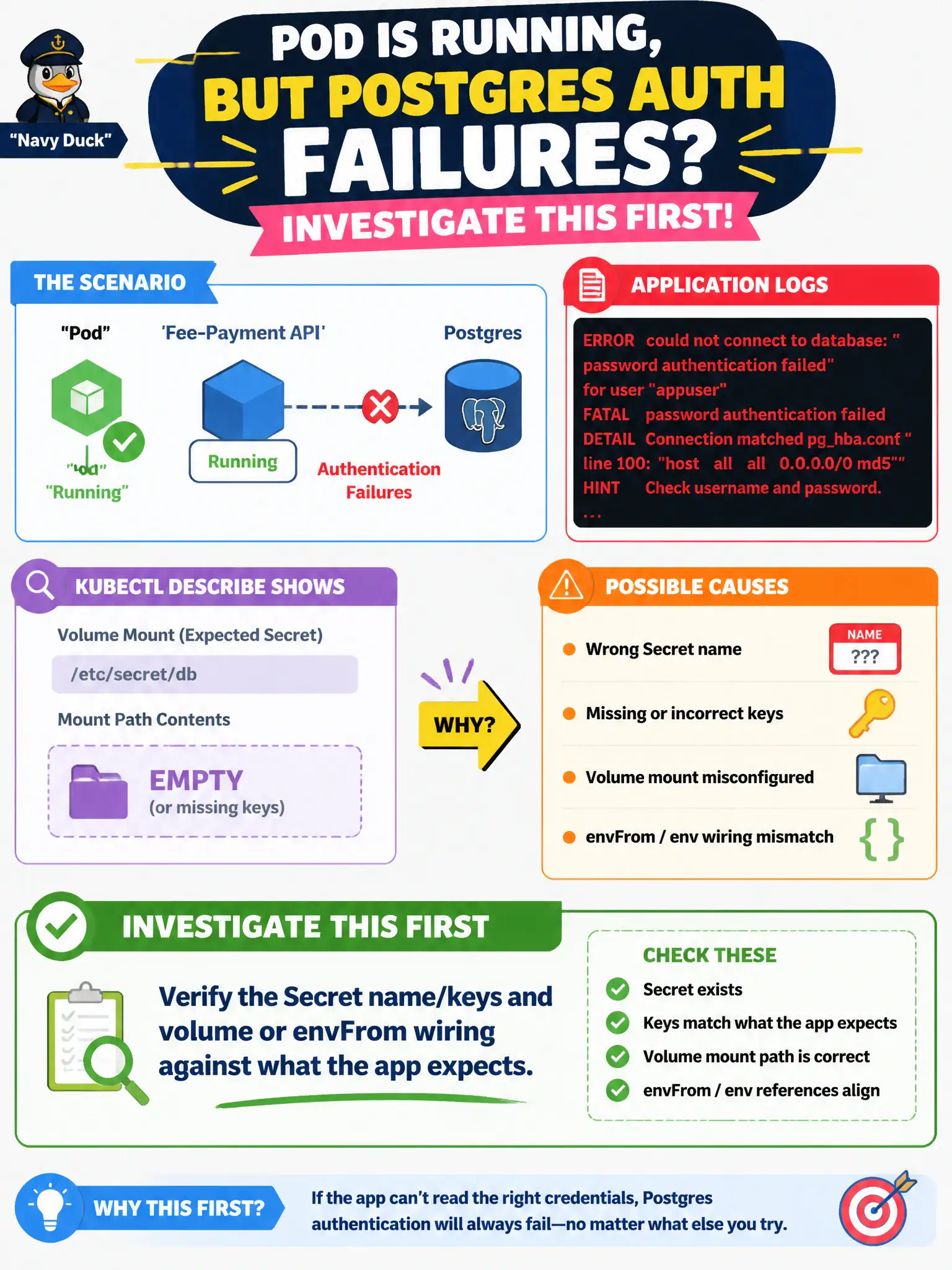
A fee-payment API Pod is Running, but application logs repeatedly show authentication failures to Postgres. kubectl describe shows the expected Secret volume mount path is empty or missing keys. What should the developer investigate first?
Select an answer to reveal the explanation.
Short Explanation
Auth errors plus an empty Secret mount usually means the app is reading the wrong vault drawer. Check the Secret name, key names, and how the Pod mounts or env-injects them. Scaling replicas will not fix a bad mount.
Full Explanation
A fee-payment API Pod that is Running yet repeatedly logs Postgres authentication failures while kubectl describe shows an empty or incomplete Secret mount is almost always a configuration wiring problem. The application is starting, but the credentials it reads from the expected volume or environment path are missing, misnamed, or mapped from the wrong keys. The developer should first verify the Secret’s name and keys in the namespace, then compare volume mounts, env/envFrom/secretKeyRef entries, and mount paths against what the payment service code expects. Fixing that contract restores authentication without changing networking or scale.
Raising replica count fails because identical Pod templates reproduce the same broken Secret reference on every replica; more copies do not heal mount wiring. Changing the Service from ClusterIP to NodePort fails because Service type only affects how clients reach the Pod’s ports—it does not supply database passwords or bypass Postgres auth. Blaming a Namespace NetworkPolicy for “rewriting SQL passwords in transit” fails conceptually: NetworkPolicies allow or deny traffic; they do not mutate credential bytes mid-stream, and an empty Secret mount is a local filesystem/env symptom, not a packet-filter symptom.
Exam caveat: a Secret can exist yet still fail if keys differ (password vs POSTGRES_PASSWORD) or if the volume uses optional: true and silently mounts nothing. Operational check: kubectl get secret <name> -o jsonpath='{.data}' to confirm keys (without pasting values into tickets), kubectl describe pod for mount events, kubectl exec to ls the mount path or print env var names, then correct the Deployment’s Secret reference and roll out.