
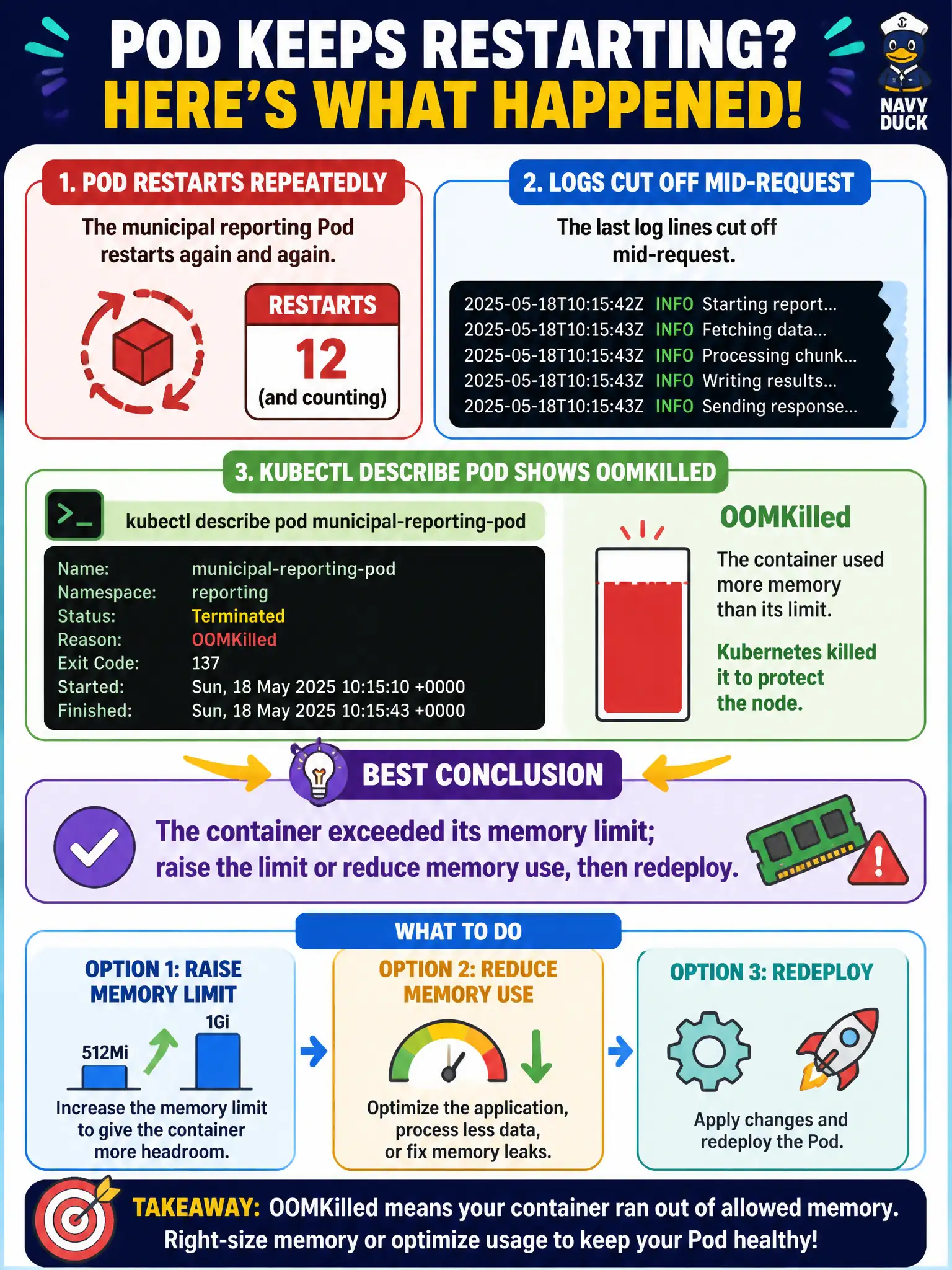
A municipal reporting Pod restarts repeatedly. The last log lines cut off mid-request, and kubectl describe pod shows the previous container terminated with reason OOMKilled. What is the best conclusion?
Select an answer to reveal the explanation.
Short Explanation
When logs stop cold and describe says OOMKilled, the process got the memory axe—like a water main shutting off mid-shower. Bump the limit or slim the app’s footprint. Do not chase DNS or selectors for an OOM reason.
Full Explanation
When a municipal reporting Pod restarts repeatedly, abrupt mid-request log cutoff plus kubectl describe showing the previous container terminated with reason OOMKilled points to memory cgroup enforcement. The container’s working set crossed its resources.limits.memory, so the kernel OOM killer (via the runtime/kubelet) terminated that container. The correct conclusion is that the workload exceeded its memory limit; remediation is to raise the limit thoughtfully, reduce application memory use (leaks, unbounded caches, oversized batches), or both, then redeploy so new Pods run under the corrected budget. Correlating describe’s last state reason with truncated logs is the standard CKAD-style diagnosis for civic batch/report jobs that spike memory.
Blaming a rejected image digest fails because image-pull problems surface as ErrImagePull / ImagePullBackOff, not OOMKilled, and would not typically leave mid-request application logs from a running process. Claiming a Service selector mismatch caused a “false OOM” fails because selector mismatch affects Endpoints and traffic delivery; it does not rewrite termination reasons to OOMKilled. Attributing DNS failure for the upstream database to OOMKilled fails because DNS/connectivity issues produce application errors or probe failures, not the kernel memory-kill reason recorded on the container status.
Exam caveat: raising limits without understanding the spike can hide leaks until the node is pressured; also distinguish container OOMKilled from node-level eviction under DiskPressure/MemoryPressure. Operational check: kubectl describe pod <name> for Last State Reason and Exit Code, confirm limits.memory in the Pod spec, compare with metrics or kubectl top pod if available, then patch the Deployment resources and watch a new ReplicaSet clear CrashLoopBackOff for the reporting job.