
After enabling readOnlyRootFilesystem, a portal Pod CrashLoops because it writes temporary files under /tmp. What is the correct fix?
Select an answer to reveal the explanation.
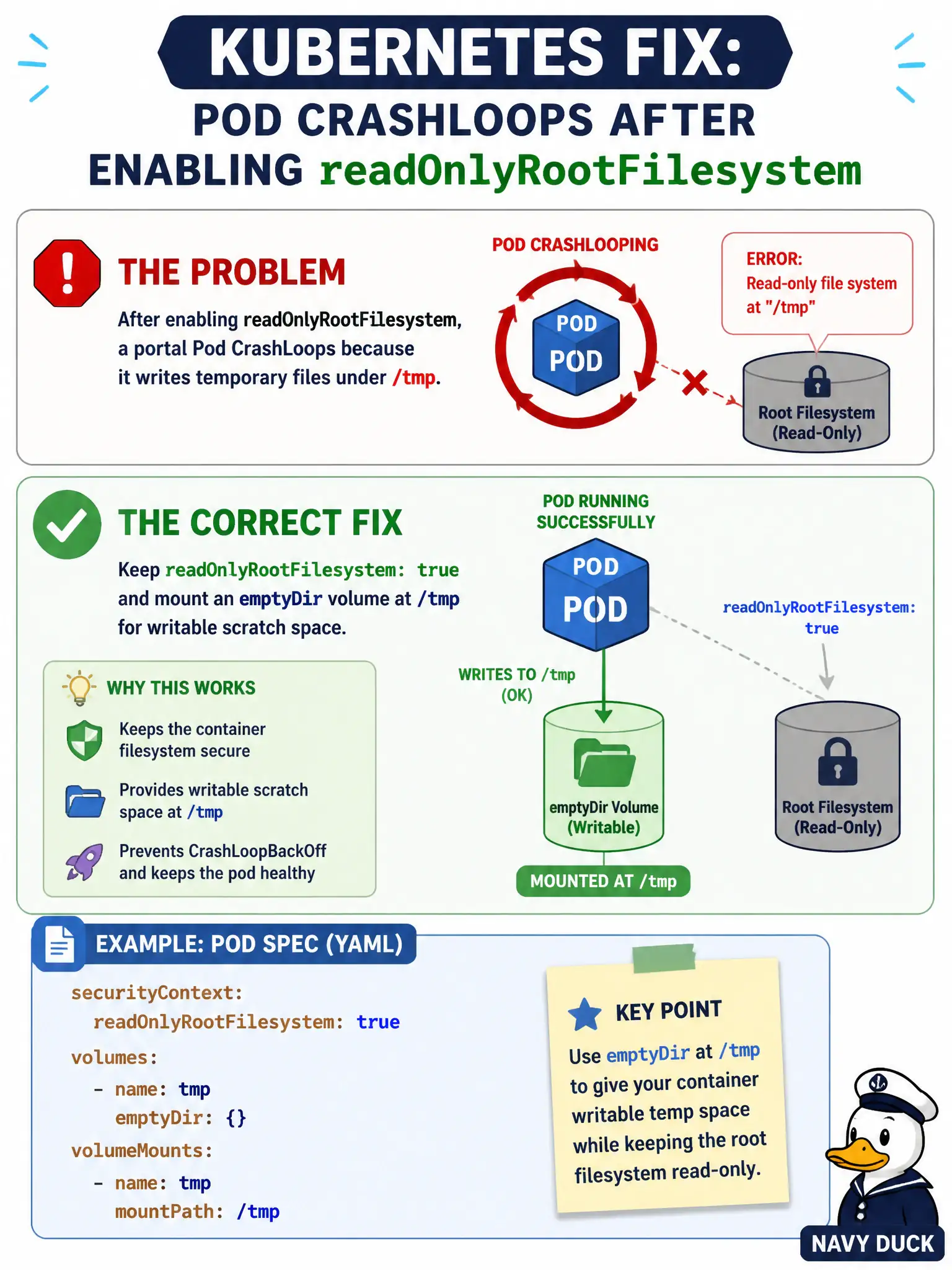
Short Explanation
Read-only root plus a dedicated emptyDir at /tmp is the classic "lock the house, leave a notepad" fix. Don't dump privileged mode or abandon the hardening flag just because /tmp needs writes.
Full Explanation
After enabling readOnlyRootFilesystem, many portal processes still write temporary files under /tmp. The correct fix keeps readOnlyRootFilesystem: true and mounts an emptyDir (or other writable volume) at /tmp so scratch writes succeed on an explicit mount while the rest of the root filesystem stays immutable. That is the classic municipal hardening pattern: lock the house, leave a notepad where the app is allowed to scribble.
privileged: true is not an acceptable way to make /tmp writable and reintroduces host-level risk. Removing readOnlyRootFilesystem and chmod 777 on the image root abandons the hardening goal. Storing temporary files as ConfigMap entries updated per request is the wrong abstraction: ConfigMaps are API objects for configuration, not a high-churn scratch filesystem, and applications expect POSIX temp directories.
Exam caveat: choose the mount path the app actually uses (/tmp, /var/cache, etc.), and remember emptyDir is ephemeral with the Pod. Operational check: apply the emptyDir volumeMount at /tmp, confirm CrashLoop stops, and verify that writes outside the mounted paths still fail. kubectl describe pod should show the volume and mount; platform reviewers should see readOnlyRootFilesystem retained rather than stripped to silence the failure.