
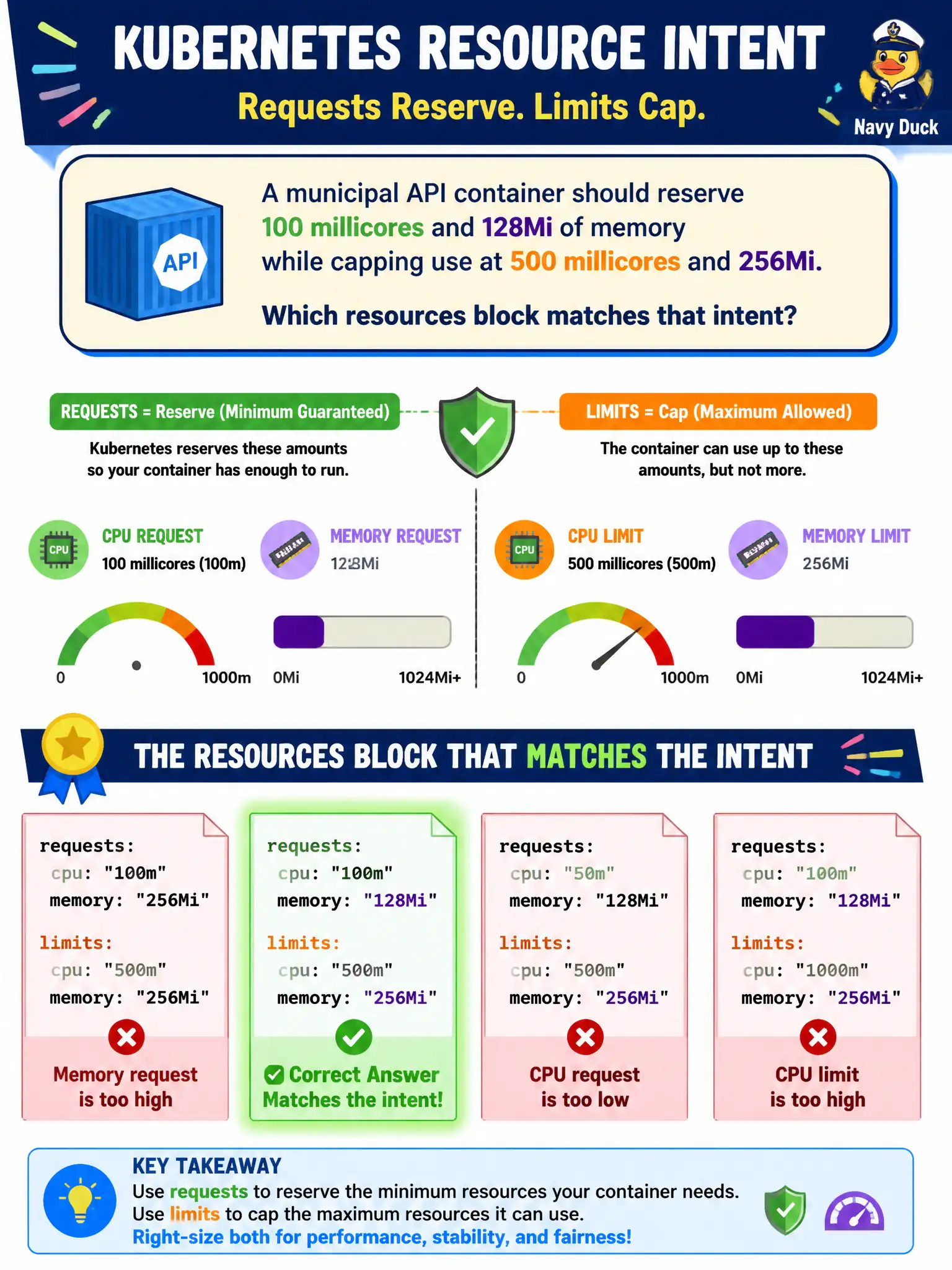
A municipal API container should reserve 100 millicores and 128Mi of memory while capping use at 500 millicores and 256Mi. Which resources block matches that intent?
Select an answer to reveal the explanation.
Short Explanation
Requests are the reserved table; limits are the hard ceiling. Set the smaller numbers as requests and the higher caps as limits. Skipping units or swapping the values muddies scheduling and QoS.
Full Explanation
A municipal API container that should reserve 100 millicores and 128Mi of memory while capping use at 500 millicores and 256Mi needs requests.cpu 100m, requests.memory 128Mi, limits.cpu 500m, and limits.memory 256Mi. Requests tell the scheduler what to reserve on a node; limits cap runtime consumption via CPU throttling and memory cgroup enforcement. That resources block matches the civic capacity intent exactly.
Setting requests.cpu 500m and requests.memory 256Mi with no limits so the Pod stays BestEffort fails the stated caps and mislabels QoS—those requests alone are not BestEffort, and the ceiling is missing. Specifying limits only at 100m and 128Mi because requests are ignored when limits exist fails the requirement for a higher ceiling and oversimplifies request/limit interaction. Using requests.cpu 100 and requests.memory 128 without units fails because CPU 100 means one hundred cores and memory requires a quantity suffix such as Mi.
Exam caveat: when requests are below limits the Pod is typically Burstable; equal CPU and memory requests and limits on every container produce Guaranteed QoS. Operational check: apply the four-field resources block under the container, describe the Pod to confirm values, generate CPU load, and observe throttling near 500m rather than unbounded consumption.