
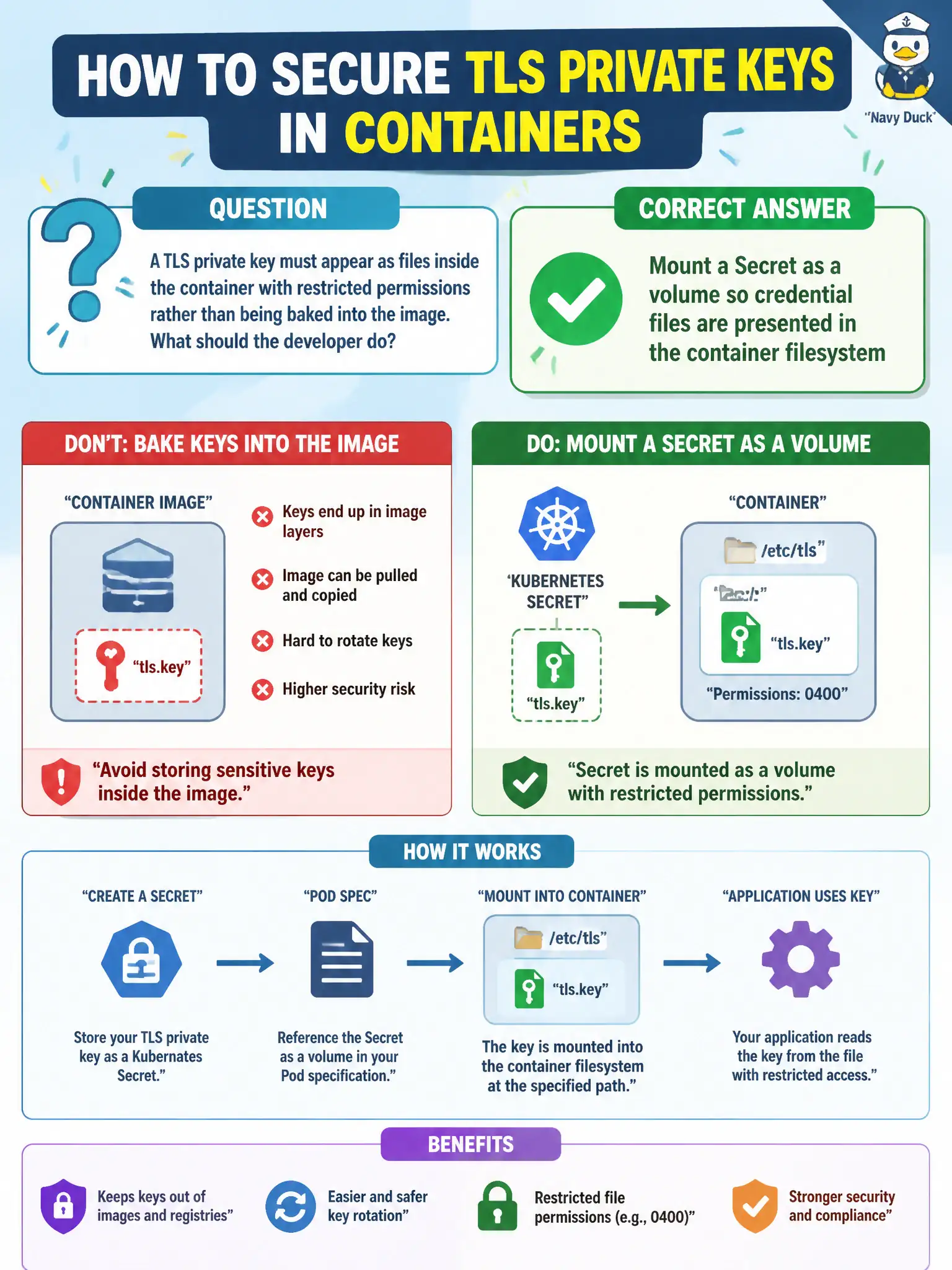
A TLS private key must appear as files inside the container with restricted permissions rather than being baked into the image. What should the developer do?
Select an answer to reveal the explanation.
Short Explanation
Treat keys like hotel key cards issued at check-in—not printed inside the souvenir mug (the image). Mount a Secret volume and the files show up in the room with tight permissions.
Full Explanation
A TLS private key that must appear as files inside the container with restricted permissions—rather than being baked into the image—should be provided by mounting a Secret as a volume. Secret volumes present credential files in the container filesystem with controllable defaultMode, keeping keys out of image layers for the city’s e-filing or portal TLS material.
Committing the key into the container image under /etc/ssl and setting imagePullPolicy Never still leaves secrets in the image history for anyone who can pull or inspect. Putting PEM material in a ConfigMap labeled confidential=true does not encrypt it; ConfigMaps are not for private keys. Exposing the key through an unauthenticated NodePort for the app to download is an extreme anti-pattern.
Exam caveat: Prefer file mounts for TLS material expected as paths; watch for world-readable modes; combine with non-root USER. Do not confuse TLS Secrets with docker-registry imagePullSecrets.
Operational check: kubectl create secret tls or generic; mount with defaultMode 0400; kubectl exec -- ls -l on the key path; confirm the image contains no PEM; rotate the Secret and plan a rollout if needed. In municipal environments, document the chosen pattern in the service runbook so on-call engineers apply the same kubectl checks during incidents, and keep the change tied to the application Deployment or Job rather than ad-hoc node mutation.