
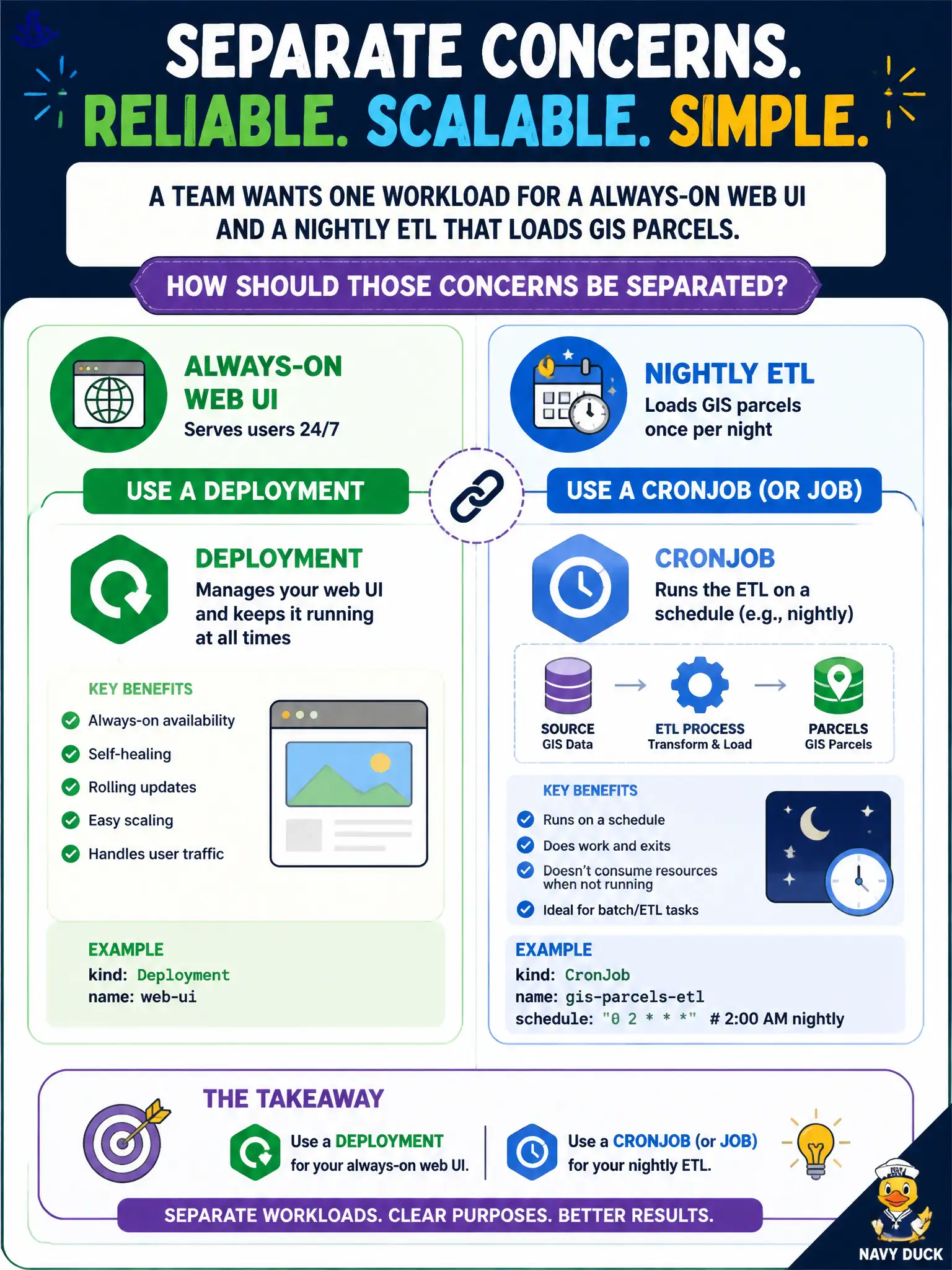
A team wants one workload for a always-on web UI and a nightly ETL that loads GIS parcels. How should those concerns be separated?
Select an answer to reveal the explanation.
Short Explanation
A storefront that stays open all day is not the same as the nightly inventory truck. Keep the UI on a Deployment; let a CronJob handle the once-a-night ETL so schedules and failure modes stay clean.
Full Explanation
When a team wants one approach for an always-on web UI and a nightly ETL that loads GIS parcels, separate the concerns by workload type. Use a Deployment for the long-running web UI and a CronJob (or Job) for the nightly ETL. Independent controllers let the public site stay highly available while batch loads run on schedule without sharing process failure domains, resource spikes, or release cadences inside a single Pod.
Putting both processes as containers in one Deployment Pod couples ETL crashes to the website and prevents independent scaling. Running the ETL as a second container with restartPolicy Always inside the web Deployment turns a nightly batch into a continuous sidecar that is always restarting rather than calendar-driven. Using only a CronJob for both workloads leaves the web UI down between ETL runs, which is unacceptable for civic portals that residents expect around the clock.
Exam caveat: Match workload controllers to process lifetime. Sidecars and init containers are for helpers of the same Pod mission, not for unrelated batch schedules glued beside an HTTP server process.
Operational check: kubectl get deploy,cronjob; confirm web replicas stay Ready throughout the day; inspect CronJob-created Jobs after the ETL window; scale the Deployment without altering ETL history limits.