
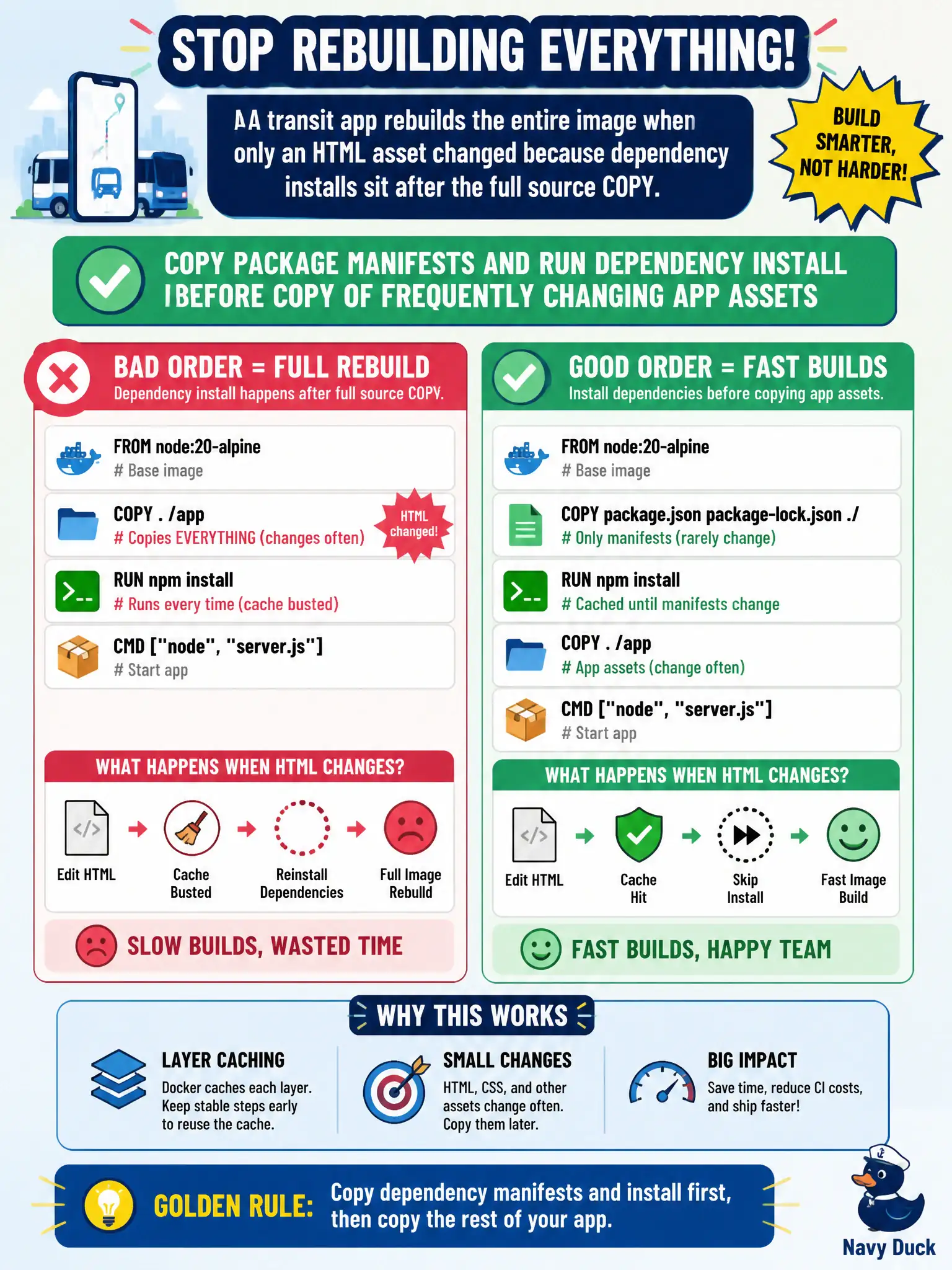
A transit app rebuilds the entire image when only an HTML asset changed because dependency installs sit after the full source COPY. How should the Dockerfile be ordered?
Select an answer to reveal the explanation.
Short Explanation
Docker's cache is a lazy chef: if an early step changes, everything after gets recooked. Put the stable recipe (package.json and npm install) above the often-edited HTML so a tiny asset tweak only rebuilds the thin top layers.
Full Explanation
Transit app Dockerfiles that COPY the full source tree before npm install bust the layer cache on every HTML tweak, forcing full dependency reinstalls. Order stable steps first: COPY package.json/package-lock.json (or equivalent), RUN npm ci/install, then COPY frequently changing application assets. Docker reuses the dependency layer when manifests are unchanged, so tiny front-end edits rebuild quickly—important for municipal CI quotas and faster deploys.
Copying all application files first intentionally defeats caching and is the anti-pattern described. Running npm install in an init container at Pod start moves build work into every Pod startup, slowing scale-out and requiring build tools in runtime images. DaemonSet rebuilds on every node confuse cluster agents with image build caching and do not fix Dockerfile layer order.
Exam caveat: cache-friendly ordering is an application image skill on CKAD; know which files change often versus dependency manifests. Multi-stage builds pair well with this ordering but are a separate concern.
Operational check: change only an HTML asset, rebuild with BuildKit, confirm the npm install step shows CACHED, push, and verify Deployment rollout time drops compared with the old Dockerfile order.