
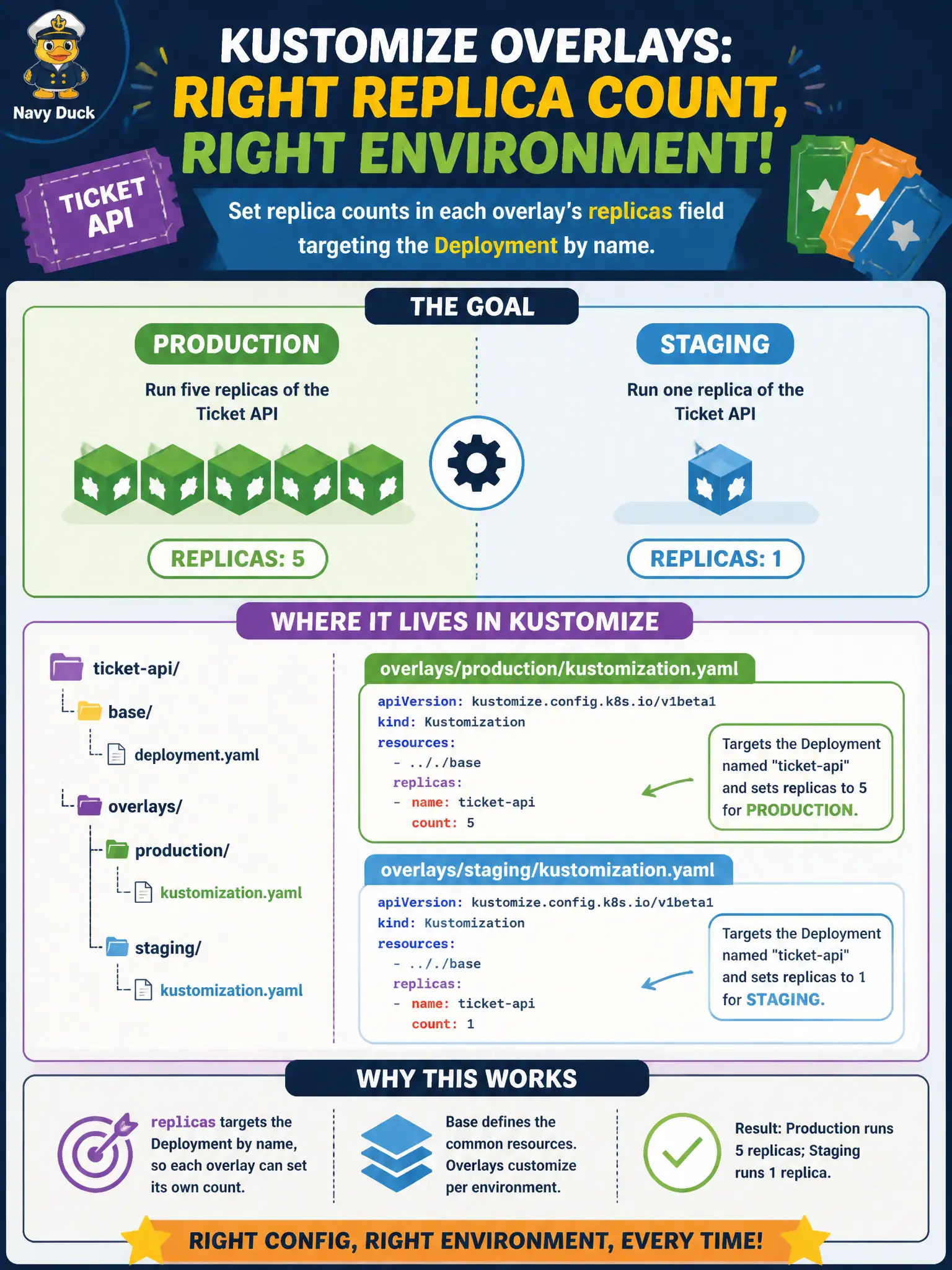
Production should run five replicas of a ticket API while the staging overlay keeps one. Where in Kustomize should those environment-specific counts live?
Select an answer to reveal the explanation.
Short Explanation
Replicas in an overlay are like setting how many service windows open at city hall for that district. Staging opens one window; prod opens five—same building plans, different staffing numbers.
Full Explanation
Production should run five replicas of a ticket API while the staging overlay keeps one; those environment-specific counts belong in each overlay’s replicas field targeting the Deployment by name. Placing scale in the overlay layer keeps the shared base environment-neutral and matches how municipal teams typically differentiate capacity between test and resident-facing environments without forking entire manifest trees.
Why the other options fail by concept: A cluster-wide LimitRange constrains default/min/max resources; it does not set Deployment replica counts. Hard-coding replica behavior inside a container image ENTRYPOINT script does not drive Kubernetes replica management or rolling updates. The Service ClusterIP field selects a virtual IP mode; it does not scale Pods.
Exam caveat: replicas entries in kustomization.yaml must match the Deployment’s metadata.name (after namePrefix/suffix rules as applicable) or the change will not apply. An HorizontalPodAutoscaler in an environment may fight static replica fields—pick one source of truth per env. Do not confuse Kustomize replicas: with rollingUpdate maxSurge/maxUnavailable settings.
Operational check: Set replicas for the named Deployment to 1 in staging and 5 in production overlays, kubectl kustomize each to verify .spec.replicas in the render, apply -k, and kubectl get deploy <name> -n <ns> to confirm live counts match the environment intent for the ticket API.