
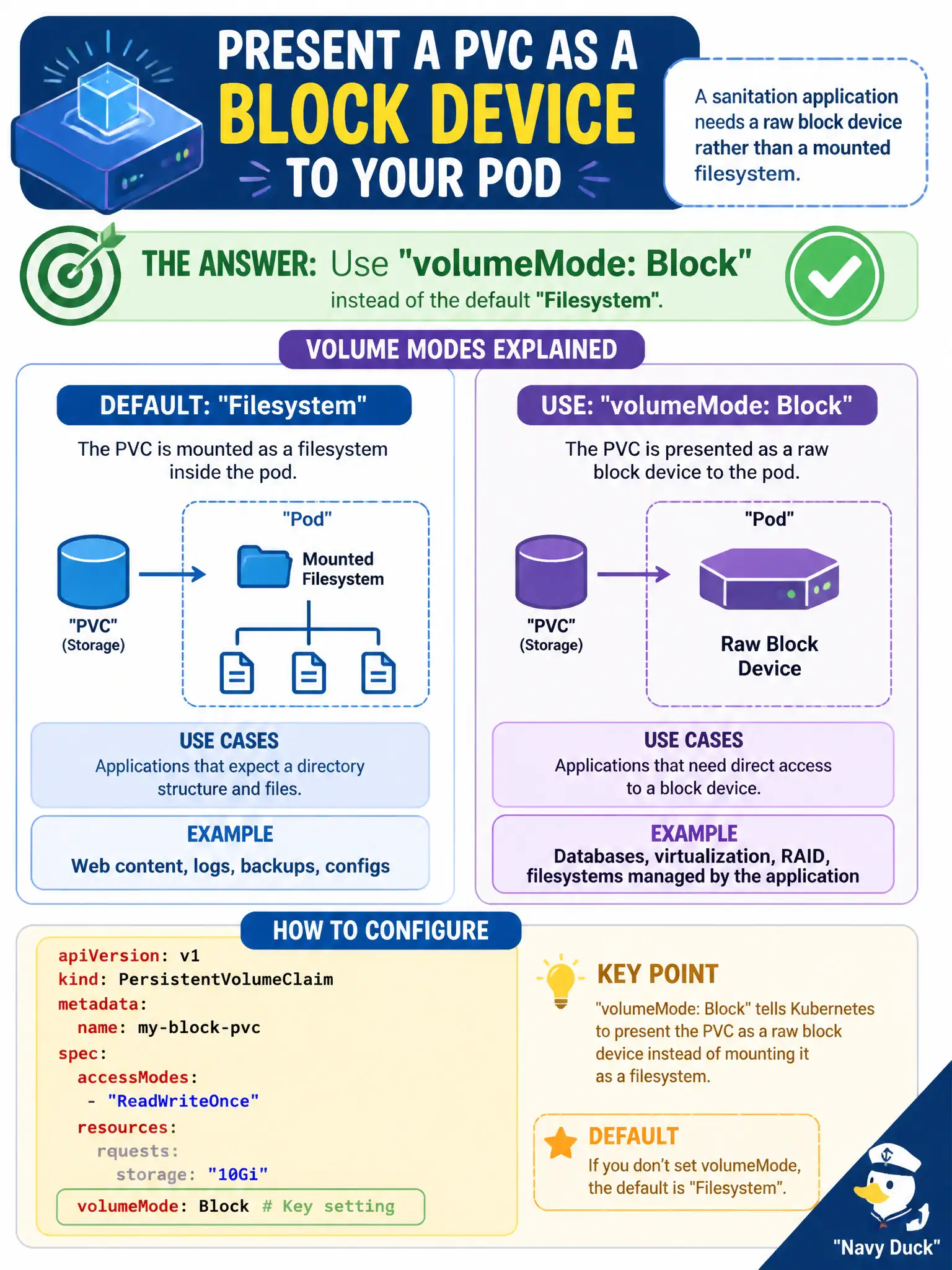
A sanitation application needs a raw block device rather than a mounted filesystem. Which PVC setting presents the volume as a block device to the pod?
Select an answer to reveal the explanation.
Short Explanation
Filesystem mode hands you a mounted folder; Block mode hands you the raw device—perfect when the app wants to speak disk blocks, not files.
Full Explanation
A sanitation application that needs a raw block device rather than a mounted filesystem should set volumeMode: Block instead of the default Filesystem on the PVC/PV. Filesystem mode hands you a mounted folder; Block mode hands you the raw device for apps that speak disk blocks. Pods consume block volumes via volumeDevices rather than volumeMounts.
accessModes ReadOnlyMany with a ConfigMap volumeMount does not select block mode. reclaimPolicy Delete on the PVC object is invalid/misplaced—reclaimPolicy is a PV concern and unrelated to block versus filesystem. Leaving storageClassName empty does not force hostPath or block mode.
Exam caveat: both PV and PVC volumeMode must align. Not every StorageClass/CSI driver supports Block. Filesystem remains the default when volumeMode is omitted.
Operational check: create PVC with volumeMode Block, confirm Bound against a supporting PV/class, reference it under volumeDevices in the Pod, and verify the device path appears inside the container. Keep civic change tickets precise: record object names, namespaces, and before/after observations so the next on-call engineer can replay the fix without guesswork. Keep civic change tickets precise: record object names, namespaces, and before/after observations so the next on-call engineer can replay the fix without guesswork.