
A 911 media store confuses volume sharing rules with disk performance tiers. How should the admin separate those concepts?
Select an answer to reveal the explanation.
Short Explanation
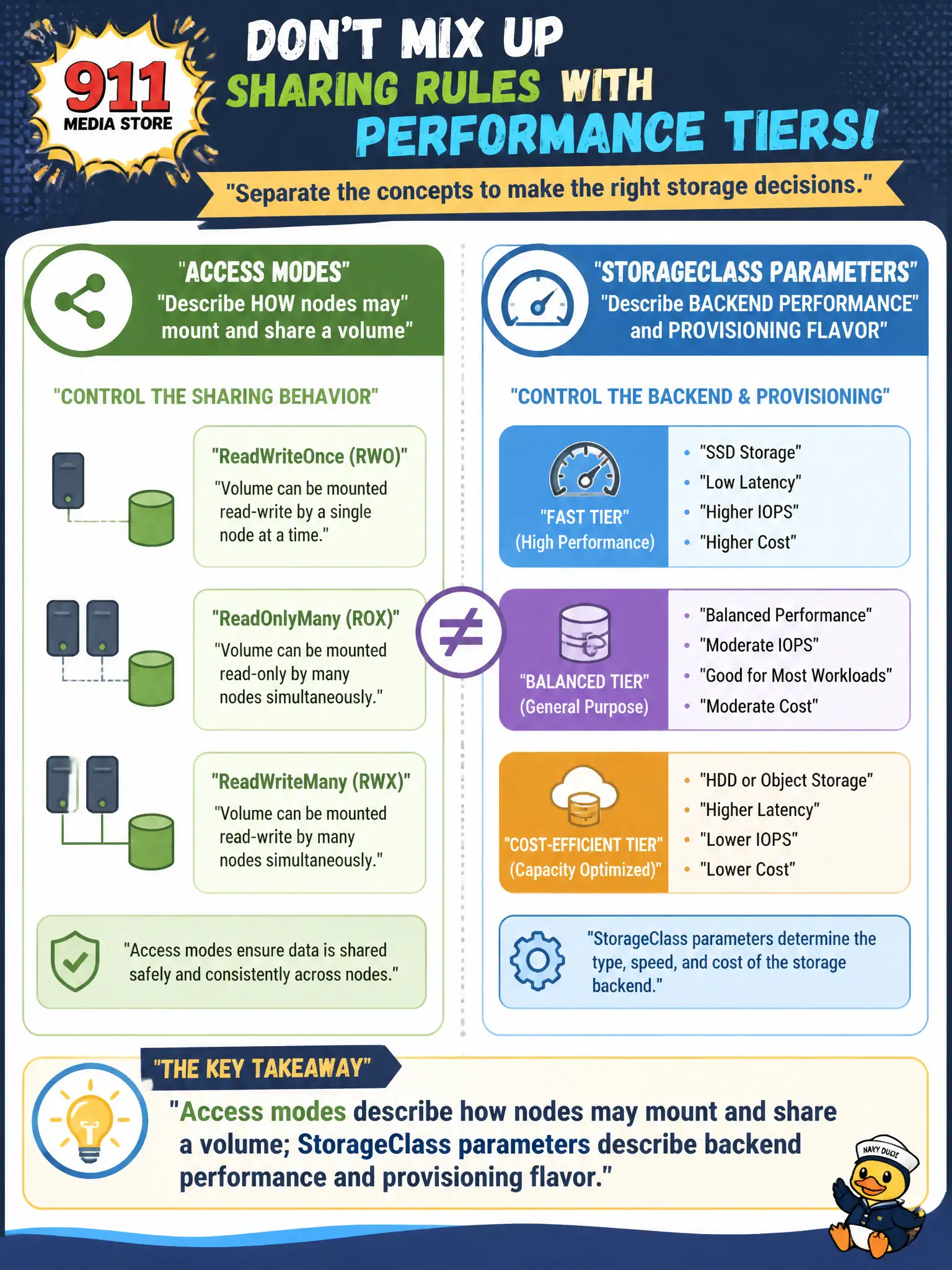
Access mode is the sharing rule—who can open the filing cabinet at once. StorageClass is which cabinet you bought—SSD, cheap HDD, encrypted vault. Mixing them up is like thinking “ReadWriteOnce” means “turbo disk.” Different knobs, different jobs.
Full Explanation
A 911 media store admin should separate concepts cleanly: access modes describe how nodes may mount and share a volume (RWO, ROX, RWX, and related), while StorageClass parameters describe backend performance and provisioning flavor (disk type, IOPS, encryption, zones). Access mode is the sharing rule for the filing cabinet; StorageClass is which cabinet you bought. Mixing them—thinking ReadWriteOnce means “turbo disk”—confuses scheduling/mount semantics with performance SKUs.
Access modes and StorageClass names are not synonyms enforced by kube-proxy. StorageClass does not only set mountPropagation while access modes exclusively set IOPS. Choosing ReadWriteOnce does not automatically select the fastest StorageClass in the cluster.
Exam caveat: you often set both—an RWO PVC against a high-IOPS StorageClass for a single-writer database, or RWX against a file-tier class for shared media. Failures can come from either dimension independently.
Operational check: for the media store, pick access mode based on multi-node write needs, pick StorageClass based on throughput/cost, provision a test PVC, and validate both mount behavior and observed disk performance. Keep civic change tickets precise: record object names, namespaces, and before/after observations so the next on-call engineer can replay the fix without guesswork.