
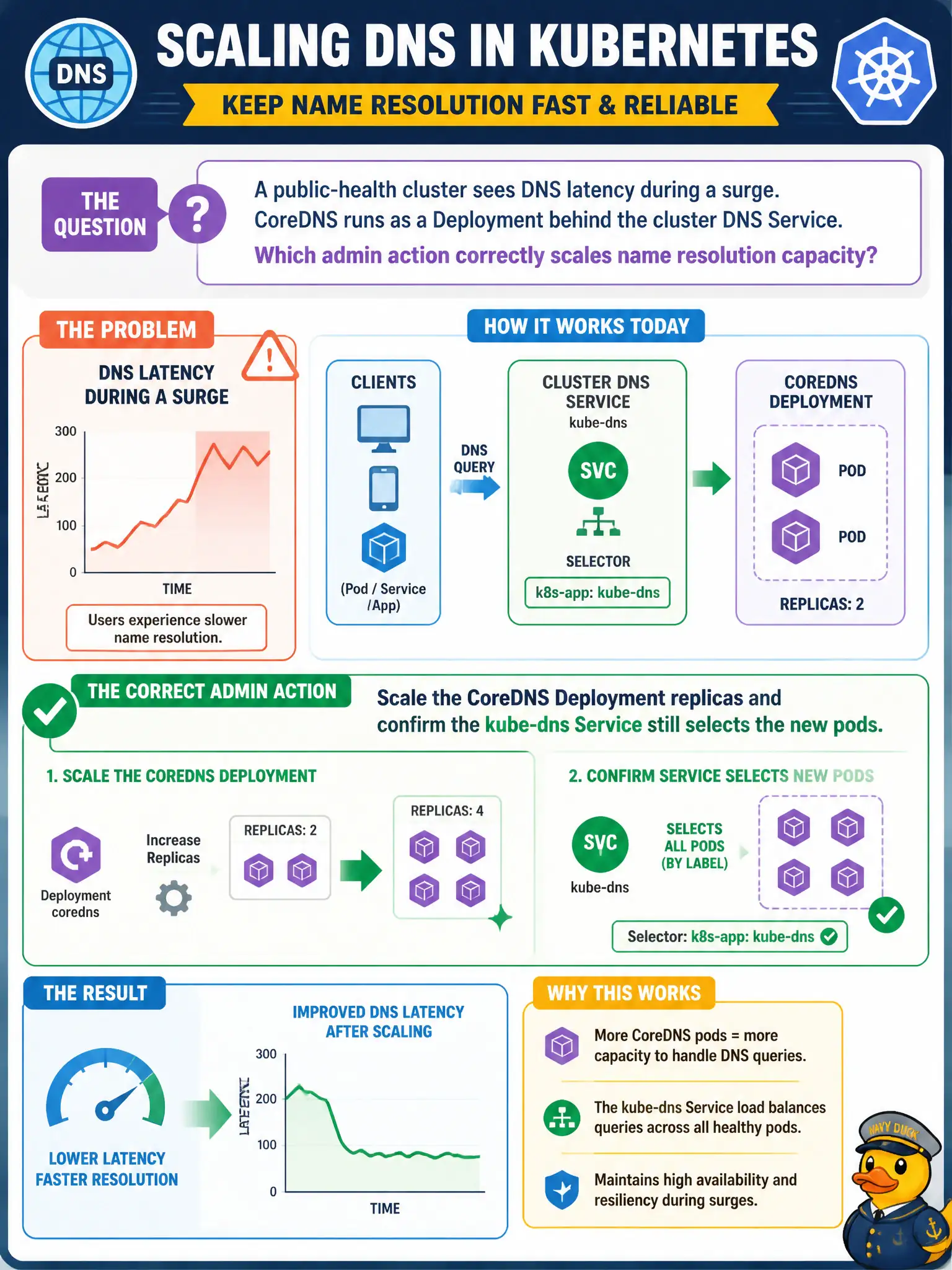
A public-health cluster sees DNS latency during a surge. CoreDNS runs as a Deployment behind the cluster DNS Service. Which admin action correctly scales name resolution capacity?
Select an answer to reveal the explanation.
Short Explanation
Picture CoreDNS like extra clerks at a busy information desk—when the line gets long, you add clerks, not tear down the desk’s phone number. Scaling the CoreDNS Deployment adds resolvers while the kube-dns Service keeps handing traffic to whichever pods match its selector. Killing the Service or hoping hostNetwork saves you just breaks cluster DNS for everyone else.
Full Explanation
When a public-health cluster sees DNS latency during a surge and CoreDNS runs as a Deployment behind the cluster DNS Service, the correct admin action is to scale the CoreDNS Deployment replicas and confirm the kube-dns Service still selects the new Pods. Extra resolver clerks behind the same stable front-desk ClusterIP increase concurrent query capacity without rewriting application DNS settings. Kubelet keeps pointing Pods at that Service IP while Endpoints grow to include the new Pods.
Deleting the kube-dns Service so Pods resolve only via host /etc/hosts destroys cluster DNS discovery. Increasing only etcd replica count does not add CoreDNS capacity—CoreDNS does not store Service zones in etcd as its resolver implementation. Patching every application Pod with hostNetwork to bypass CoreDNS is a destructive workaround, not a capacity strategy for municipal platforms.
Exam caveat: scaling helps only if Pods schedule successfully and pass readiness; watch CPU/memory on CoreDNS. If NodeLocal DNSCache is deployed, understand whether latency is at the cache or core resolvers.
Operational check: scale the CoreDNS Deployment, verify kube-dns Endpoints count increases, generate lookups from test Pods, and confirm latency and error metrics improve without changing application resolv configuration. Record replica counts and latency before and after in the change ticket.