
Transit troubleshoots DNS from inside an application Pod and inspects /etc/resolv.conf. What should that file typically show regarding cluster DNS?
Select an answer to reveal the explanation.
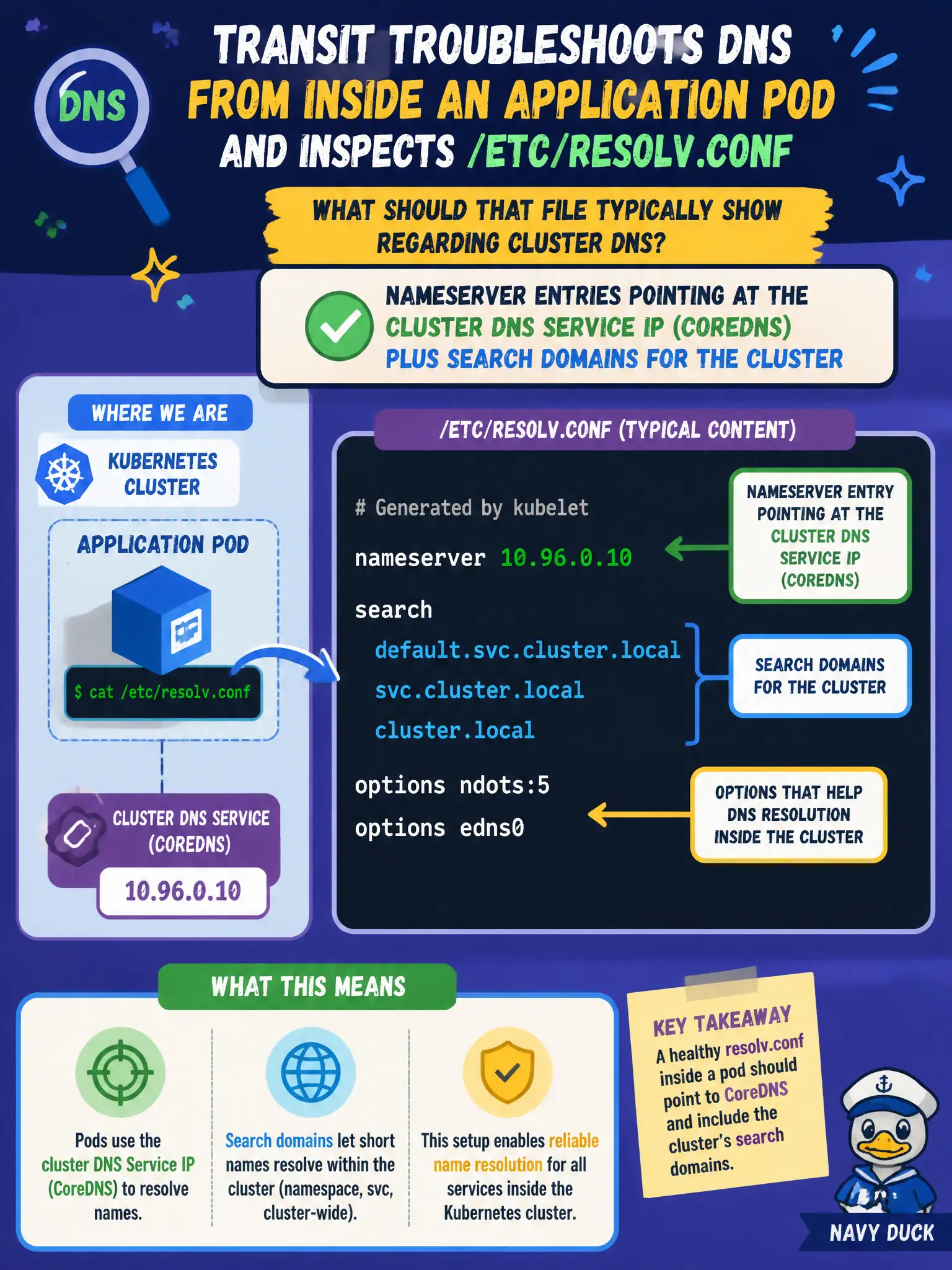
Short Explanation
Open /etc/resolv.conf and you should see the cluster DNS Service IP as nameserver, plus those handy search domains. That is how Pods know to ask CoreDNS first for in-cluster names.
Full Explanation
When transit troubleshoots DNS from inside an application Pod and inspects /etc/resolv.conf, that file should typically show nameserver entries pointing at the cluster DNS Service IP (CoreDNS) plus search domains for the Pod namespace and svc.cluster.local. Kubelet writes this configuration under common dnsPolicy settings so Pods ask CoreDNS first for in-cluster names instead of only public resolvers. Seeing that pattern confirms the Pod is wired to the municipal cluster directory.
Listing only public Google DNS servers with cluster search domains removed breaks in-cluster Service discovery. Setting a single nameserver to the Pod’s own IP does not make each Pod self-host cluster DNS. Using the apiserver VIP as the only nameserver is wrong—the API server is not CoreDNS.
Exam caveat: dnsPolicy: Default or custom dnsConfig can change resolv.conf; ClusterFirst is the usual exam baseline. NodeLocal DNSCache may show a nearby cache address that still fronts cluster DNS rather than replacing the conceptual model.
Operational check: kubectl exec into the Pod, cat /etc/resolv.conf, compare nameserver to the kube-dns Service ClusterIP, and dig a short Service name to observe search-path expansion to the expected FQDN. Document the observed nameserver IP in the incident notes for comparison after kubelet or DNS Service changes.