
Transit authority workers fail kubeadm join because the bootstrap token expired. What should admins do?
Select an answer to reveal the explanation.
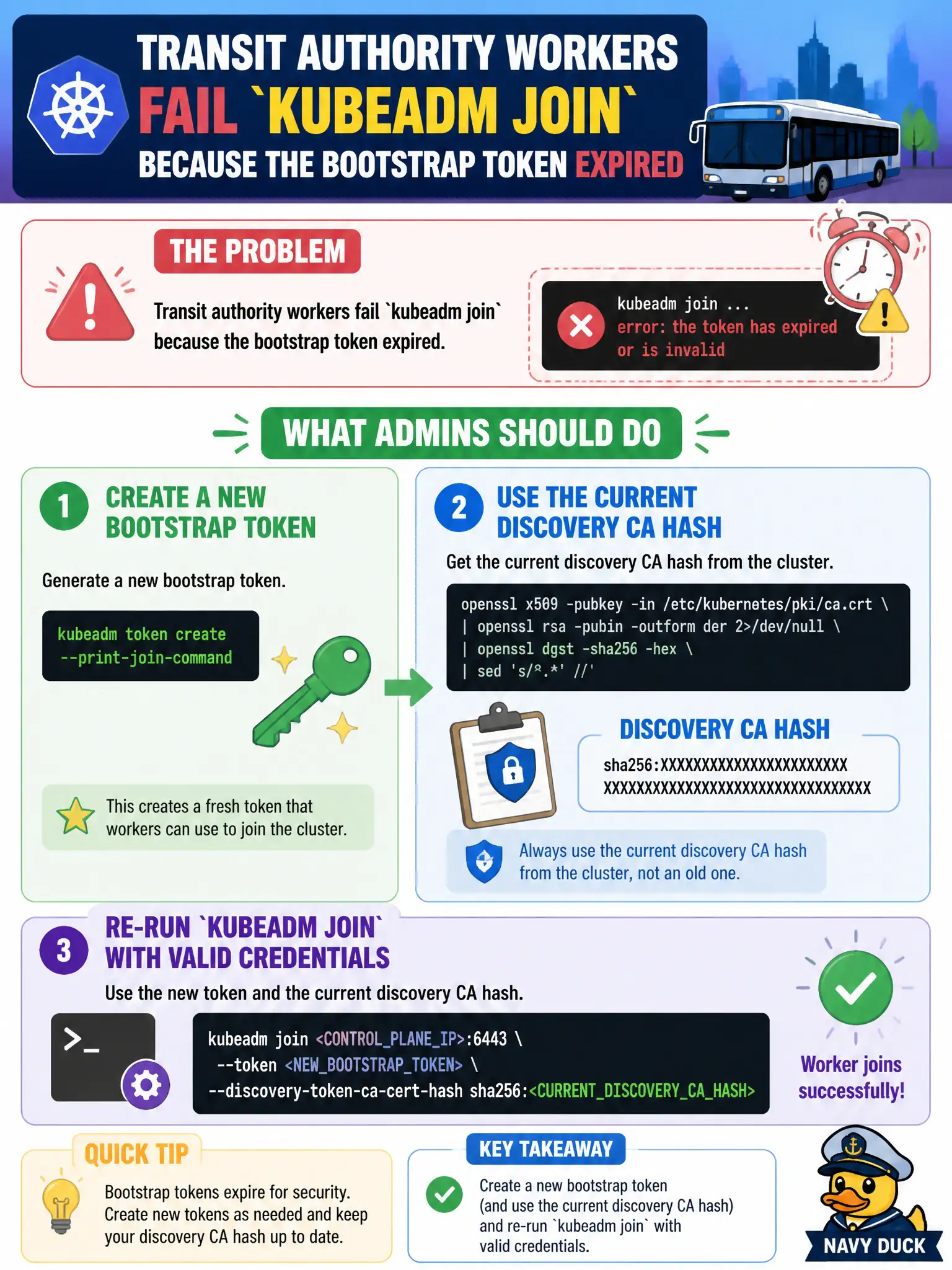
Short Explanation
Join tokens are day passes that expire—print a fresh one when the old gate code goes stale. Pair it with the discovery CA hash and run kubeadm join again. Hosts file tricks do not mint tokens.
Full Explanation
When transit authority workers fail kubeadm join because the bootstrap token expired, administrators must create a new bootstrap token, pair it with the current discovery CA hash, and re-run kubeadm join with valid credentials. Join tokens are day passes; print a fresh one when the gate code goes stale rather than inventing workarounds. The correct approach is: Create a new bootstrap token (and use the current discovery CA hash) and re-run kubeadm join with valid credentials. Rebooting the API server does not automatically renew expired bootstrap tokens for 24 hours. Editing each worker’s /etc/hosts to map the old token string to the VIP cannot mint cryptographic join credentials. Switching workers to kubectl apply -f node.yaml without kubeadm is not the supported node bootstrap path. Exam caveat: Tokens expire by design; discovery CA hash must still match the cluster CA. Operational check: Run kubeadm token create --print-join-command (or create token plus openssl/kubeadm hash), execute the join on the worker, and confirm the Node appears Ready. In municipal platform operations, document this decision in the change record so the next on-call engineer understands why the chosen control exists and which failure modes the rejected options would introduce for city services that depend on this cluster behavior.