
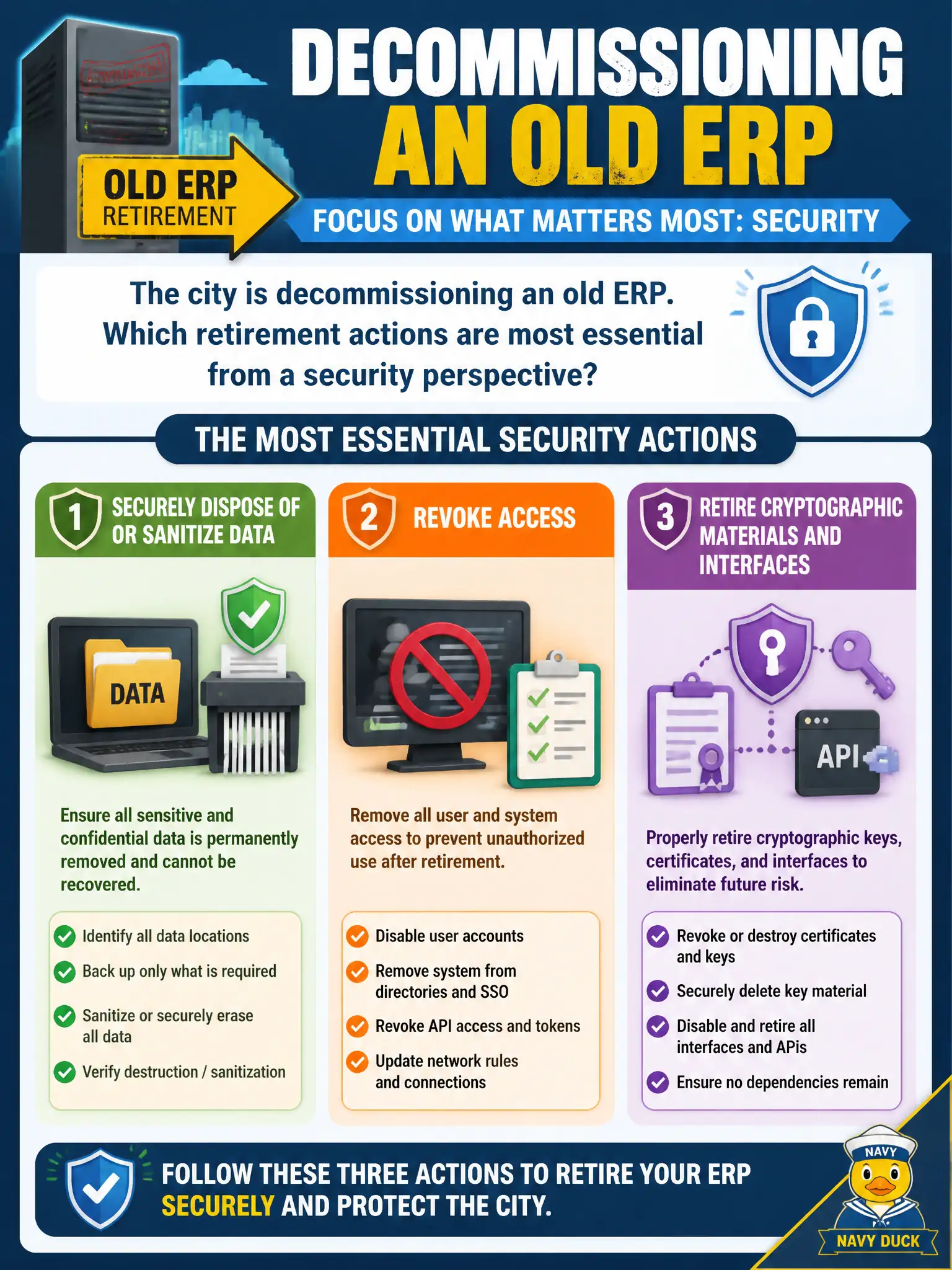
The city is decommissioning an old ERP. Which retirement actions are most essential from a security perspective?
Select an answer to reveal the explanation.
Short Explanation
Turning off an ERP is not the same as making its secrets go away. Wipe or destroy data, kill accounts, and retire keys so yesterday's system cannot haunt tomorrow's breach report.
Full Explanation
Decommissioning a municipal ERP is an active security phase, not a power-off event. Essential retirement actions include sanitizing or destroying residual data per policy, revoking user and service accounts, retiring interfaces and trust relationships, and withdrawing cryptographic materials—keys, certificates, and tokens—so the retired system cannot be revived as an attack platform or quiet data leak. Secure disposal prevents thrift-sale disk exposure, orphaned VPN or API credentials, forgotten admin accounts, and forgotten integrations that outlive the application brand on the login page.
Leaving accounts active indefinitely preserves unnecessary access long after business owners have moved on. Donating drives without sanitization exposes tax, HR, and citizen data to whoever buys the hardware. Archiving production data to an unencrypted public share converts retirement into a confidentiality incident disguised as convenience.
Exam caveat: CISSP lifecycle disposal is not merely powering equipment off; it explicitly includes media sanitization, access revocation, interface teardown, and cryptographic material retirement as controlled activities with evidence.
Operational check: follow approved sanitization standards for disks and tapes; inventory and revoke identities tied to the ERP; remove firewall rules and SSO integrations; destroy or escrow keys per records policy; confirm that backups of retired data are protected or destroyed on schedule; obtain disposal attestation for auditors before declaring the system closed.