
A Cisco ISE deployment must give full access only to users who are members of a specific Active Directory group, while other domain users get restricted access. Which configuration supports this decision?
Select an answer to reveal the explanation.
Short Explanation
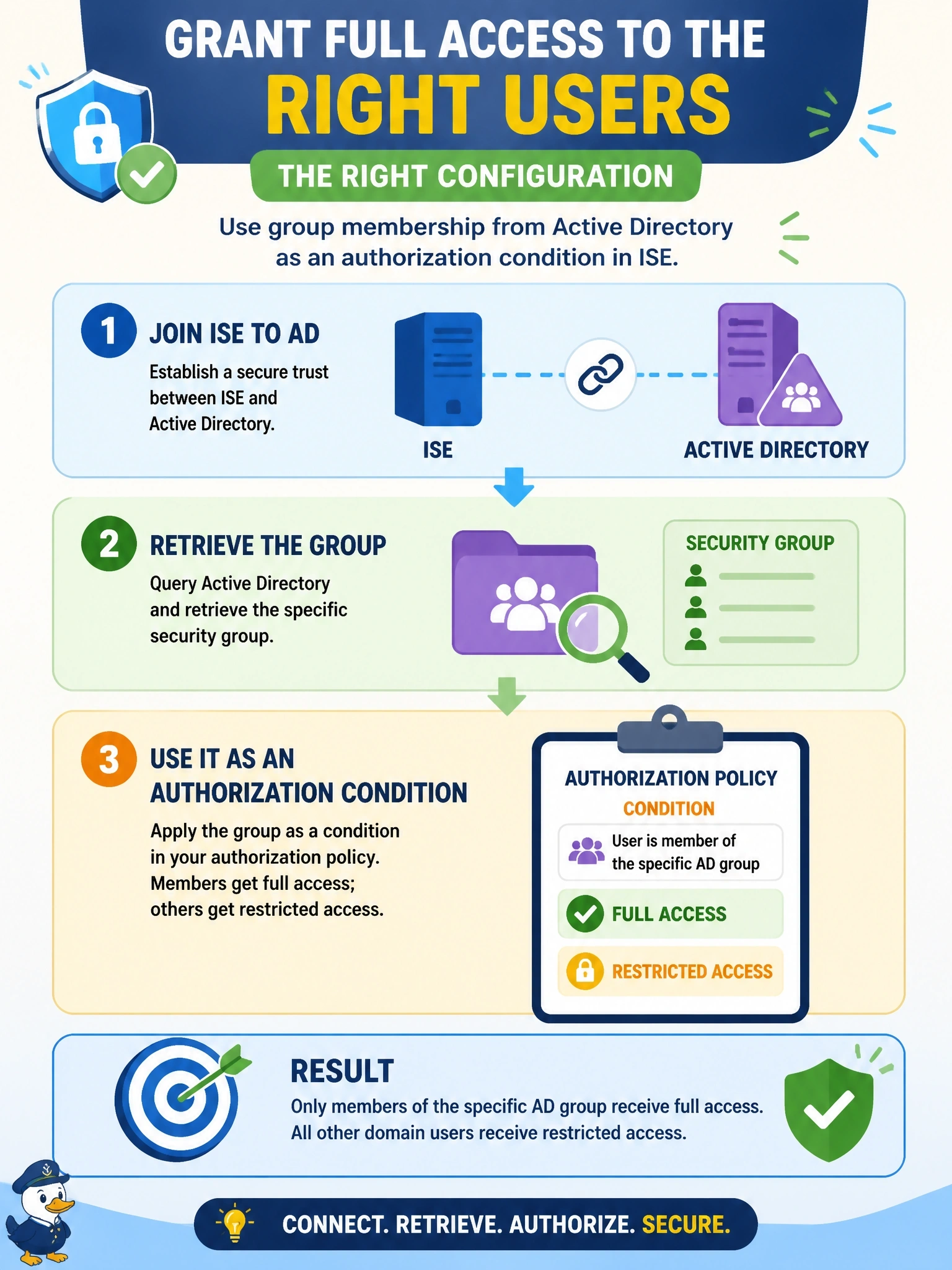
Why keep a second copy of your user list when AD already knows who's in which group? You join ISE to AD, pull in the group you care about, and write the authorization rule against it. Copying users into ISE sounds easy until the first person changes jobs.
Full Explanation
Cisco ISE can join one or more Active Directory domains as an external identity source. After the join, administrators select the AD groups and attributes ISE should retrieve, and those groups become available as conditions in authorization rules. When a user authenticates, for example with PEAP-MSCHAPv2 or EAP-TLS, ISE looks up the user's group membership in AD and the authorization policy returns full access for members of the selected group and a restricted profile for everyone else. Importing all domain users into the ISE internal store duplicates identity data, breaks single point of management, and leaves group changes in AD out of sync with ISE. MAB uses an endpoint MAC address, not a user identity, so it cannot evaluate a user's group membership. Posture assessment checks endpoint compliance such as antivirus or patch state; it does not query AD for user group membership and is not the identity source for authorization. Exam caveat: authentication against AD and authorization on AD groups are separate steps, so a successful login does not mean the group condition matched. Operational check: use the ISE AD test user function to confirm the account's groups are returned, then check which authorization rule the live log shows was hit.