
Contractors bring their own Windows laptops for a two-week project. Policy requires a posture check before network access, but the contractors' employers forbid installing any persistent software on those laptops. Which Cisco ISE posture option fits?
Select an answer to reveal the explanation.
Short Explanation
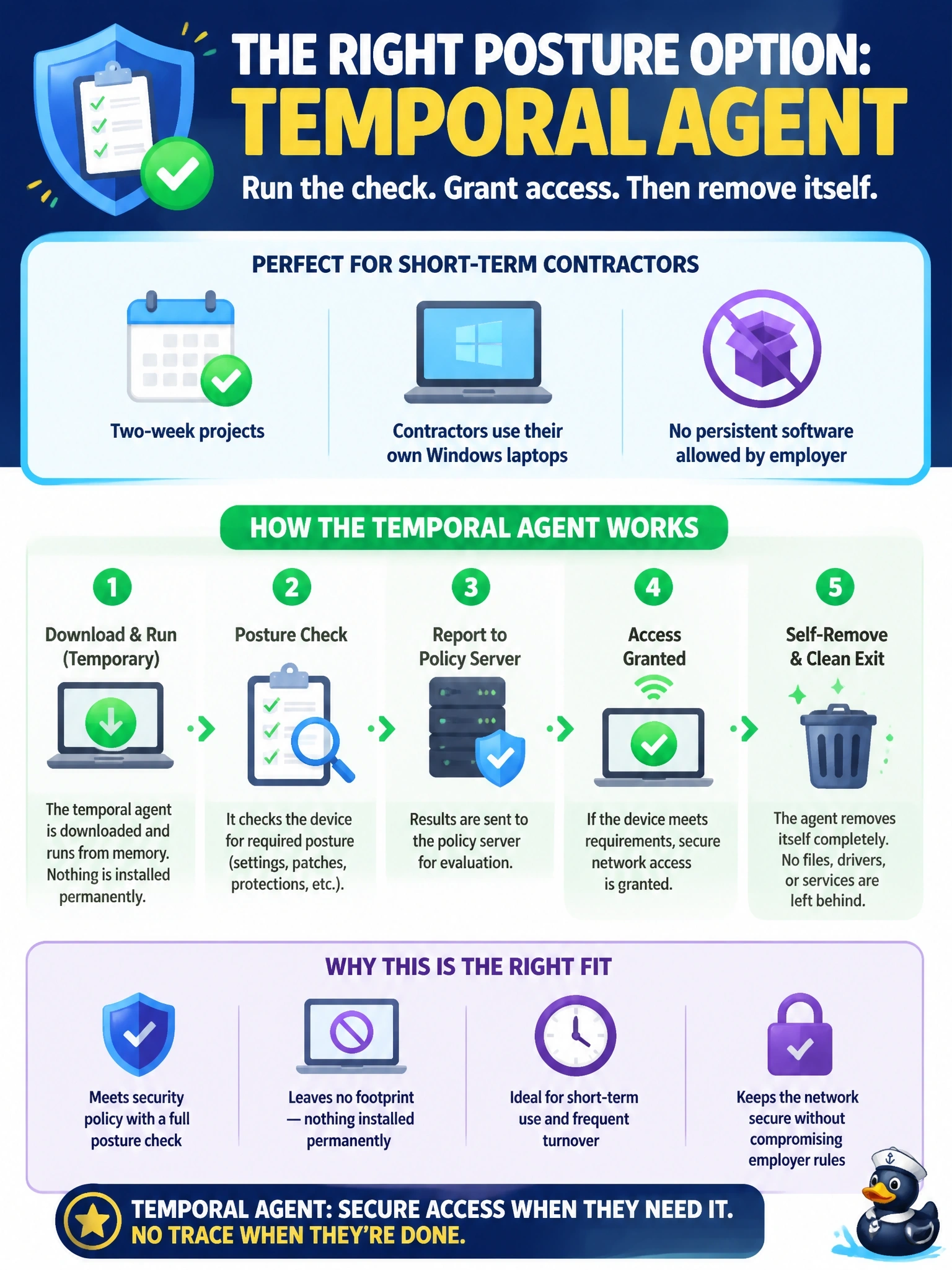
Think of the temporal agent as a visiting inspector: it walks in, checks the place and leaves without moving in. You get a real posture result without leaving software behind. Don't pick MAB here; a MAC address can't tell you anything about patches or antivirus.
Full Explanation
Cisco ISE offers several ways to collect posture. The full posture module of Cisco Secure Client stays installed and supports ongoing checks. The temporal agent is a dissolvable option: the user downloads and runs it from the client provisioning portal, it evaluates the posture conditions, reports the result to ISE and then removes itself, leaving no persistent software. That satisfies a posture requirement on devices whose owners will not accept an installed agent. Configuring the full agent to uninstall at the end of the project still installs persistent software for the entire engagement, which the stated constraint forbids. MAC Authentication Bypass authenticates a device by its MAC address when it cannot do 802.1X; it collects no information about installed software, patches or antimalware. Profiling with the DHCP probe classifies the device type from DHCP options, such as identifying a Windows host, but it cannot read antimalware or patch status. Exam caveat: the temporal agent supports a narrower set of checks and remediation than the full agent and does not provide periodic reassessment, because nothing remains on the endpoint. Operational check: connect a contractor laptop, confirm that the portal offers the temporal agent, run it, and verify that ISE records a posture result and that no agent remains installed afterward.