
An organization relies on signature-based antivirus. An attacker uses a phishing macro to launch PowerShell, which downloads and runs a payload entirely in memory without writing an executable to disk, and the antivirus raises no alert. Which capability is designed to detect this kind of activity?
Select an answer to reveal the explanation.
Short Explanation
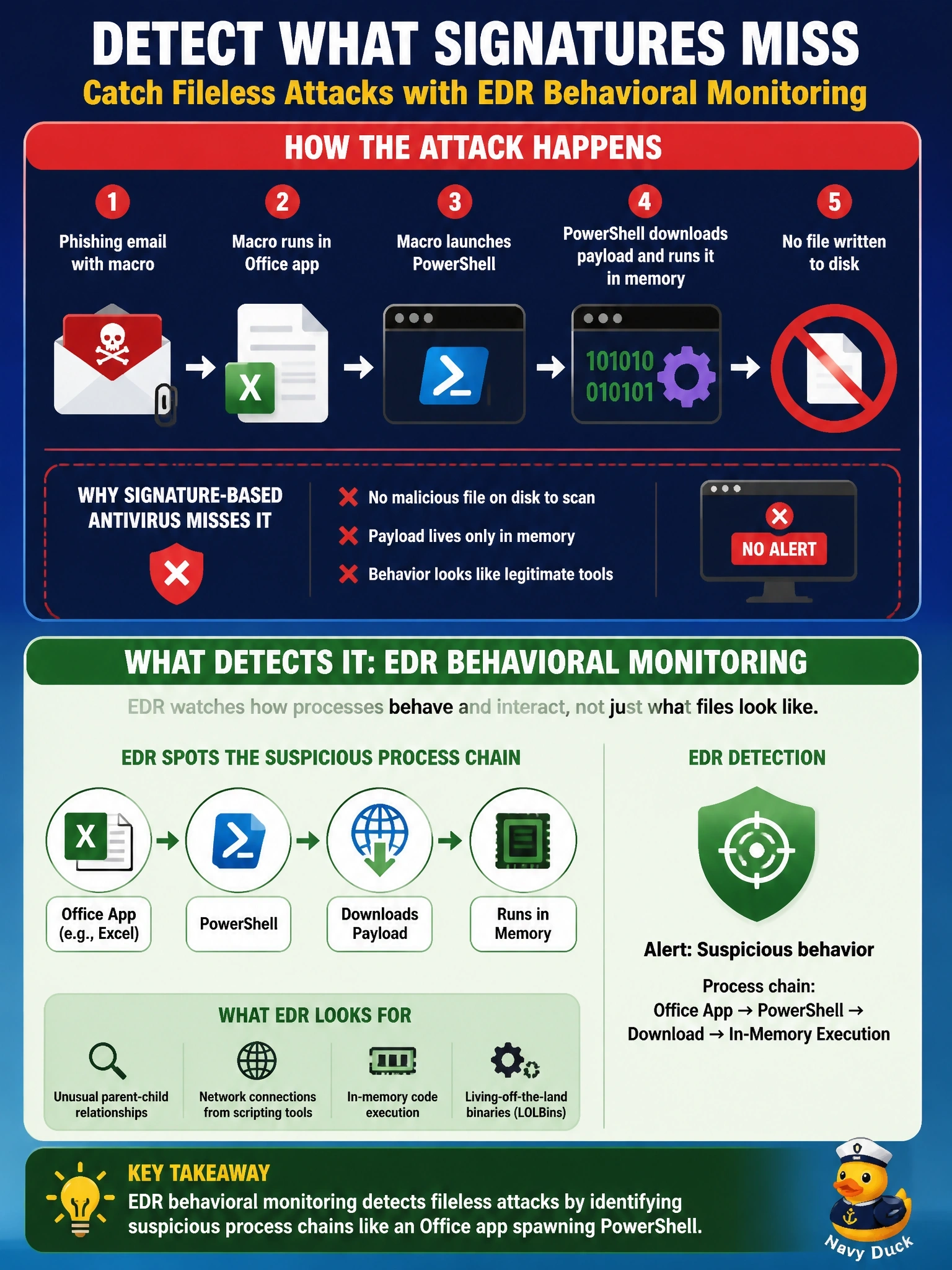
Your signature antivirus is a bouncer checking IDs against a wanted list, and a fileless attack never shows its ID at the door. EDR watches behavior instead: a Word document launching PowerShell that pulls code into memory is weird, whatever its name. Don't think a bigger wanted list fixes this; there's no file to look up.
Full Explanation
Signature-based protection compares files against known-bad patterns or hashes when they are written or executed. A fileless attack avoids that check: the macro starts a legitimate interpreter such as PowerShell, which downloads code and runs it in memory, so no new executable lands on disk to be scanned. Endpoint detection and response adds continuous recording of process, file, registry and network activity and analyzes behavior, so an unusual chain such as an Office application spawning PowerShell that makes an outbound download is detected even though every binary involved is legitimate. A larger or more frequently updated signature set still depends on a file or hash that matches, and the in-memory payload may be unique to this attack. Full-disk encryption protects data at rest on a lost or stolen device; it does nothing against code running in a logged-on session. A host firewall blocking inbound connections does not stop a user-initiated macro or the outbound download it performs. Exam caveat: modern EPP products also include behavioral engines, so the exam distinction is prevention by known indicators versus detection and investigation of behavior. Operational check: review the endpoint's process tree for the Office-to-PowerShell chain and confirm that the behavioral detection appears in the console.