
An internet access rule that allows a partner's file-sharing site never matches. Logs show the partner traffic is blocked by a broader rule above it that blocks the entire file-sharing category. The allow rule's identities and destinations are correct. What is the fix?
Select an answer to reveal the explanation.
Short Explanation
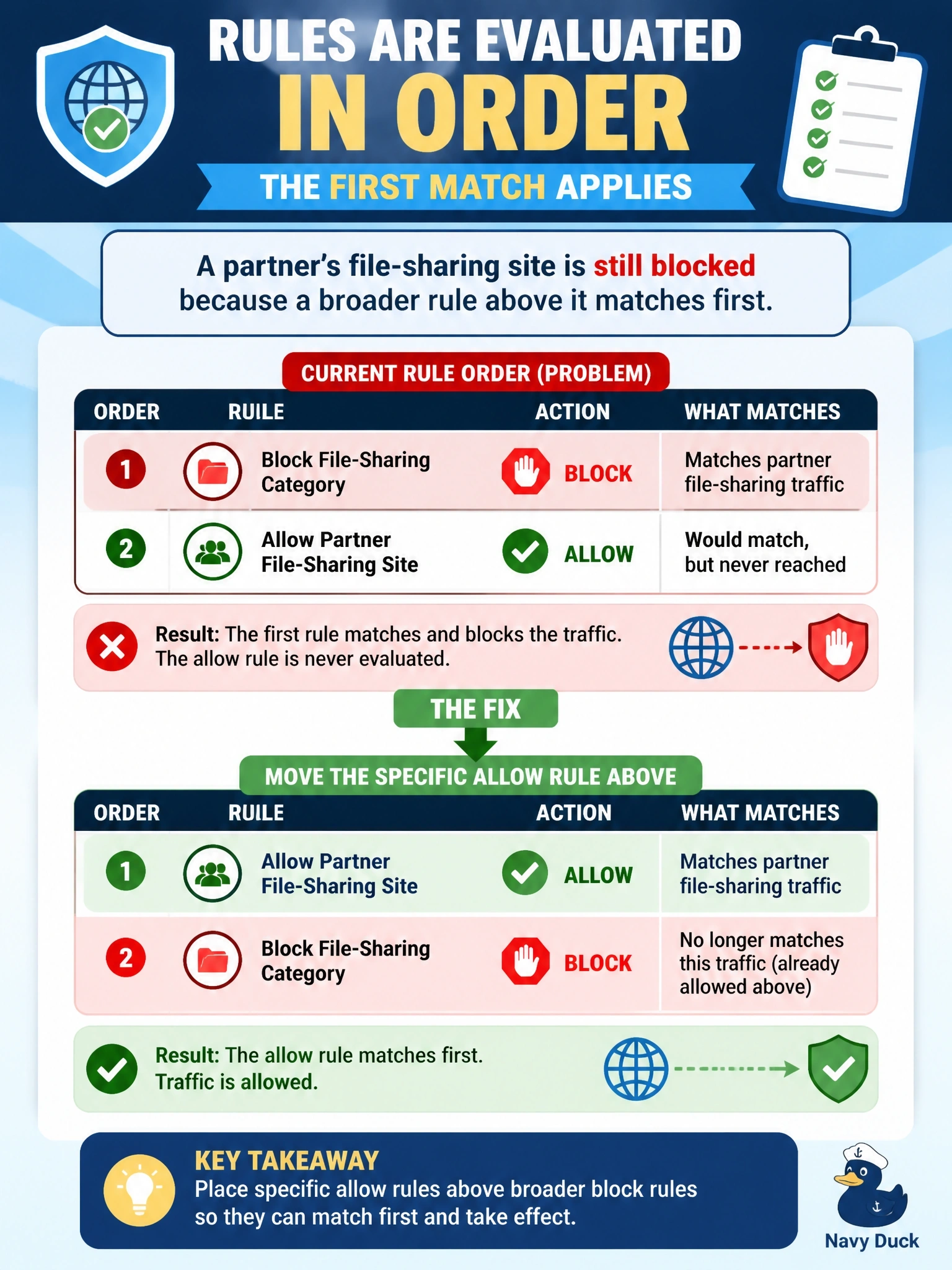
It's like a mail sorter who stops at the first bin that fits — your special bin never gets a chance if a general one sits above it. Rules are evaluated in order, so the specific allow must sit above the broad block. The trap is adding another copy lower down; the traffic never gets that far.
Full Explanation
Cisco Secure Access evaluates access policy rules in order from the top, and the first rule whose conditions match the traffic determines the action. A broad rule that blocks the file-sharing category matches the partner's site before the evaluation ever reaches the more specific allow rule below it, which is why the allow rule shows no hits even though its identities and destinations are correct. The standard practice is to place specific exceptions above general rules, so moving the partner allow rule above the category block lets it match first while every other file-sharing site remains blocked. Adding the partner site to the block rule's destinations makes the block rule match the traffic even more explicitly; it does not change which rule wins. Changing the broad rule to warn would let users click through to every file-sharing site, weakening the policy for the whole category to fix one partner. Duplicating the allow rule at the bottom of the policy places it even further below the block rule, so first-match evaluation never reaches it. Exam caveat: rule order questions are common across Cisco security products, including Secure Firewall access control policies, and the answer pattern is the same. Operational check: reorder the rules, browse to the partner site as an affected user, and confirm the activity search shows the allow rule as the matched rule.