
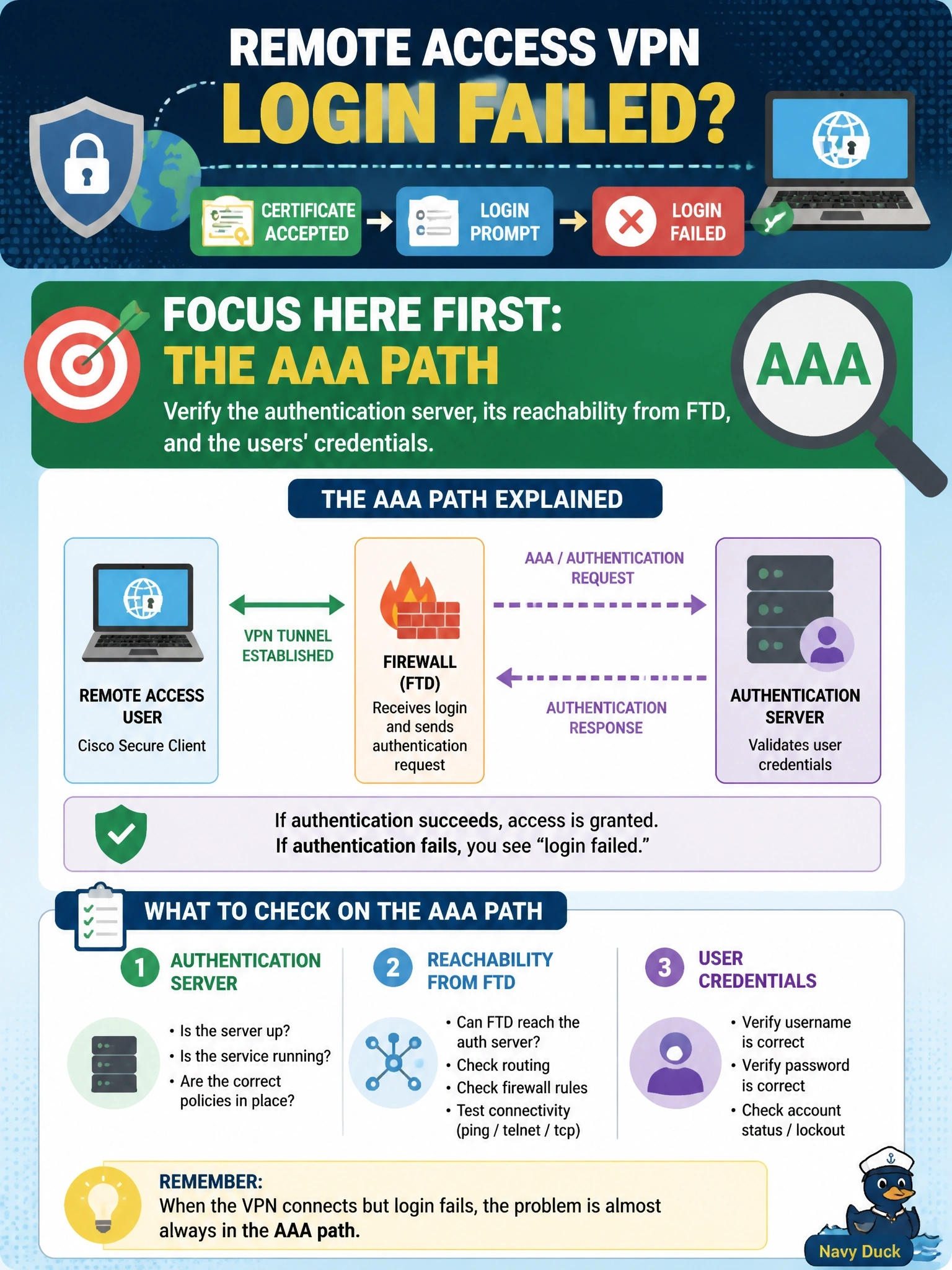
Site-to-site VPNs on a Cisco Secure Firewall (FTD) work normally, but remote access users report that Cisco Secure Client accepts the server certificate, shows the login prompt, and then returns login failed. Where should troubleshooting focus first?
Select an answer to reveal the explanation.
Short Explanation
Here's a great clue: if your users see the login box, the client already reached the firewall and trusted it. So the handshake worked, and the problem is who's checking the username and password. Don't go hunting in IKE settings when you're clearly failing at authentication.
Full Explanation
A remote access session progresses in stages. Secure Client first establishes TLS, or IKEv2, with the headend, validating the device identity certificate; the gateway then presents the connection profile's authentication prompt; and only after the AAA server accepts the credentials does the tunnel complete. Reaching the login prompt after accepting the certificate proves that the transport negotiation and certificate trust succeeded, so a login failed message points to authentication: the configured server may be unreachable from the FTD, the shared secret or directory bind may be wrong, the server may reject the account, or the profile may reference the wrong server group. Site-to-site tunnels working says nothing about this path because they do not use user AAA. An IKE policy mismatch would stop negotiation before any prompt appears, and remote access over TLS does not use an IKE policy at all. IPsec proposals are negotiated for the data channel and likewise fail before or around tunnel setup, not as a credential rejection. A certificate trust problem produces an untrusted server warning or blocks the connection before the prompt. Exam caveat: separating negotiation failures from AAA failures by the stage reached is the core troubleshooting skill. Operational check: test the AAA server from the FTD, review the RADIUS or directory server logs for the user's attempt, and correct the server group or credentials.