
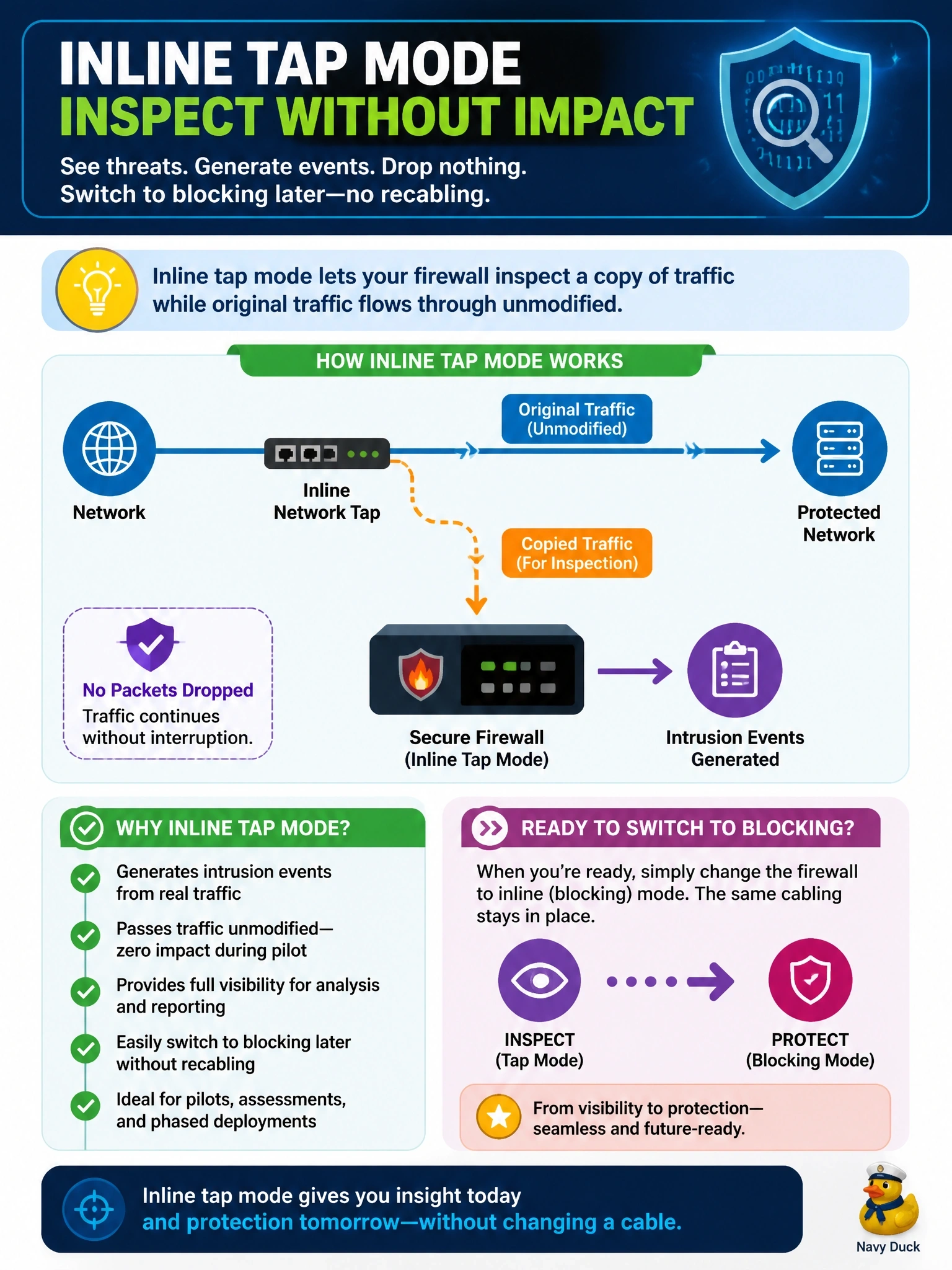
Cisco Secure Firewall interfaces are already cabled inline for an intrusion prevention pilot. Management wants intrusion events generated from real traffic, no packets dropped during the pilot, and the option to switch to blocking later without recabling. Which interface mode fits?
Select an answer to reveal the explanation.
Short Explanation
Inline tap is like a driving instructor riding along with their foot nowhere near the brake: they see everything on the real road but don't intervene yet. Since you're already cabled inline, you just flip the mode later. Watch out for Trust, which skips inspection entirely, so you'd get no intrusion events at all.
Full Explanation
Secure Firewall inline interfaces can be grouped into an inline set, and an inline set can operate in tap mode. In tap mode the device stays physically in the traffic path but forwards packets unmodified and analyzes a copy, so intrusion and file events are generated against live traffic without any packet being dropped. Turning tap mode off later converts the same inline set into a blocking inline deployment with no cabling change, which is exactly what a staged pilot needs. Passive mode receives traffic from SPAN or a TAP and also never drops, but the stem's interfaces are already cabled inline, so passive would require new switch configuration and cabling and would itself need recabling to block later. A Trust rule in routed mode allows traffic without further inspection, so intrusion and file policies are not applied and no intrusion events are produced for that traffic. A normal inline set with drop rules is the production blocking mode, which violates the no-drop requirement for the pilot. Exam caveat: an intrusion policy in a detection-only mode is another way to avoid drops, but the question asks for the interface mode. Operational check: confirm tap mode is enabled on the inline set, then verify intrusion events show traffic that would have dropped, before disabling tap mode.