
A teammate's script defines API_KEY = 'a1b2c3d4e5' near the top, and the file has already been committed and pushed to the team's Git repository. The script works. What is the correct fix?
Select an answer to reveal the explanation.
Short Explanation
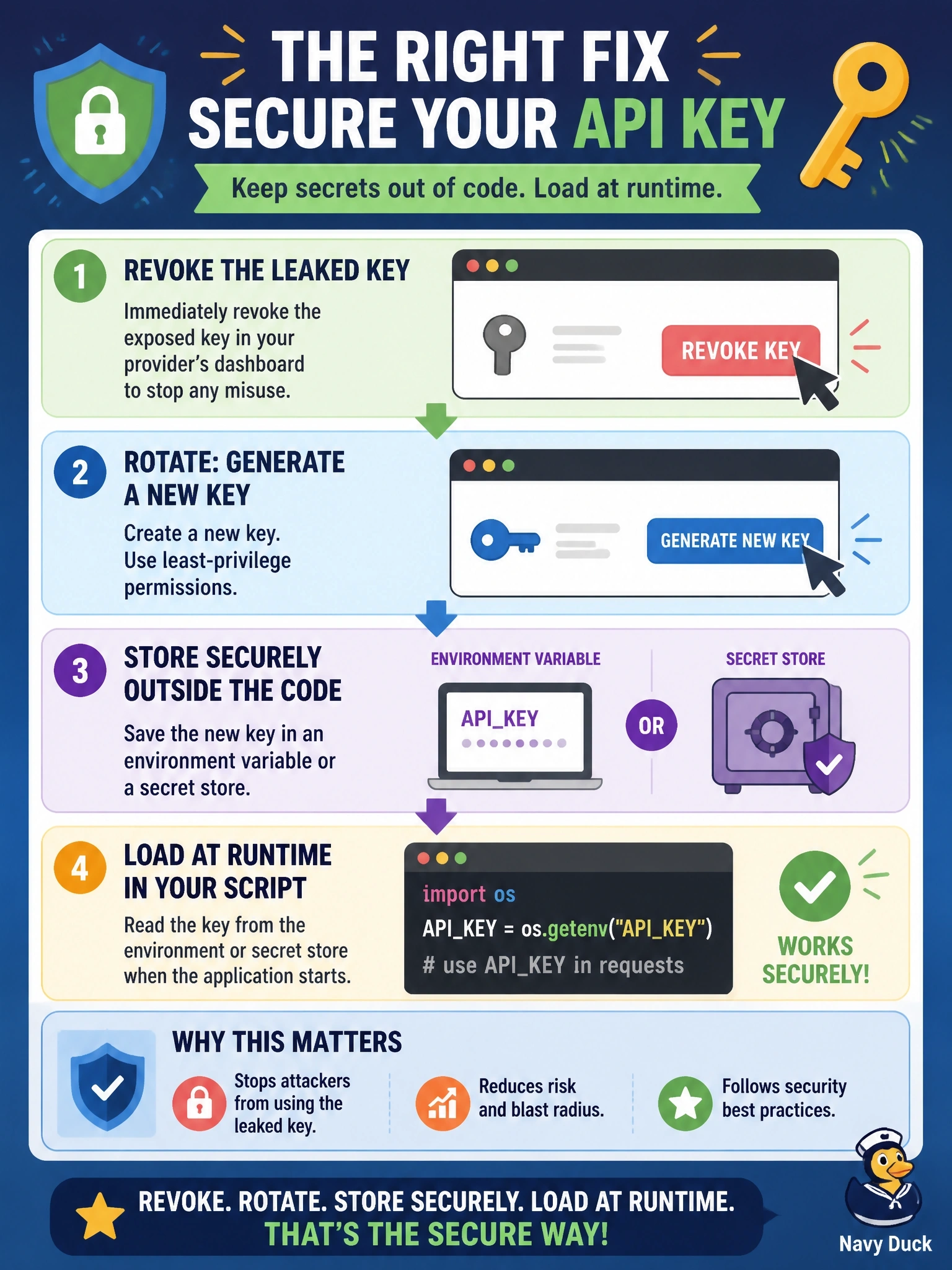
Once you've posted your house key's photo online, buying a nicer keyring won't help; you change the locks. A committed secret lives on in Git history, so rotate it first, then keep the new one out of the code. Watch for answers that just hide or move the same key.
Full Explanation
A secret committed to version control must be treated as exposed. Git keeps every prior commit, clones and forks copy that history, and automated scanners routinely search repositories for credentials. Removing the line in a new commit does not remove the key from history. The correct response is to revoke the exposed key and issue a new one, then change the script to read the credential at runtime, for example from an environment variable populated by the deployment platform or from a secrets manager, so the value never appears in source. Moving the key to config.py in the same repository relocates the problem; the file is still committed and the original key is still in history. Base64 is an encoding, not encryption; anyone can decode it in one step, so it provides no confidentiality. Making the repository private narrows the audience but leaves the key in history, exposed to every current and future collaborator, to any build system that clones the repo and to any later leak; the compromised key also remains valid. Exam caveat: rotation is the step candidates skip, yet it is the only one that neutralizes the leaked value. Operational check: confirm the old key is revoked by testing that it now fails, add a pre-commit secret scanner, and ignore local credential files in .gitignore.