
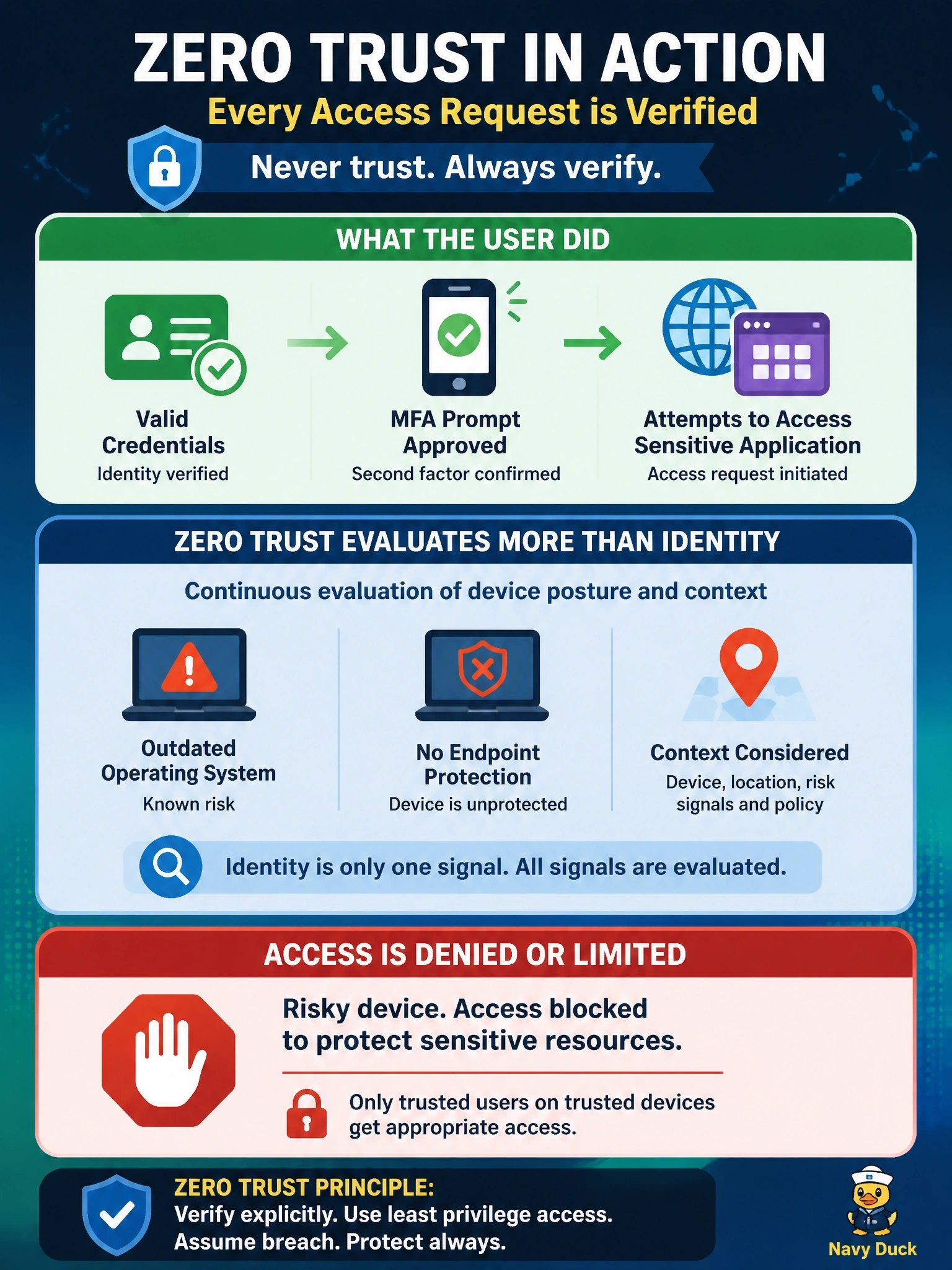
A user with valid credentials who has just approved an MFA prompt tries to reach a sensitive application from a personal laptop with an outdated operating system and no endpoint protection. Under zero trust, what should happen?
Select an answer to reveal the explanation.
Short Explanation
A valid ID doesn't help if you show up driving a car with no brakes. Zero trust checks the device as well as the person, so an unpatched laptop with no protection gets blocked or limited. The trap is thinking MFA alone settles it — it proves who you are, not what you're using.
Full Explanation
Zero trust policies evaluate multiple signals for every access request: user identity and authentication strength, device identity and posture, location, time, behavior, and the sensitivity of the resource. Strong authentication proves who the user is but says nothing about whether the device is patched, protected, or compromised. A personal laptop with an outdated operating system and no endpoint protection is a high-risk endpoint, so policy should deny access to a sensitive application or limit it, for example by allowing browser-only access without downloads or directing the user to remediate. Products such as Cisco Duo device health checks and Cisco ISE posture assessment supply this signal. Granting full access on password plus MFA ignores device risk, which is a core input in zero trust decisions. Joining a VPN only changes network location, and zero trust explicitly rejects location as a basis for trust; the device would be just as risky after connecting. Denying personal devices permanently is not a zero trust requirement, since many designs permit unmanaged devices with restricted access when posture is acceptable. Exam caveat: posture requirements should scale with resource sensitivity, so low-risk applications may tolerate weaker posture. Operational check: test from a device that fails the posture policy and confirm the policy blocks access or applies the restricted profile.