
A state university host logs in on VSAN 10. The target and the active zoneset that pairs them are in VSAN 20. Both VSANs exist on the same MDS. Why can the host not see the target?
Select an answer to reveal the explanation.
Short Explanation
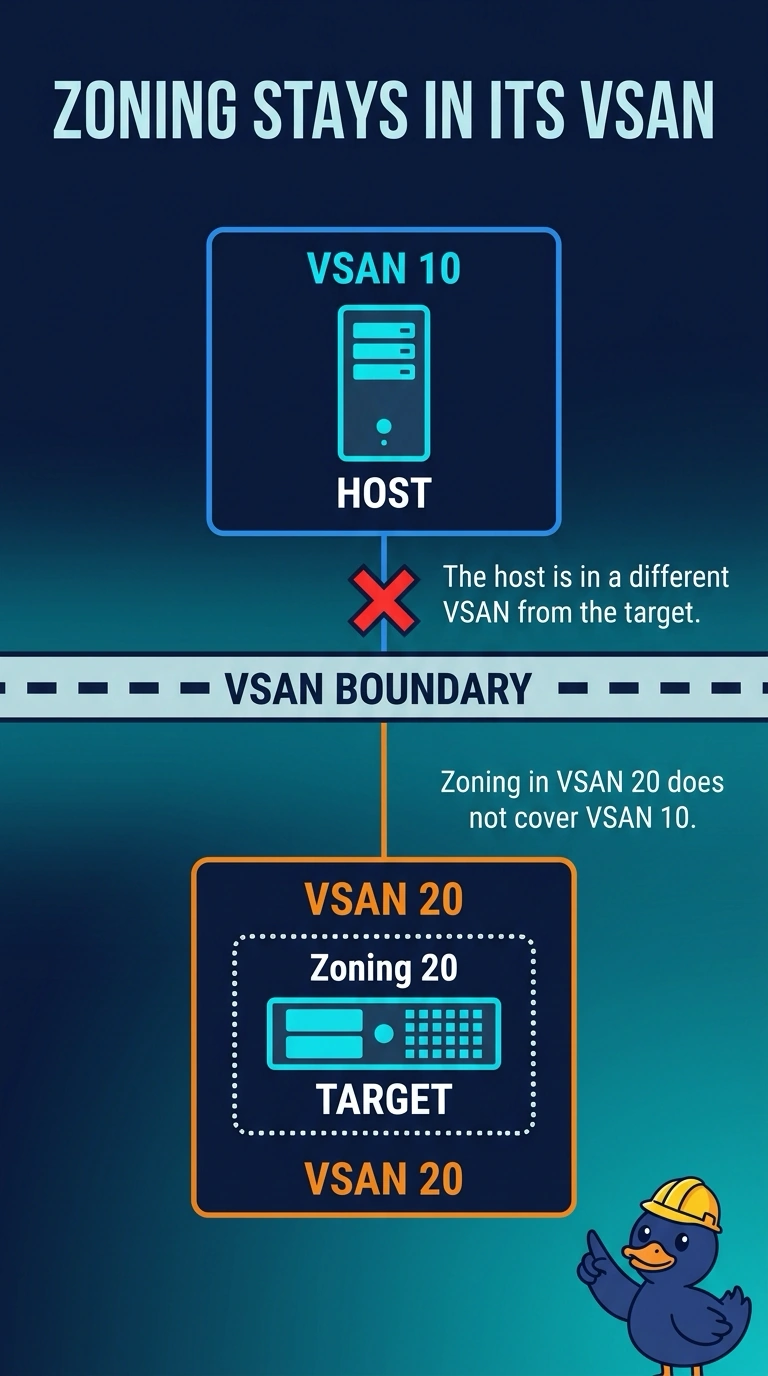
You can think of each VSAN as its own building, even when both use the same switch hardware. Put the host and target in the same VSAN, because zoning in VSAN 20 does not cover a host logged into VSAN 10.
Full Explanation
Each VSAN is a separate Fibre Channel fabric with its own zoning and name server. The host logged into VSAN 10 is not a member of the zoneset in VSAN 20, so that zoneset cannot make the target visible to the host. Place the host port in VSAN 20, or place the target and a zoneset in VSAN 10, so the devices can be zoned together. An active zoneset applies within its VSAN; it does not apply to every VSAN on the MDS. The FCID space is also associated with a VSAN, so similar addresses in separate VSANs do not collide. Principal switch election is per fabric, and the MDS is not limited to one VSAN. Caveat: if the host and target are intentionally in different VSANs, communication requires inter-VSAN routing; zoning does not leak across VSANs by default. Practical check: compare the VSAN assigned to the host F port with the target’s VSAN, move the host port if both should be in VSAN 20, and confirm that both devices appear in that VSAN’s name server.