
Two neighboring clinics put 20 MHz radios on channel 1 and channel 3 and expect no overlap. The radios still interfere. Why?
Select an answer to reveal the explanation.
Short Explanation
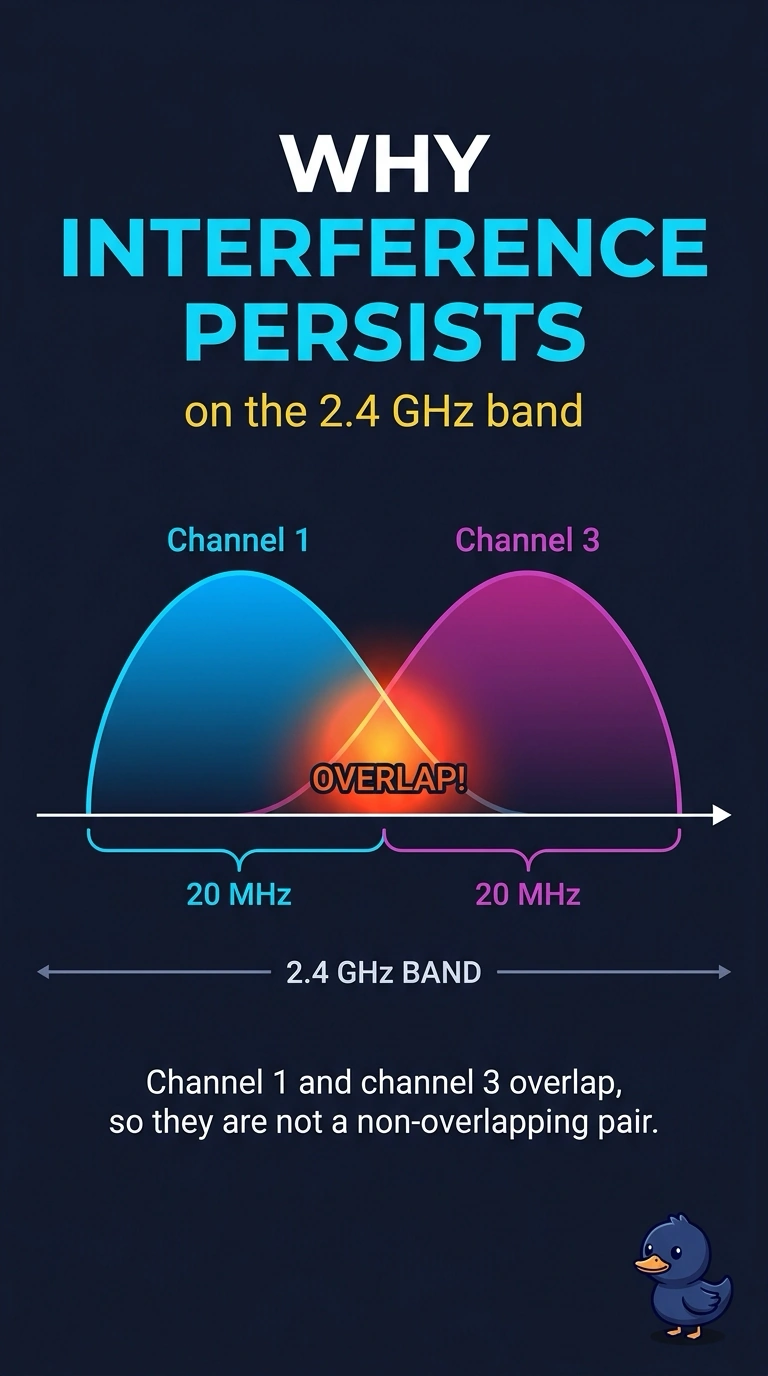
Three channel numbers apart is not enough in this band. Your clinics chose channels 1 and 3, and those 20 MHz channels still overlap; 1, 6, and 11 are the usual plan that separates them.
Full Explanation
In the 2.4 GHz band, a 20 MHz channel is much wider than the spacing between channel numbers. Channel 1 and channel 3 overlap, so the clinics can interfere even though their channel numbers differ; they are not a non-overlapping pair. Calling these channels the widest possible separation is incorrect: channels 1 and 3 are close together in the band. Overlap does not happen only when radios use the same channel number. Same-channel operation causes co-channel contention, while overlap between adjacent channels also occurs, as it does here. Channel 3 in this design is a 2.4 GHz channel, not a 5 GHz channel, so a 2.4 GHz radio on channel 1 can hear it. A plan such as 1, 6, and 11 separates 20 MHz channels in 2.4 GHz. Exam caveat: the classic non-overlapping set in the United States is 1, 6, and 11; other countries may allow a channel at the edge, but do not assume there is a fourth non-overlapping 20 MHz channel between 1 and 6. Practical check: move one clinic to a non-overlapping channel, retest, and confirm that the interference drops; check a live client and its counters before changing the rest of the floor.