
A store SSID in the cloud dashboard is set to bridge clients onto VLAN 30. The access-point switch port is an access port in VLAN 10. Clients get VLAN 10 addresses. Why?
Select an answer to reveal the explanation.
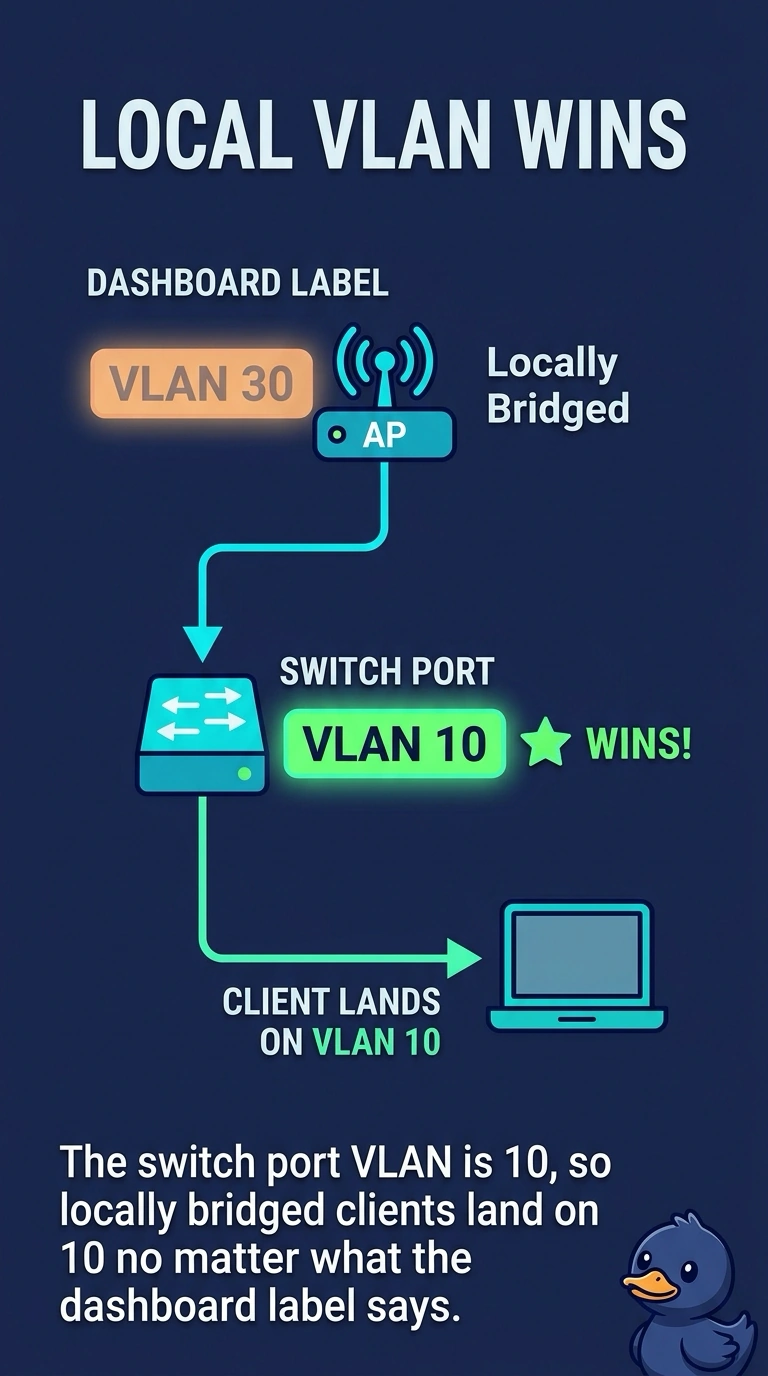
Short Explanation
The dashboard says 30 and the wire says 10. Locally bridged clients follow the wire. Your access port is in VLAN 10, so that is the network they join, and the port and the SSID need to agree.
Full Explanation
Dashboard-managed access points that bridge locally put client traffic onto the VLAN the switch port actually carries. An access port in VLAN 10 accepts and sends untagged frames in VLAN 10. The dashboard setting of VLAN 30 does not override that access port, so clients get VLAN 10 addresses. The dashboard does not always force VLAN 1. It can tag a VLAN when the port is a trunk that allows it. An access port in VLAN 10 will not deliver VLAN 30 just because the SSID is labeled 30. A guest anchor is a controller tunneling feature, not a dashboard rewrite that changes VLAN 10 into VLAN 30 after DHCP. The address the client got is the VLAN it is really on. An access port places untagged client traffic in its own VLAN. The dashboard label does not override that port. Exam caveat: if the design needs VLAN 30, the port has to be a trunk that allows 30 and the SSID has to tag 30. Changing only the dashboard label on an access port will not do it. Operational check: set the port and the SSID to the same VLAN plan, renew a client, and confirm the address comes from that VLAN's scope.