
A small office sets its only 2.4 GHz WLAN to a 40 MHz channel. A second access point has no non-overlapping 2.4 GHz channel left. Why?
Select an answer to reveal the explanation.
Short Explanation
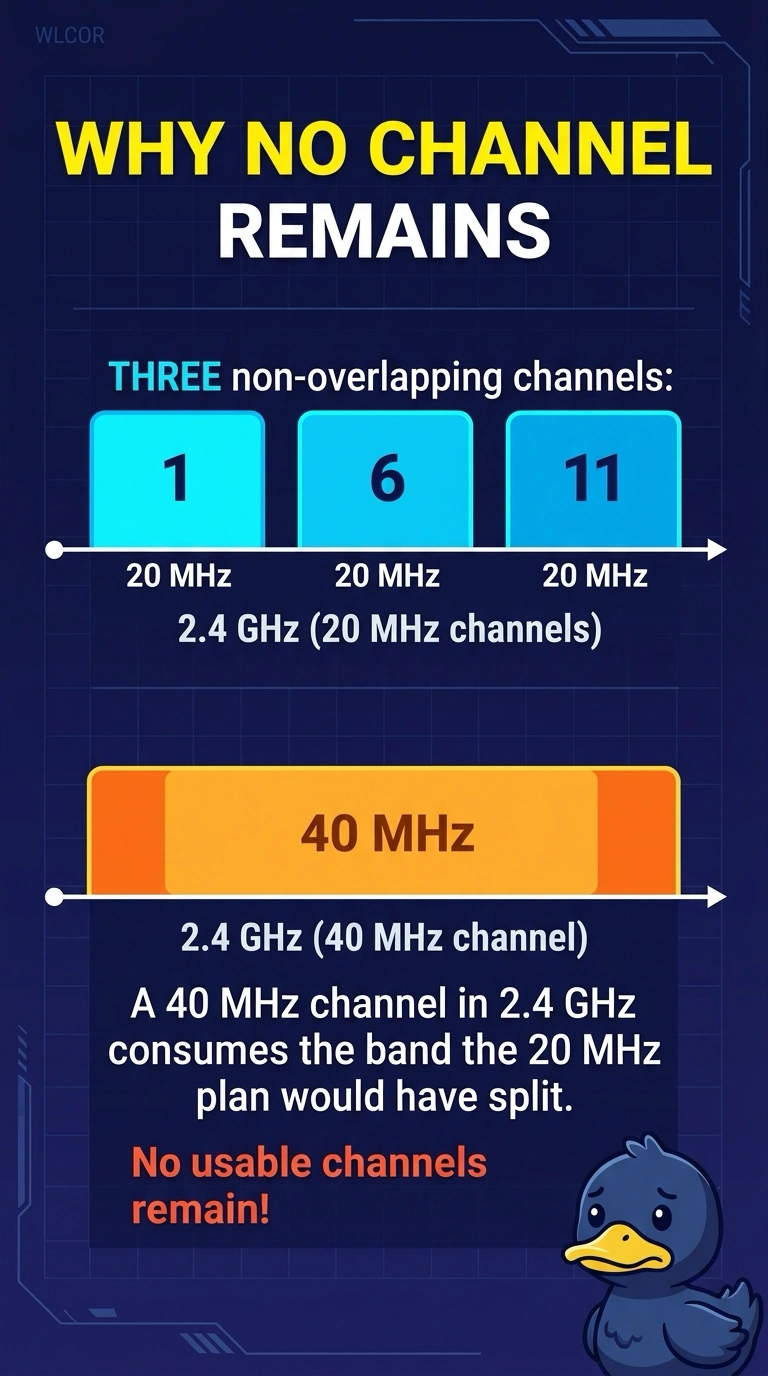
You spent the whole 2.4 GHz band on one wide channel. A second access point has nothing left that does not overlap. The usual 20 MHz plan is what leaves room for more than one channel in that band.
Full Explanation
The 2.4 GHz band has room for three non-overlapping 20 MHz channels in a typical plan, such as 1, 6, and 11 in the United States. A 40 MHz channel bonds a wide block of that same band, so a second access point has no non-overlapping 2.4 GHz channel left. The wide channel does not create three non-overlapping channels. It uses up the separation the 20 MHz plan depends on. A 40 MHz width is not a legal prerequisite for 20 MHz. 20 MHz is the width that actually fits multiple channels in this band. DFS radar vacation applies to certain 5 GHz channels, not to 2.4 GHz. The second access point is out of non-overlapping spectrum, not out of a radar check. Three 20 MHz channels can share 2.4 GHz. One 40 MHz channel spends that separation, which is why the second access point has nowhere clean to sit. Exam caveat: a 40 MHz 2.4 GHz channel also overlaps neighbors who are still on 20 MHz. The damage is not limited to your second access point. Operational check: set the WLAN back to 20 MHz and confirm the two access points can sit on non-overlapping channels.