
Teachers at a school can send text in a class space, but every file upload fails. Hot desking on the classroom board still works. Where should troubleshooting start?
Select an answer to reveal the explanation.
Short Explanation
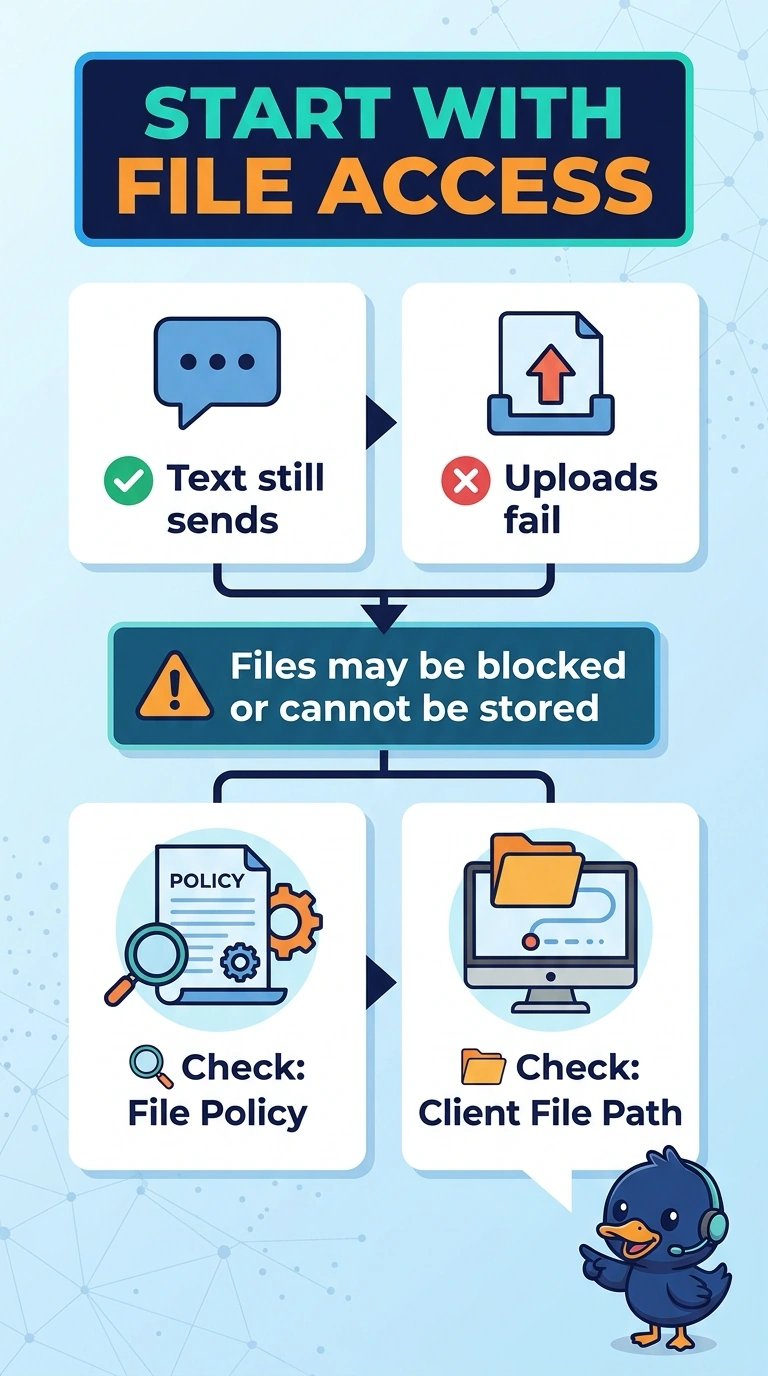
You can still pass a note when the attachment on it is refused. Since text works, you know the space is alive, so start with the file policy or client file path. Hot desking on the classroom board is a different door.
Full Explanation
Text still sends, so the space and ordinary messaging work. Because the failure is specific to the file, start with the file policy or the client file path: the file may be blocked or unable to be stored even while text sends. Hot desking on the classroom board is a sign-in to a shared device, not the file upload path; its continued operation does not explain or rule out a file problem. The school’s calling route group orders trunks for calls. A file upload is not a call leg, and a failed upload does not mean a trunk rejected an invite. The auto attendant business-hours menu chooses a calling destination; it does not determine whether files can be uploaded to a class space. Exam caveat: When text works but uploads fail, focus on the file or its path rather than assuming that a working shared-device sign-in or call-routing setup proves file transfer is healthy. Practical check: From a teacher client, send text in the class space, then try a file that the file policy allows and confirm that the upload path works, leaving hot desking on the classroom board as it is.