
Physicians at a hospital join a Webex meeting whose media hairpins through a congested VPN, and audio collapses even though the meeting still shows them as joined. What should be fixed?
Select an answer to reveal the explanation.
Short Explanation
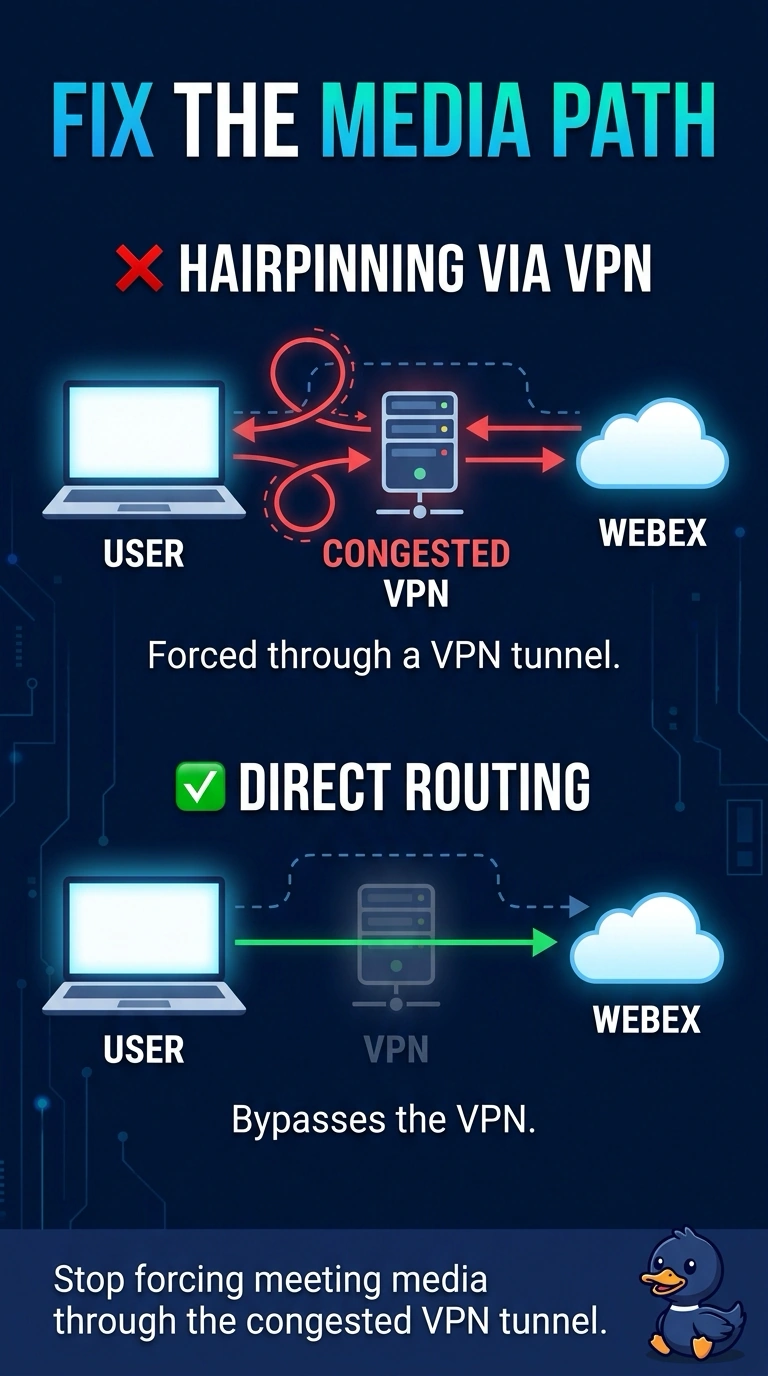
If the delivery van is forced down a jammed alley, you do not clear the alley by repainting the address. Meeting media is hairpinning through the congested VPN, so you fix that media path. A translation pattern rewrites digits and does not move the audio.
Full Explanation
The meeting join already succeeded, so the physicians are in the meeting. The failure is the media path hairpinning through a congested VPN, and that path is what has to change. The meeting media path, so the call stops hairpinning through the congested VPN and media can take a route that is not forced through that tunnel. A translation pattern on the hospital dial plan, because meeting audio is rewritten by that pattern before it is allowed to leave the congested VPN. A translation pattern rewrites digits. It does not carry meeting media or steer it off a VPN. The PSTN trunk for the hospital location, because a joined meeting with bad audio means that trunk is rejecting the media. They are already joined, so this is not a trunk rejection, and a PSTN trunk does not hairpin meeting media. The auto attendant holiday greeting, because that menu recording is what forces meeting media through the VPN. An auto attendant greeting is a calling menu, and it does not force meeting media through a VPN. Exam caveat: a joined meeting with collapsed audio is a media-path problem, so changing the translation pattern, the PSTN trunk, or the holiday greeting leaves the VPN hairpin in place. Operational check: Place a test meeting from the hospital and confirm media no longer hairpins through the congested VPN, while the dial plan and the PSTN trunk stay unchanged.